Operation manual BRC2E52C7 / BRC3E52C7
57
4P368042-1 - 2014.02
Menu Manipulation
Language
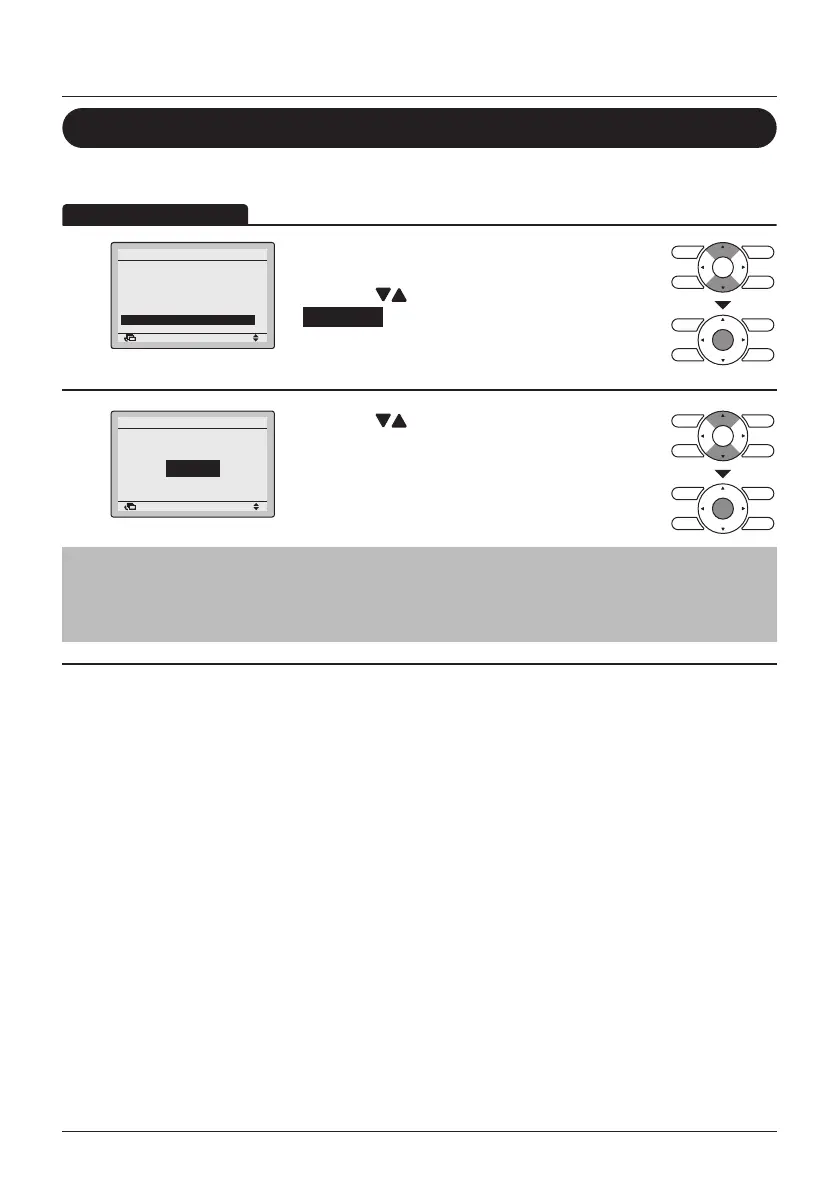
Select the Language
1
SettingReturn
Filter Auto Clean
Maintenance Information
Configuration
Current Settings
Clock & Calendar
Language
2/2Main Menu
• Display the Main Menu. (See "Manipulating the
Main Menu" on page 27).
• Press the
(Up/Down) buttons to select
Language and press the Menu/Enter button.
2
English
Language
SettingReturn
• Press the (Up/Down) buttons to select the
prefered language.
• Press the Menu/Enter button to conrm the
settings and to return to the Basic Screen.
Note
The visible languages are depending on the installed language pack.
For detailed information on the available languages and on how to change the language pack,
refer to the Installation Manual.



 To Next Page