Operation manual BRC2E52C7 / BRC3E52C7
9
4P368042-1 - 2014.02
Names and Functions
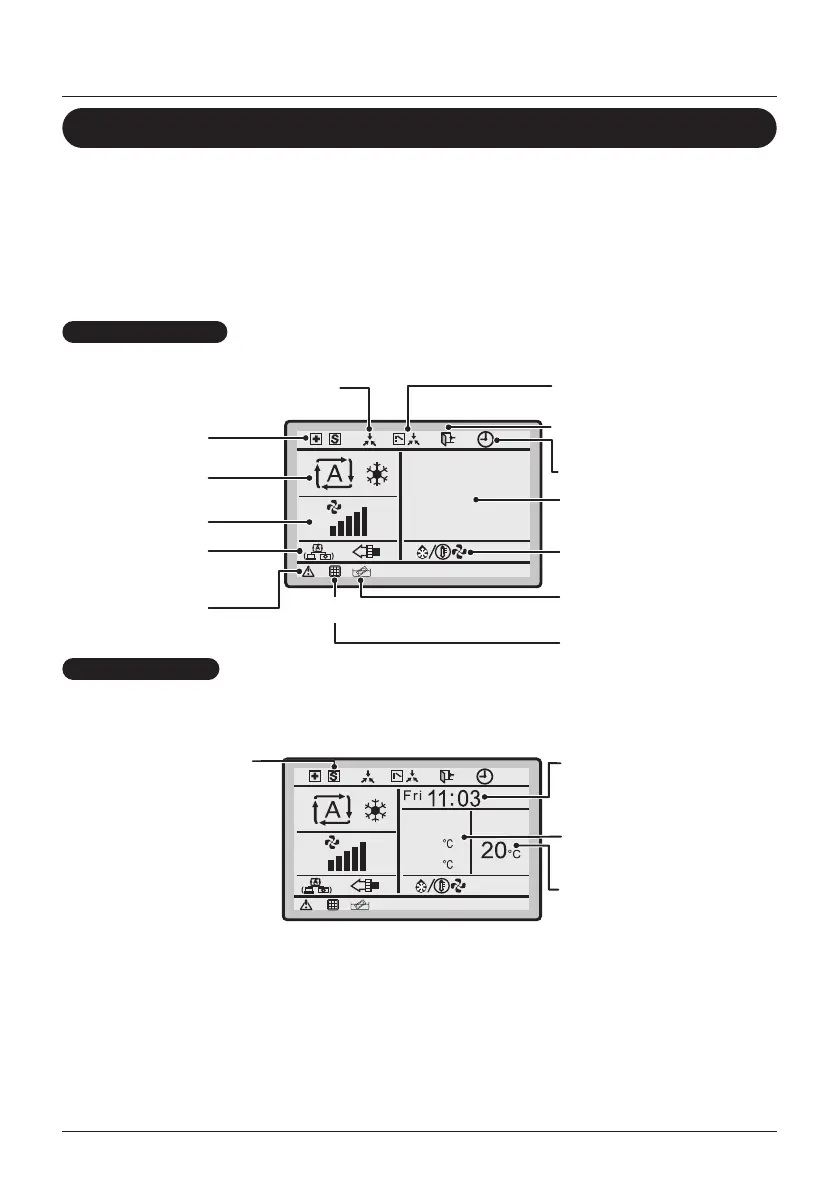
Liquid Crystal Display
• There are two display methods for the liquid crystal display (LCD) available. The
Standard display, which is used by default, and the Detailed display.
• To change the active display method, select the desired display method in the Display
Method screen (See "Display" on page 52).
• The displayed contents on the screen may vary with the operation mode of the
connected models. (E.g.: The following display will appear when the air conditioner is
in automatic heating operation).
Standard display
28°C
6.Ventilation/
purifying
5.Error
12.Under centralized control
13.Changeover under
control
3.Set temperature
display
4.Defrost/Hot start
7.Clean element
9. Timer enabled
14.Setback
2. Fan speed
1.Operation
mode
operation
<Standard display example>
Detailed display
The clock and Detailed selection items appear on the Detailed
display in addition to the items appearing on the Standard display.
35
10
3. Setback temperature
display
<Detailed display example 1>
15. Clock (12/24 hours
real time clock)
16. Detailed selection
(room temperature
selected)
11. Low noise
operation/power
consumption
limitation/forced
thermo Off
(BACnet)



 To Next Page