Installation Manual 3P581074-2D
DGE601A52
71English
4.3.1 Steps for setting the outdoor unit Airnet address
If you cannot set the outdoor unit Airnet address with the remote controller, follow the
procedure below to perform setting.
1. Press the BS1 button for 5 seconds or more.
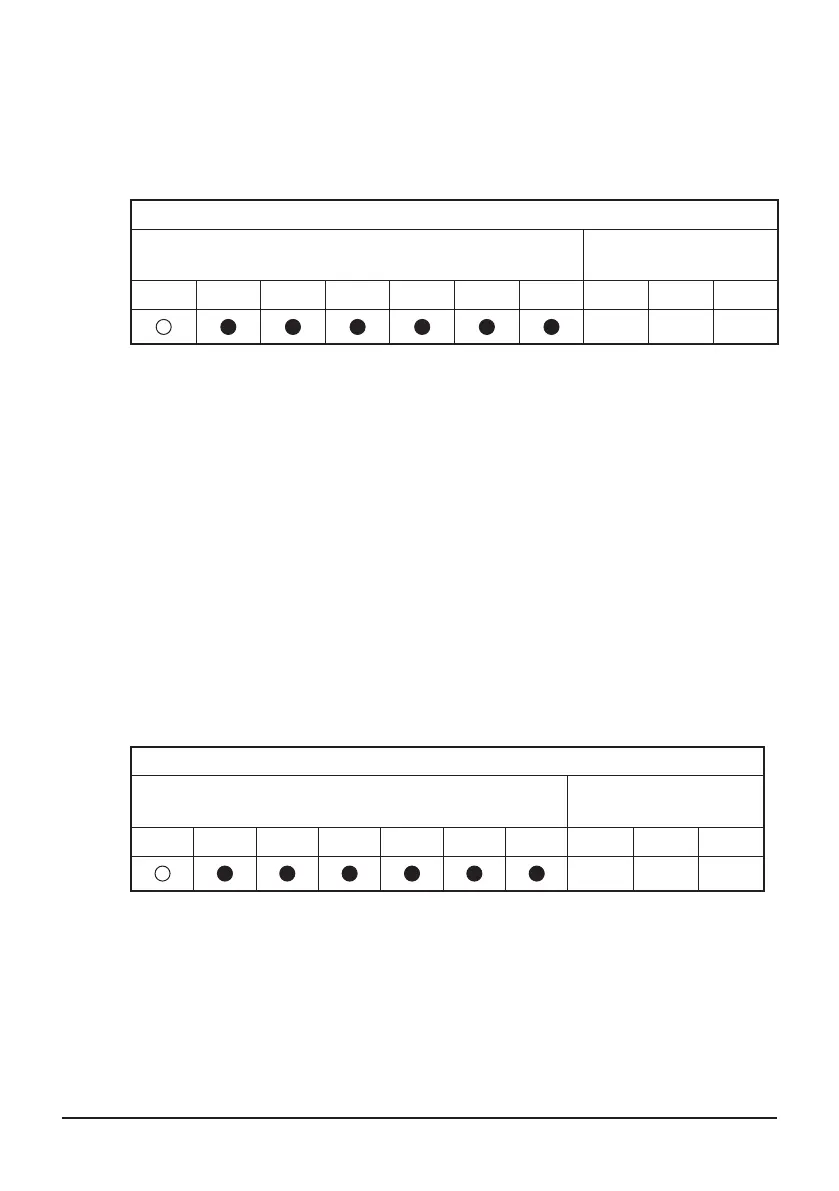
The LEDs and segments will be in the state shown below.
LED (segment) display
Outdoor unit of the LED display
Outdoor unit of the
segment display
H1P H2P H3P H4P H5P H6P H7P SEG1 SEG2 SEG3
2 0 0
2. Press the BS2 button 13 times. (Select the setting value.)
3. Press the BS3 button.
You can now nd out the current AIRNET address setting by the LED (segment).
4. Press the BS2 button to change to any Airnet address.
(Set the Airnet address number within the range of 1 to 63.)
5. Press the BS3 button 2 times to conrm the AIRNET address setting.
6. Press the BS1 button 1 time to return to the normal mode.
4.3.2 Setting the demand address and enabling demand setting
Set the demand address.
1. Press the BS1 button for 5 seconds or more.
The LEDs and segments will be in the state shown below.
LED (segment) display
Outdoor unit of the LED display
Outdoor unit of the
segment display
H1P H2P H3P H4P H5P H6P H7P SEG1 SEG2 SEG3
2 0 0
2. Press the BS2 button 2 times. (Select the setting item.)
3. Press the BS3 button.
You can now nd out the current demand address setting by the LED (segment).
4. Press the BS2 button to change to any demand address.
(Set the demand address number within the range of 0 to 31.)
01_EN_3P581074-2D.indd 71 2021/06/25 14:12:20



 To Next Page