4 | About the system
User reference guide
16
CVXM20+FVXM25~50A2V1B
Split system air conditioners
4P625990-1A – 2020.10
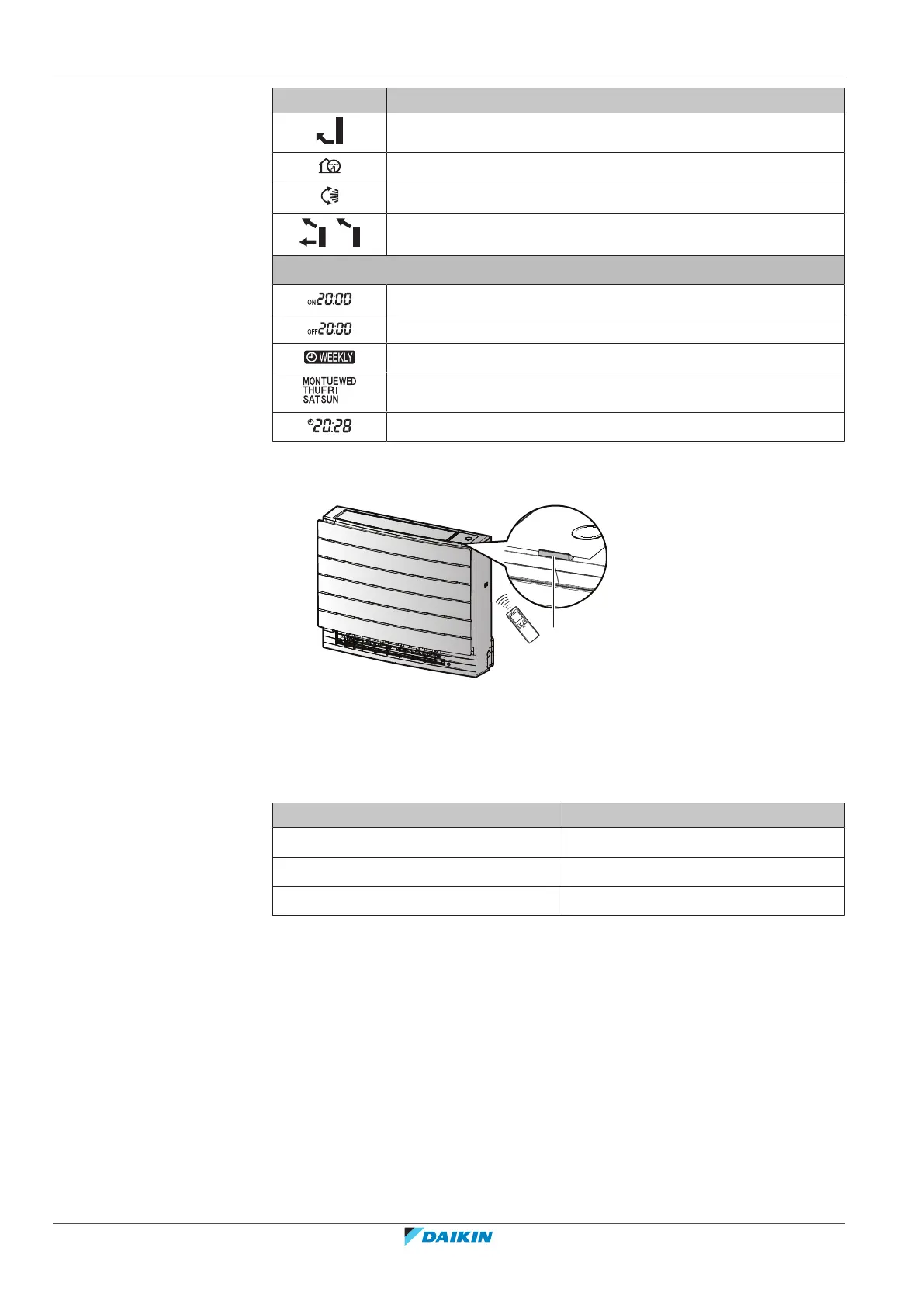
Icon Description
Floor warming is active
Outdoor unit quiet operation is active
Automatic vertical swing is active
,
Automatic air outlet or top air outlet only is active
ON timer is active
OFF timer is active
Weekly timer is active
Day of the week
Current time
4.2.3 To operate the user interface
a Signal receiver
1 Aim the signal transmitter at the signal receiver on the indoor unit (maximum
distance for communication is 7m).
Result: When the indoor unit receives a signal from the user interface, you will
hear a sound:
Sound Description
Beep-beep Operation starts.
Beep Setting changes.
Long beep Operation stops.





 To Next Page