6 | Operation
User reference guide
34
CVXM20+FVXM25~50A2V1B
Split system air conditioners
4P625990-1A – 2020.10
Note: The set temperature for the weekly timer is displayed only when setting the
weekly timer mode.
INFORMATION
The temperature can be set between 10~32°C on the user interface, however:
▪ in cooling and automatic operation mode, the unit will operate at minimum 18°C
even if is set at 10~17°C;
▪ in heating and automatic operation mode, the unit will operate at maximum 30°C
even if is set at 31~32°C.
9 Press .
Result: The temperature and time are set for the ON timer. The time is set for
the OFF timer. The Daikin eye lights orange.
Result: A new reservation screen will appear.
10 Repeat the previous procedure to set another reservation or press to
complete the setting.
Result: is displayed on the LCD.
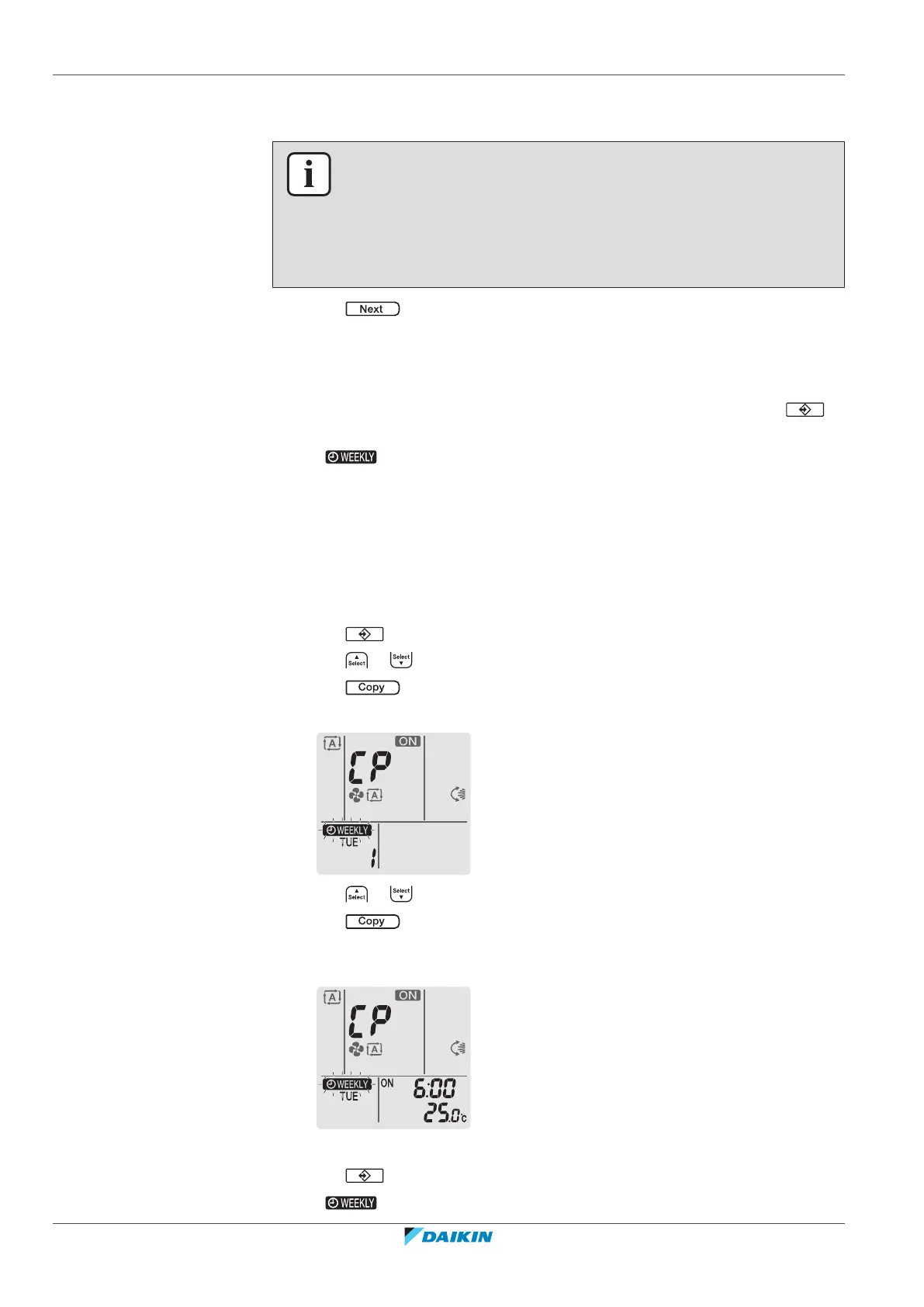
Note: A reservation can be copied with the same settings to another day. Refer to
"To copy reservations"[434].
6.12.2 To copy reservations
A reservation can be copied to another day. The complete reservation of the
selected day of the week will be copied.
1 Press .
2 Press or to select the day of the week to be copied.
3 Press .
Result: The reservation of the selected day of the week will be copied.
4 Press or to select the destination day.
5 Press .
Result: The whole reservation is copied to the selected day and the Daikin eye
lights orange.
Note: To copy to another day, repeat the procedure.
6 Press to complete the setting.
Result: is displayed on the LCD.





 To Next Page