6 | Operation
User reference guide
23
CVXM20+FVXM25~50A2V1B
Split system air conditioners
4P625990-1A – 2020.10
6.4 Airflow rate
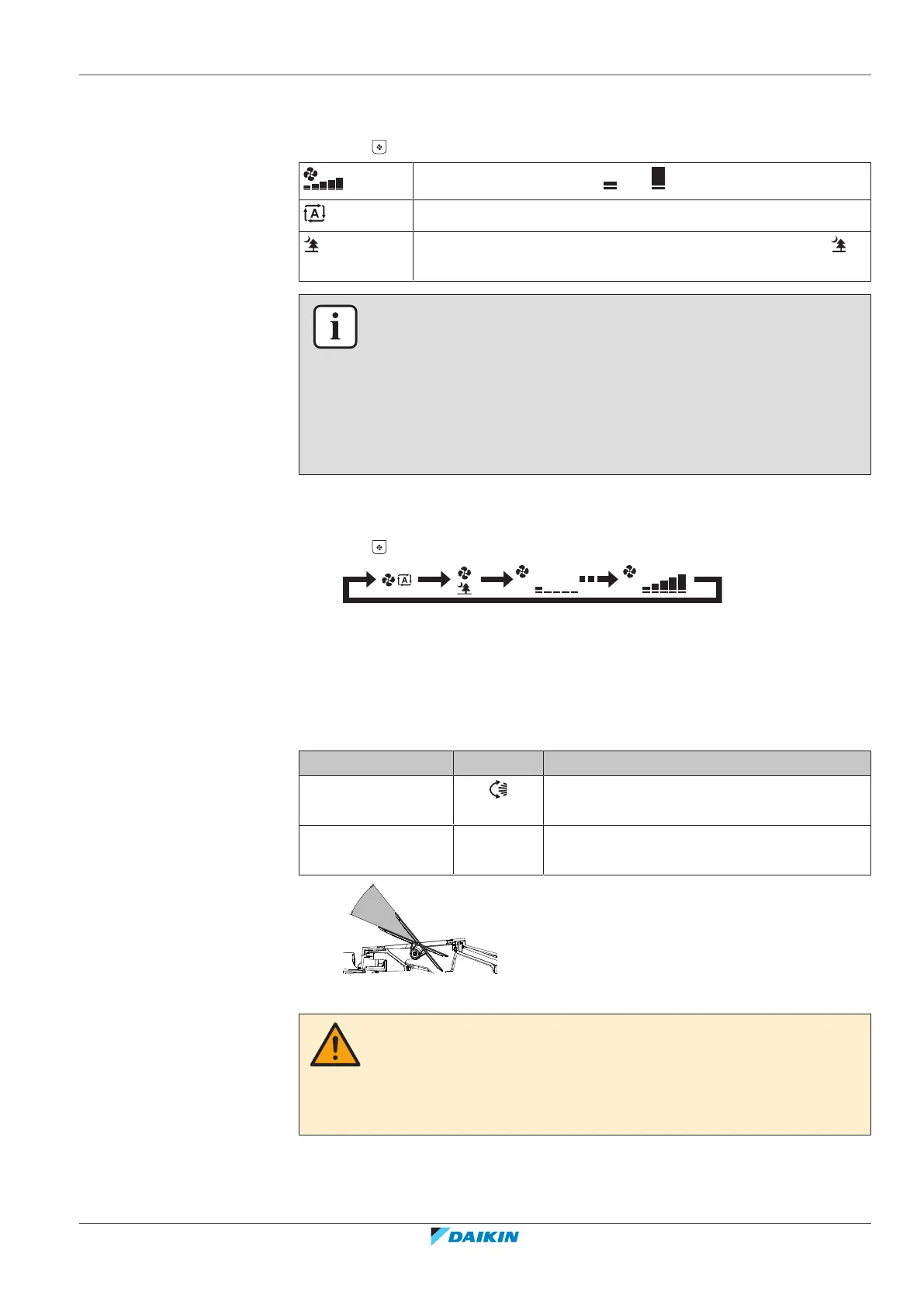
1 Press to choose:
5 airflow rate levels, from " " to " "
Automatic airflow rate operation
Indoor unit quiet operation. When the airflow rate is set to " ",
the noise from the unit will be reduced.
INFORMATION
▪ If the unit reaches the temperature setpoint in cooling or heating mode, the fan
will stop operating.
▪ When using drying operation mode, you CANNOT adjust the airflow rate setting.
▪ The airflow rate in the automatic airflow rate operation is set according to the
room temperature; in some cases it may be lower than in the indoor unit quiet
operation and if the airflow rate is changed to the indoor unit quiet operation at
this time, the operating noise may become higher.
6.4.1 To adjust the airflow rate
1 Press to change the airflow setting as follows:
6.5 Airflow direction
When. Adjust the airflow direction as desired.
What. The system directs the airflow differently, depending on the user selection.
Setting Display Airflow direction
Vertical auto swing Swinging or fixed position of the horizontal
blades (flaps).
Horizontal airflow [—] Position of the vertical blades (louvers) is set
manually.
a Movable range of the flaps
CAUTION
▪ ALWAYS use a user interface to adjust the angle of the flap. When the flap is
swinging and you move it forcibly by hand, the mechanism will break.
▪ Be careful when adjusting the louvers. Inside the air outlet, a fan is rotating at
high speed.





 To Next Page