6 | Operation
User reference guide
24
CVXM20+FVXM25~50A2V1B
Split system air conditioners
4P625990-1A – 2020.10
INFORMATION
In vertical auto swing, the flaps will stop in up position if the air flow rate becomes
weak.
6.5.1 To adjust vertical airflow direction
1 Press .
Result: appears on the LCD. The flaps (horizontal blades) will begin to
swing.
2 To use fixed position, press when the flaps reach the desired position.
Result: disappears from the LCD. The flaps will stop moving.
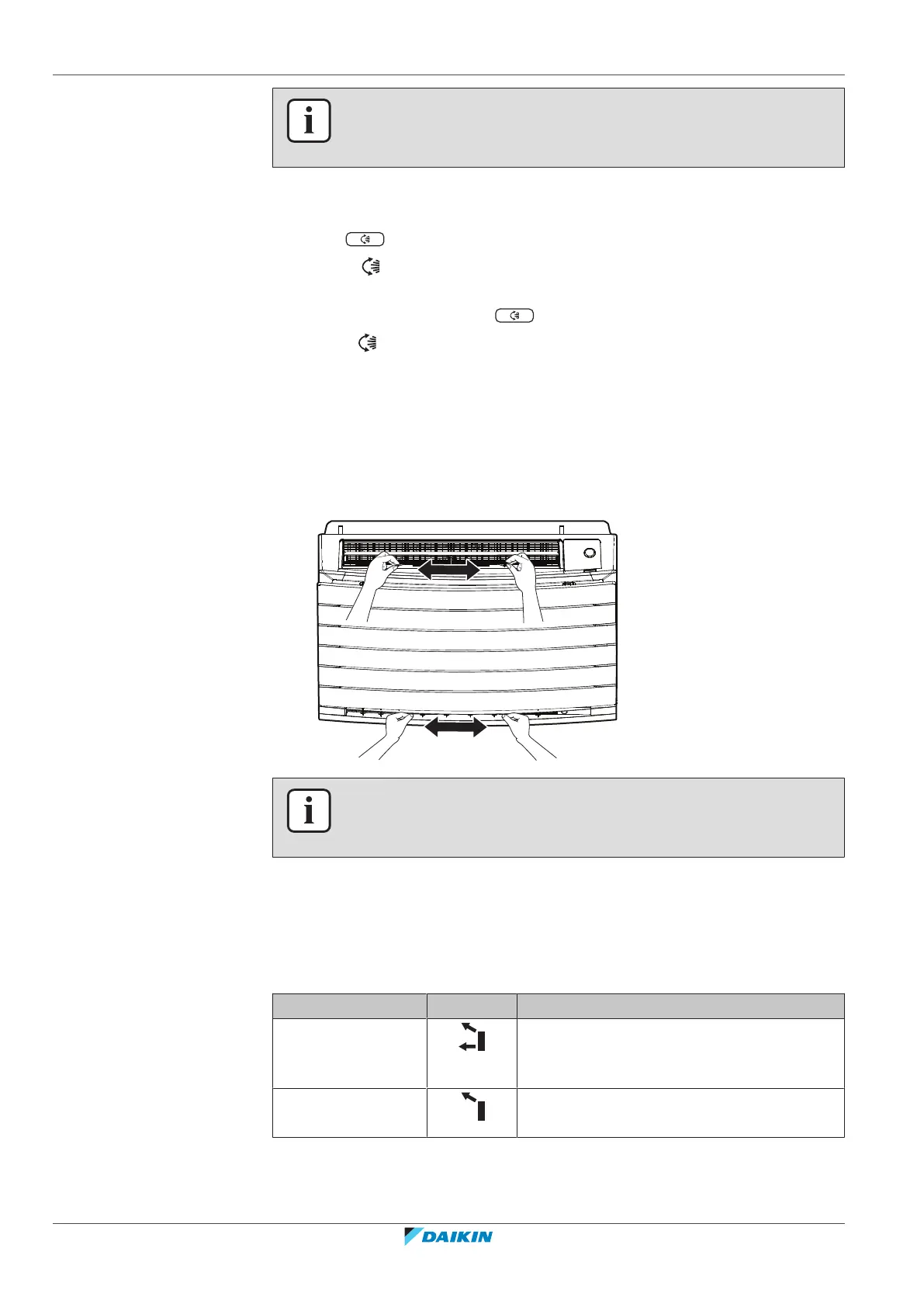
6.5.2 To adjust the louvers (vertical blades)
1 Adjust horizontal blades using the user interface so you can easily access the
knobs on the vertical blades.
2 Hold the knobs and move them up slightly.
3 Adjust left or right to the desired position while holding the knobs.
INFORMATION
When the unit is installed in a corner of a room, the direction of the louvers should
be facing away from the wall. Efficiency will drop if a wall blocks the air.
6.6 Air outlet selection
Use this feature to let the unit decide automatically which air outlet should be used
or set the top air outlet only. The default setting is automatic air outlet selection.
Setting Display Airflow direction
Automatic air outlet
selection
The unit decides automatically the best air
outlet depending on the operation mode or
room conditions.
Top air outlet only The airflow is set to top air outlet, regardless
of the operation mode or room conditions.





 To Next Page