VII. Abnormalities and Troubleshooting
Dakewe (Shenzhen) Medical Equipment Co., Ltd. 73
www.dakewemedical.com
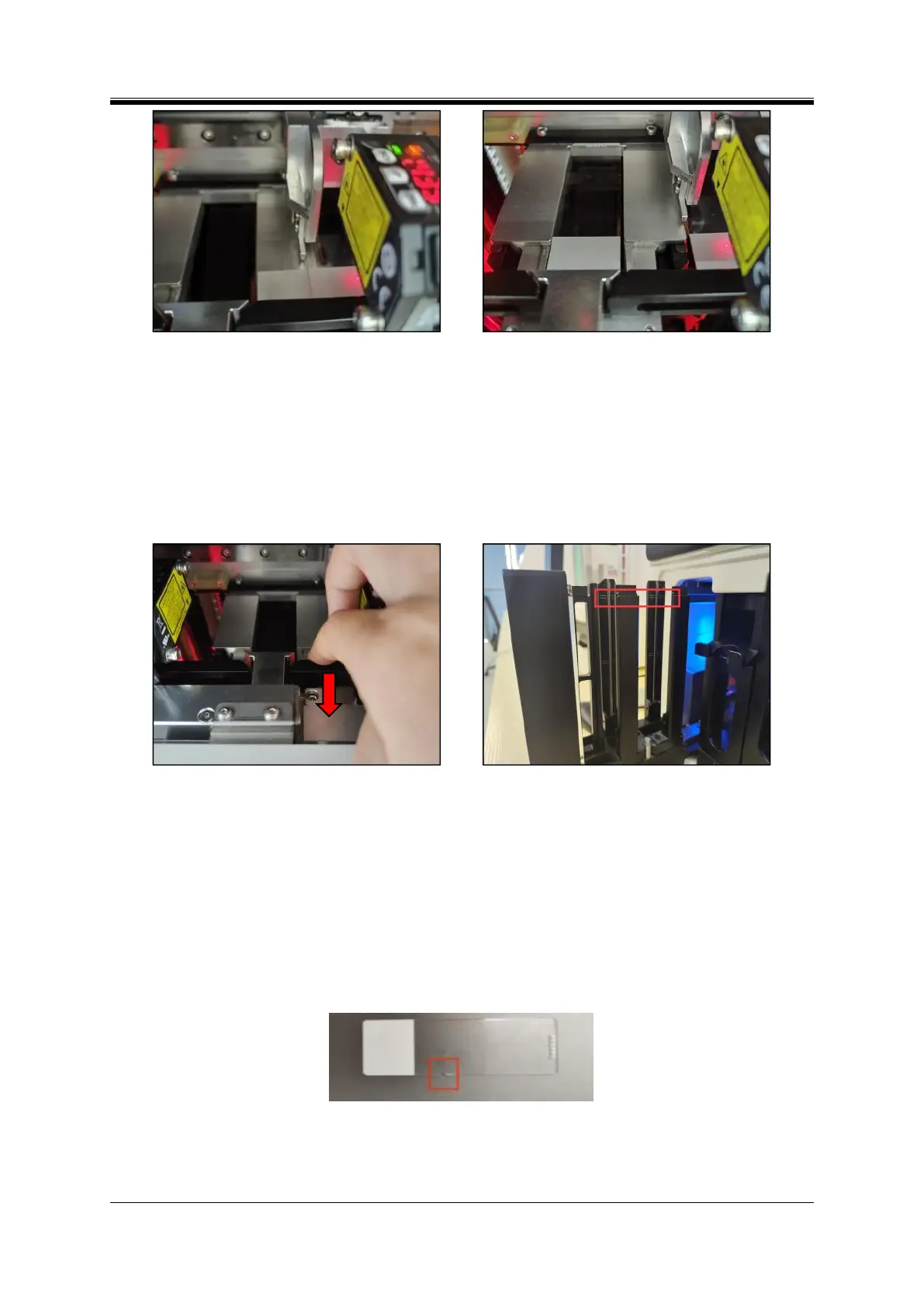
Figure 7- 8 Movement of the transfer push rod
Figure 7- 9Movement slides
(3) Gently pull forward the platform base, the slide falls off and take it out (Figure 7-10);
(4) Click “Reset” to reset the instrument.
3.Pull out the input hopper, and check whether too many slides are placed in the input hopper till
beyond the uppermost scale (Figure 7-11). If so, reduce the count of slides in the input hopper below the
scale mark.
Figure 7- 10 On-demand output unlocking
Figure 7- 11 Scale mark in the input hopper
4. Check if the front-back height difference in the cumulative thickness of slide in the input hopper is
greater than 1.5 mm; if so, reduce the count of the slides until normal print.
5. Check whether the slides in the input hopper are abnormal:
(1) Check whether the slides in the input hopper adhere to each other; if so, separate or take out the
adhered slides;
(2) Check whether the slide edge is broken; if so, take out the slide with broken edges (Figure 7-12);
Figure 7- 12Slide with broken edges
(3) Check whether the slides are regularly shaped; if there are irregularly shaped slides, take out the
them (Figure 7-13);



 To Next Page