VII. Abnormalities and Troubleshooting
Dakewe (Shenzhen) Medical Equipment Co., Ltd. 75
www.dakewemedical.com
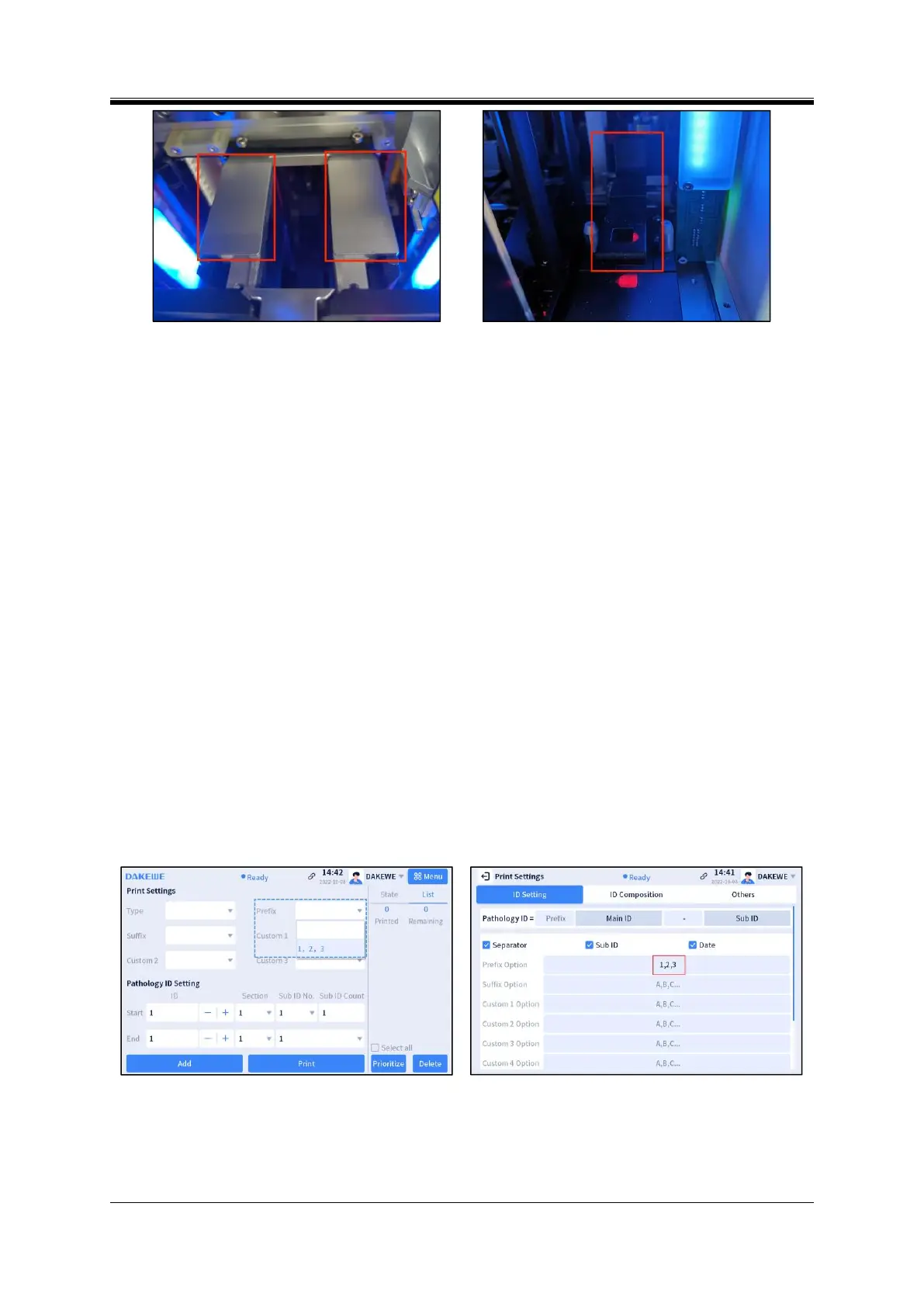
Figure 7- 17 Print platform
Figure 7- 18 Input hopper holder
5. Stop immediately during print
Abnormality Description
The instrument immediately stops print, with a pop-up prompt.
Cause analysis
The maintenance door is opened during print.
Resolution
Close the maintenance door and the instrument will reset automatically.
6. The preset options in the drop-down box in the main interface are abnormal
Abnormality Description
The preset options in the drop-down box such as Prefix/Suffix/Custom1/Custom2 in the main interface
are set abnormally, and cannot be displayed in different lines.
Cause analysis
The separator entered is the full width comma (Figure 7-19).
Resolution
Enter the half width comma in the preset option box as the separator (Figure 7-20).
Figure 7- 19 Improperly using full width comma as
separator
Figure 7- 20 Preset of English comma



 To Next Page