VII. Abnormalities and Troubleshooting
76 Dakewe (Shenzhen) Medical Equipment Co., Ltd.
www.dakewemedical.com
7. Button response delay
Abnormality Description
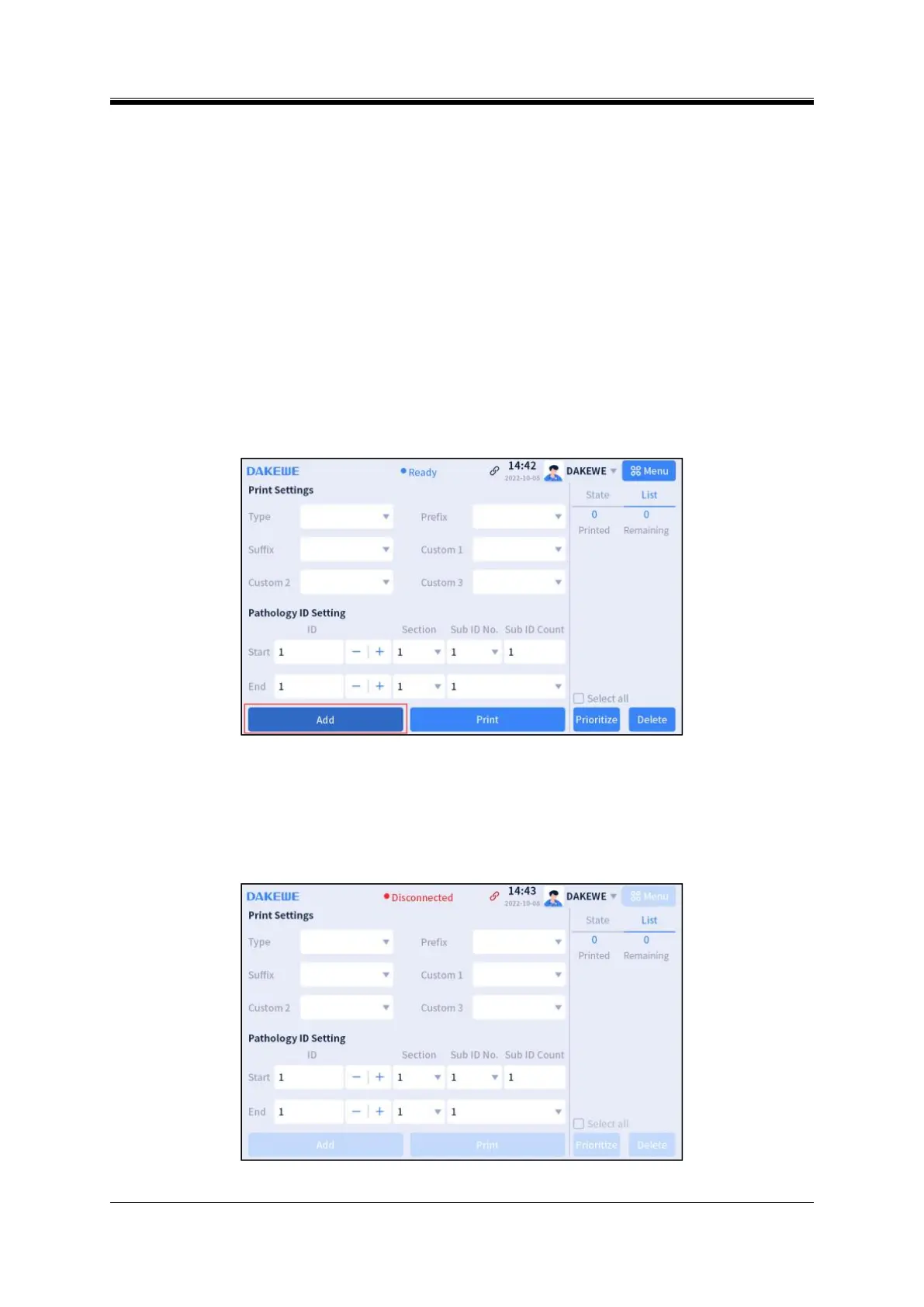
When a button is pressed, it turns dark and does not perform the current action (Figure 7-21).
Cause analysis
Click the button when the drop-down box appears;
It takes time to load and display the button-associated content.
Resolution
(1) Click the button again to perform the corresponding action (click in the blank space, then click the
button again after the drop-down box disappears);
(2) Wait for complete content loading.
Figure 7- 21 Button with delayed response
8. Instrument software disconnection
Abnormality Description
The software connection icon at the top of the instrument interface is gray, and all buttons are gray; no
operation can be performed.
Figure 7- 22 Instrument disconnection



 To Next Page