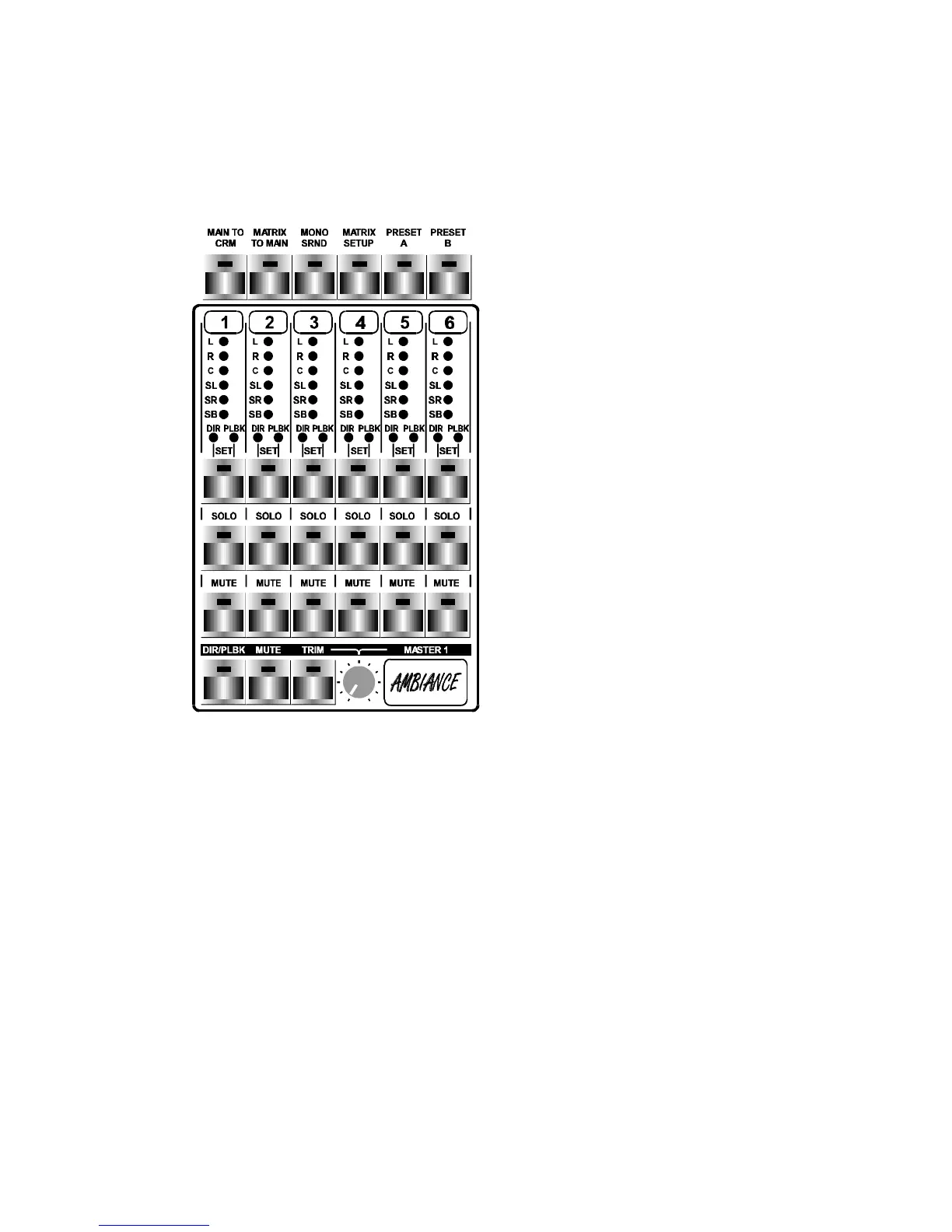
19.0"Control"Control Room Monitor Matrix" Room Monitor Matrix"
(for Stems/pre-recording)
1. The CRM (STEMS/pre-recording)
module fits into 3 blind spaces
positioned next to Cinemix's master
section.
2. The STEMS module is able to mix
down a maximum of 24 tracks (4 x 6
tracks or 24 tracks) into 4 Stems.
(4x6x2)
3. The 24 tracks recording system can
either be fed from the group outputs
or, preferable from the 6 master
outputs (Left / Center / Right /
Left-surround / Right-surround /
Subbass).
Its tape outputs and input shall be fed
back into the STEMS module.
4. The output of the STEMS module
is inserted in the Matrix insert (see
Cinemix block diagram) or assigned
to the 6 main busses for final track
lay down in various formats such as
5.1 / 4 / stereo.
5. The STEMS module is divided into 4 identical sections for STEMS like
Ambiance, Effects, Music and Dialogue.
6. On top of the STEMS module is a general programming area of 6 buttons.
7. The programming switches have the following functions:
8. MAIN TO CRM connects the main outputs (L, C, R. Sl, Sr, SB) to the
CRM outputs as is default when no STEMS (matrix) module is fitted inside
Cinemix's chassis.
9. MATRIX TO MAIN connects the summed outputs of the matrix to the
summing busses (L, C, R, Sl, Sr, SB) of the Cinemix for final track lay down
in the recording process.
10. MONO SRND switches the stereo surround output of the Matrix into
mono to both surround outputs for 4 channel mixdown.
Cinemix manual page: 66



 To Next Page