Connecting your Danfoss Link™ CC for smartphone/ tablet control
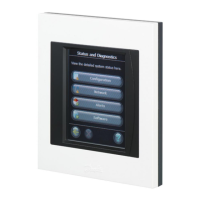
Your Danfoss Link™ CC can be paired to your
smartphone or tablet for more convienence
with the Danfoss Link™ App.
Danfoss Link™ App. allows you to communi-
cate remotely with your Danfoss Link CC. For
ease of use the app has the same icons as
your Central Controller at home.
Step 1.
Download the Danfoss Link™ App. from
Google play or App Store
Step 2.
Pair your Danfoss Link™ Central Controller,
simply follow the instructions on the Danfoss
Link™ App.
To enable smartphone control, your Danfoss
Link™ needs to connect to your home WiFi.
You can do this in Settings located under
House Control. Select your WiFi network and
enter your Wi-Fi password, wait for a check-
mark on the globe icon, on the House Control
screen, note, it may take a few minutes.
What about Software Updates?
Please note: If you need help connecting your
app. go to link.app.danfoss.com
where you can nd additional
information.
The Danfoss Link™ App. will keep itself updated
(like other Apps) and the Danfoss Link™ CC
with Wi-Fi will receive automatic software up-
dates if Wi-Fi is enabled.



 To Next Page