DC-2300 User Manual v1.0
1.4 Attaching Power
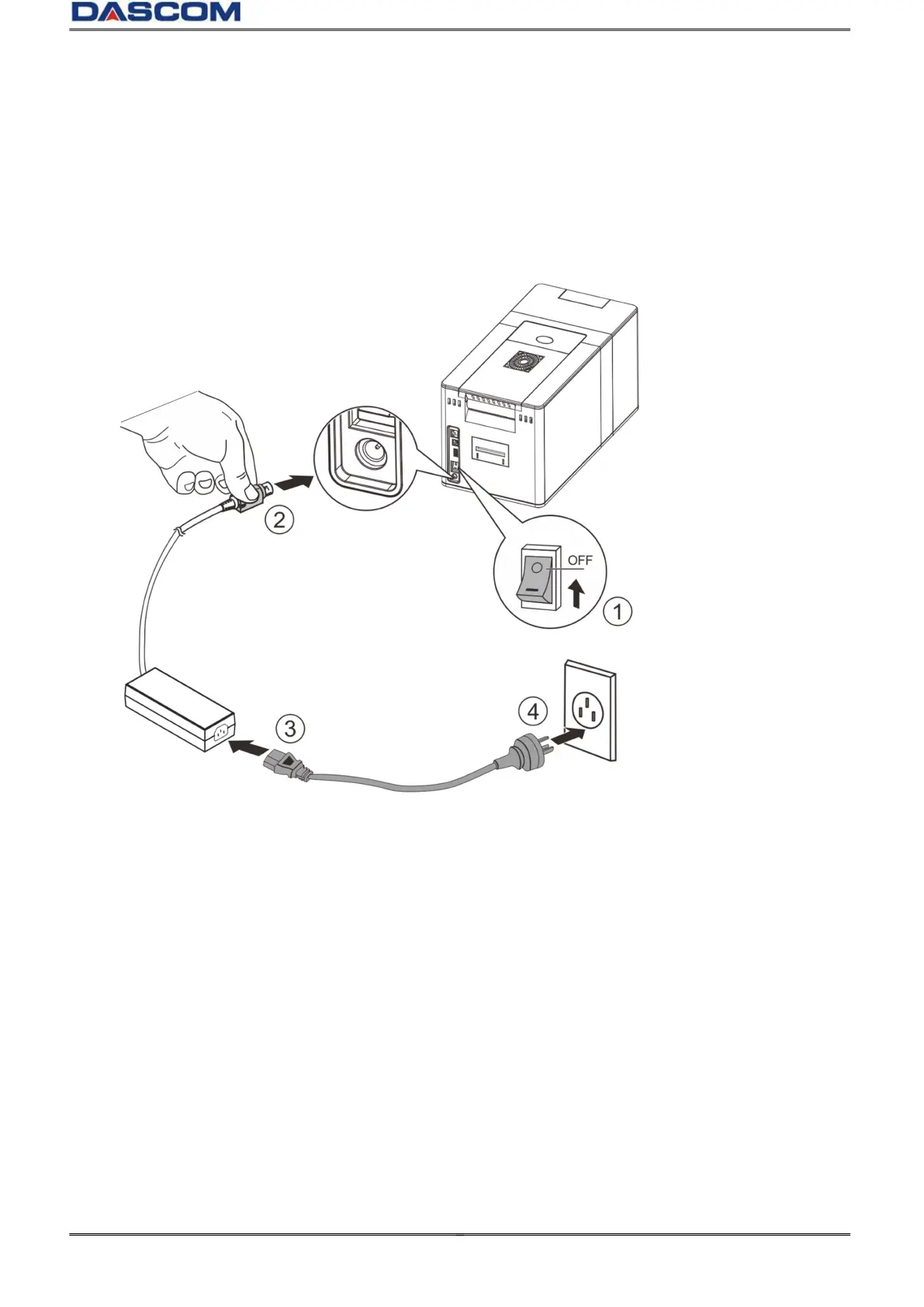
(1)Make sure the printer and the computer are powered off. ①
(2)Connect the power cord to the power adapter.②
(3)Connect the power adapter to the printer.③
(4)Connect the power cord to the power socket. ④
Power on and power off
Press the power switch: “I”, provides power to the printer.
Press the power switch: “O”, turns the Printers power off.



 To Next Page