DC-2300 User Manual v1.0
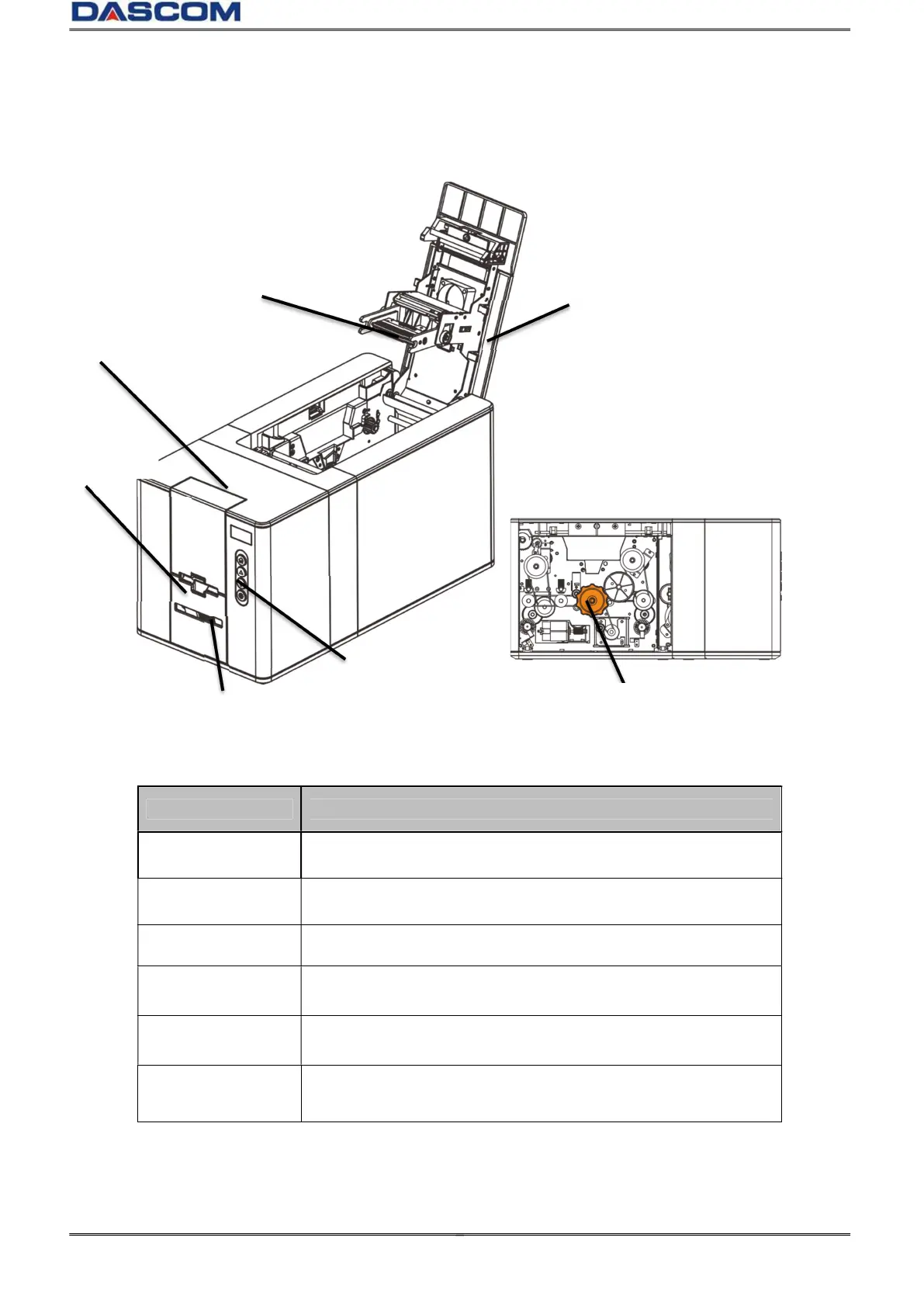
1.3 Printer Components
1.3.1 Component and function
Part name Function
Top cover
Protects the print head and the internal components, and
reduce noise. Open to replace the ribbon.
Front cover
Opens to load cards. Max. 100 pieces of 0.76mm thickness
cards can be placed.
Thermal print head
Core component of the printer.
Control panel
Includes the keys, the OLED Panel, and a variety of simple
operations can be performed on the printer functions.
Card eject slot Ejects printed cards.
Knob
If the jammed card can not be ejected, power off the printer
and turn the knob.
Card eject slot
Lower cover
Knob



 To Next Page