DC-2300 User Manual v1.0
36
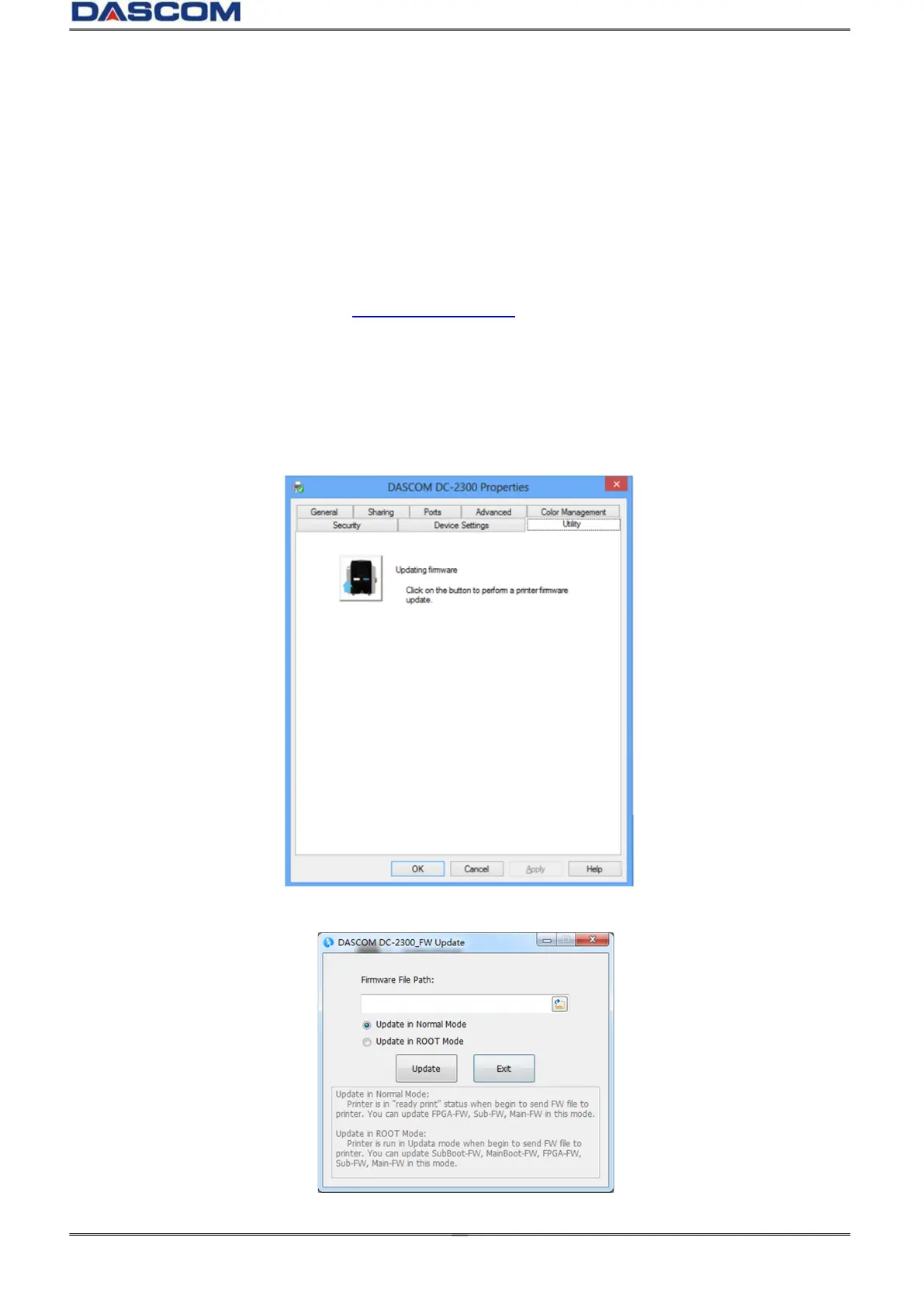
2.5 Updating Firmware
It’s very easy to update the firmware, but if the installation of firmware is incorrect, the printer will be
damaged.
Before updating, please contact DASCOM dealer for advice on the implementation of the upgrade. In
general, updates are required only when a problem or failure is explicitly identified in DASCOM.
To download the update, please visit WWW.DASCOM.COM
The steps to update firmware:
(1) Select the control panel on the start key in the lower left corner of the Windows taskbar.
(2) Select Devices and then Printers and Scanners, then click on the DC-2300 Driver.
(3) Choose Printer Property on the printer menu.
(4) Select the “Utility” tab and click the Printer icon.
(5) Click the Browse icon, go to and choose the update firmware, choose which Update Mode then
click the “Update” button. When the update is finished, click “Exit”.



 To Next Page