DC-2300 User Manual v1.0
27
2.4 Printing card
All kinds of Windows applications have document printing capabilities (such as Microsoft
Office suite MS-Word, MS-Access, MS-Excel, MS-PowerPoint, and the DASCOM self-designed
card editing software - CardEditor).
2.4.1 Using CardEditor
CardEditor is an editing software for Dascom smart card Printers. You can quickly create and
edit the content that needs to be printed with this software.
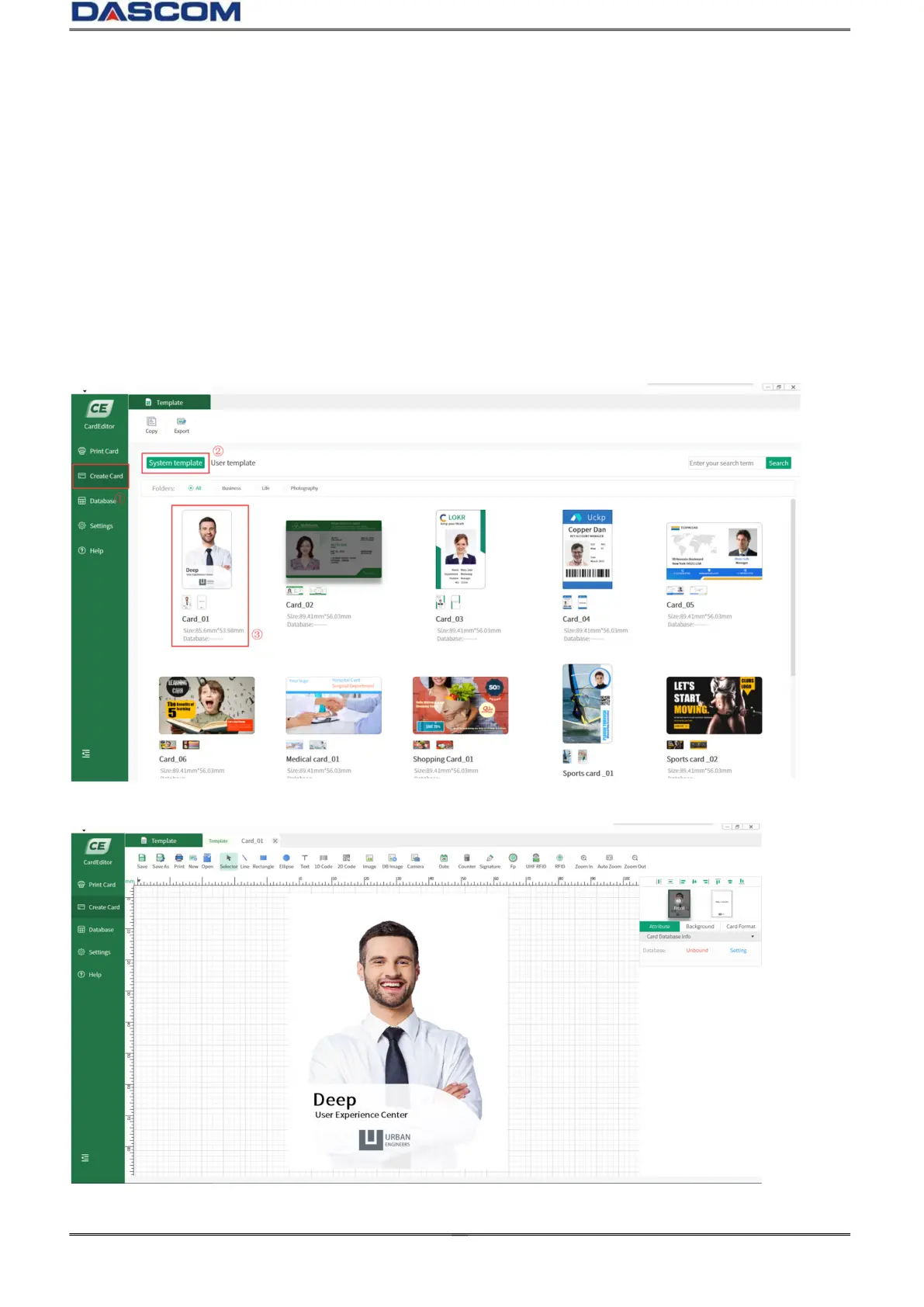
(1) Double click the“CardEditor” logo to open the software, choose “Create Card” ,then click
“System template”, you can select the template you want.
(2) Double click “Templates” to enter the design interface:



 To Next Page