DC-2300 User Manual v1.0
23
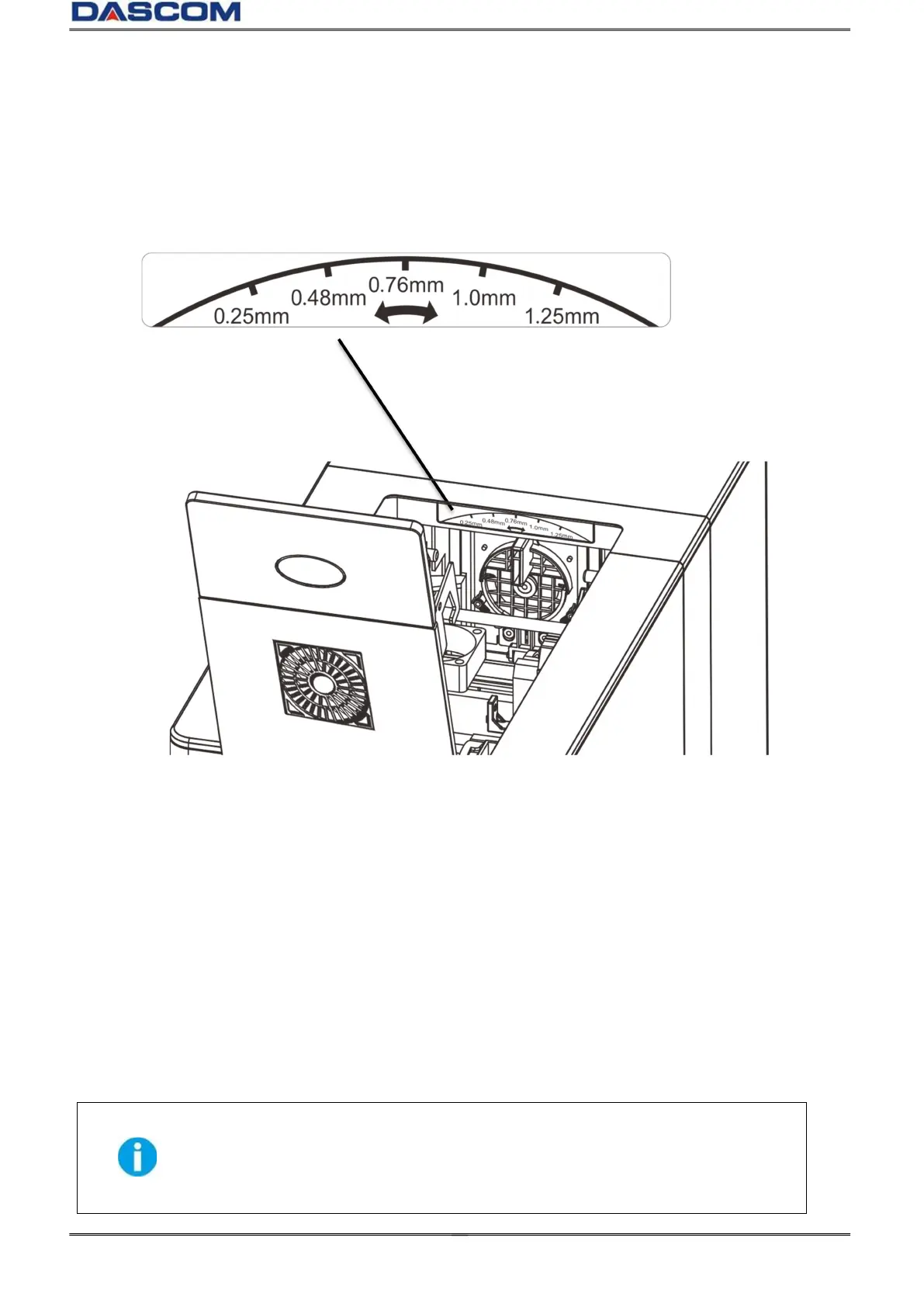
2.1.3 Adjusting the card inlet according to the thickness of the cards
The factory default supports 0.76mm (30mil) card thickness. Confirm the correct thickness setting
before installing new cards to the card cassette. The printer configures with 0.25mm(10mil)~
0.76mm(30mil) and 0.76mm(30mil)~ 1.25mm (50mil) , 5 levels. Set the lever to the correct position.
2.1.4 Managing Rejected Cards
Using duplex option, this Printer is equipped with front and rear slots to separate correctly printed
cards from rejected ones. By default, rejected cards are ejected out the rear slot. However, the two
slots are interchangeable for your preference.
Follow the below procedures to assign the location of the Reject Slot:
Refer Section 3.2 to change from Normal Mode to User Mode.
Press the ▼ Key until [Card Setup] is displayed. Press the SET Key.
Press the ▼ ▲/ Key until [ Std card exit]/[Error card exit] is displayed. Press the SET Key.
Press the ▼ ▲/ Key to change settings. Press the SET Key.
By factory defaults, the Printer outputs correctly printed cards and rejected ones
to the front and rear slots, respectively. If configured with duplex option, the
rejected cards are ejected out the rear slot by default, while without duplex
option, the rejected cards are ejected out the front slot by default.



 To Next Page