DC-2300 User Manual v1.0
21
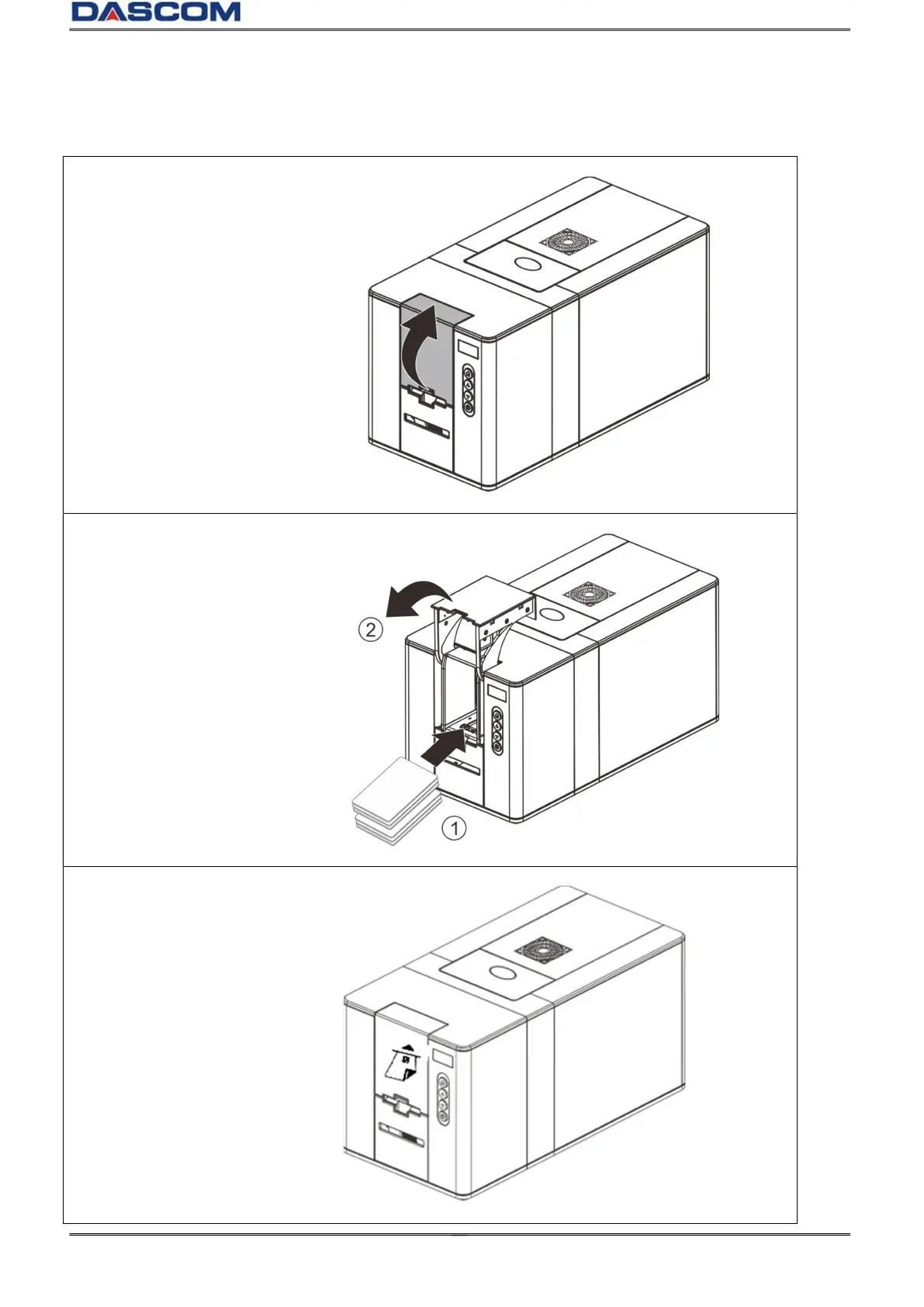
2.1.2 Loading the cards
(1)Open the card cassette.
(2)Load the cards neatly to the
Card cassette.(①) Then close
the card cassette to its original
position .(②)
( 3 ) Loading Mag Strip and
Contact Chip Cards in the
direction shown on the printer
sticker.



 To Next Page