DC-2300 User Manual v1.0
26
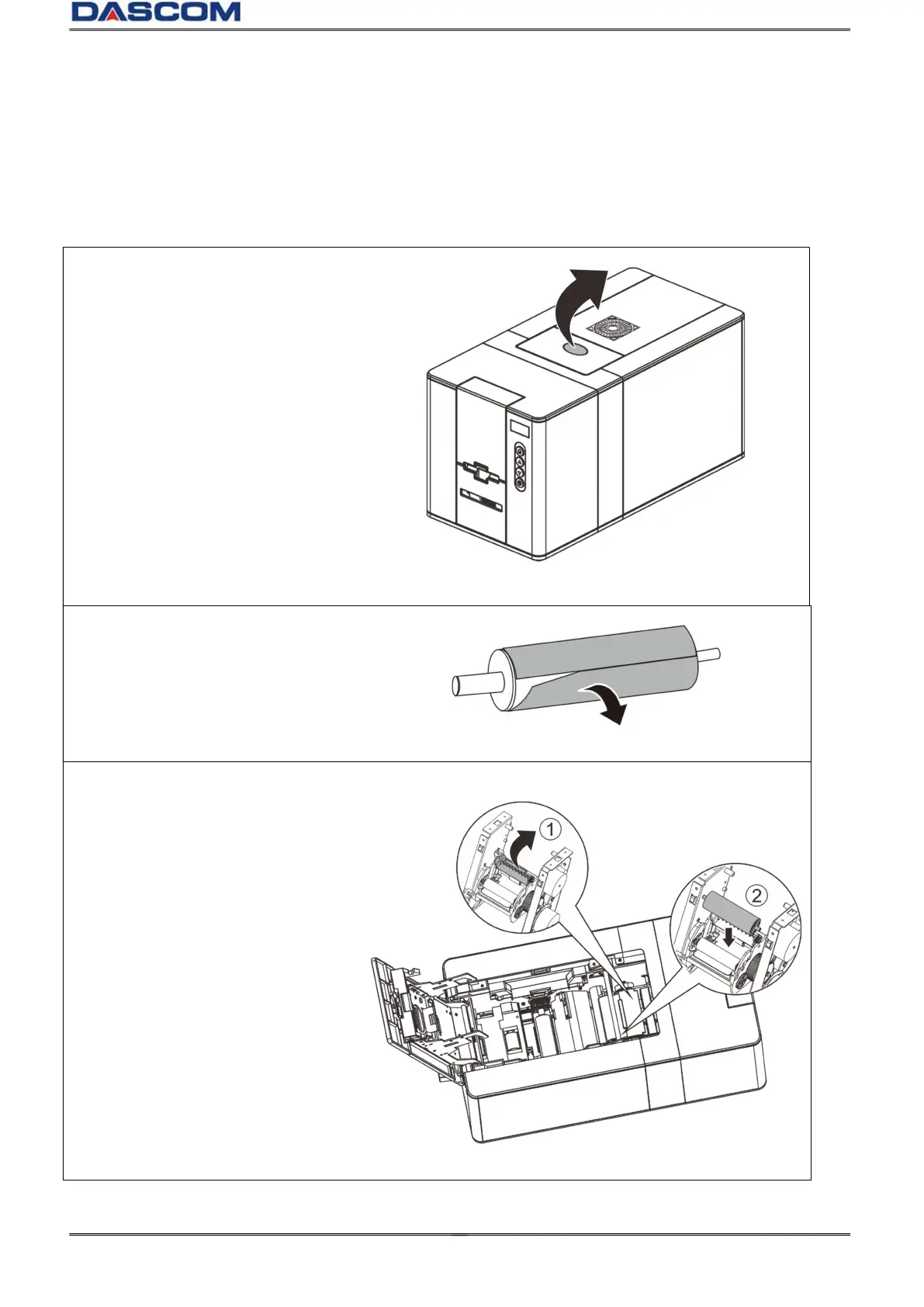
2.3 Replacing the Cleaning Roller
One Cleaning Roller is shipped with each Ribbon in a package.
IMPORTANT: Replace the cleaning roller each time you change the ribbon to guarantee the
print quality and protection of the Print Head.
(1)Press the cover open button to
open the top cover.
(2)Tear off the protective film on
the cleaning roller.
(3)Pull the string clip up(①) ,then
put it vertically into the slot, in
front of the Ribbon cartridge
slot(②).



 To Next Page