DC-2300 User Manual v1.0
25
Consume the Ribbon as soon as possible after purchase.
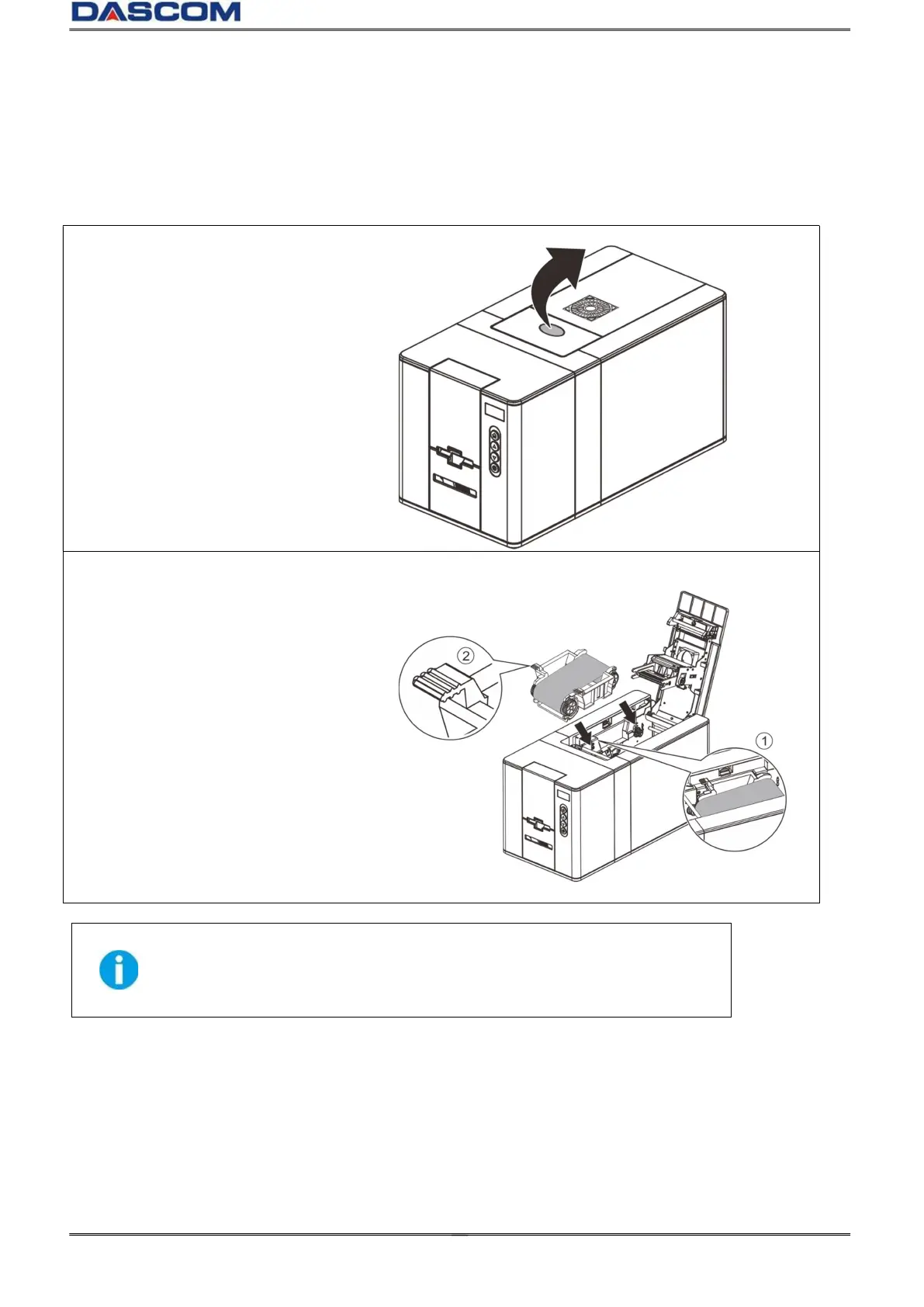
(1)Press the cover open button to
open the top cover.
(2)Flatten the ribbon film and put the
Ribbon into the Ribbon Cartridge
slot (①).
Pay attention to the direction of
the handle (②).
And close the top cover.
(1)When the Ribbon roller is mounted to the cartridge base, push it
down to the bottom with a little force.
(2)After installation, the Ribbon Film should be slightly tightened,
without any no skew.



 To Next Page