DC-2300 User Manual v1.0
16
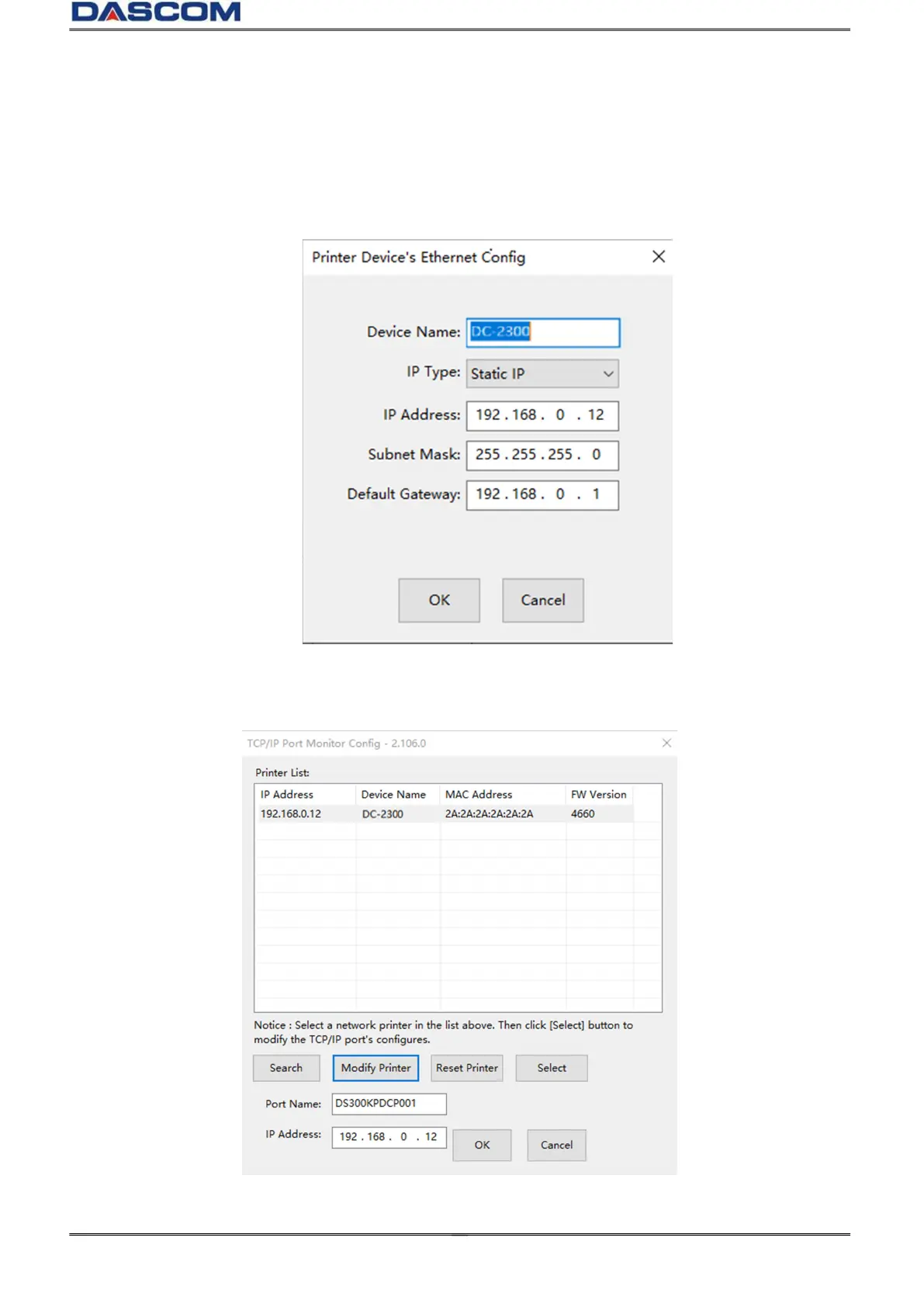
(4) You can modify the Printers name, IP address acquisition mode, IP address, Subnet mask,
Default Gateway. Click the “OK” when you finish.
(5) Return to the Ethernet port configuration page, wait for a few seconds, you can see the
updated Ethernet information.



 To Next Page