4
getting
started
e
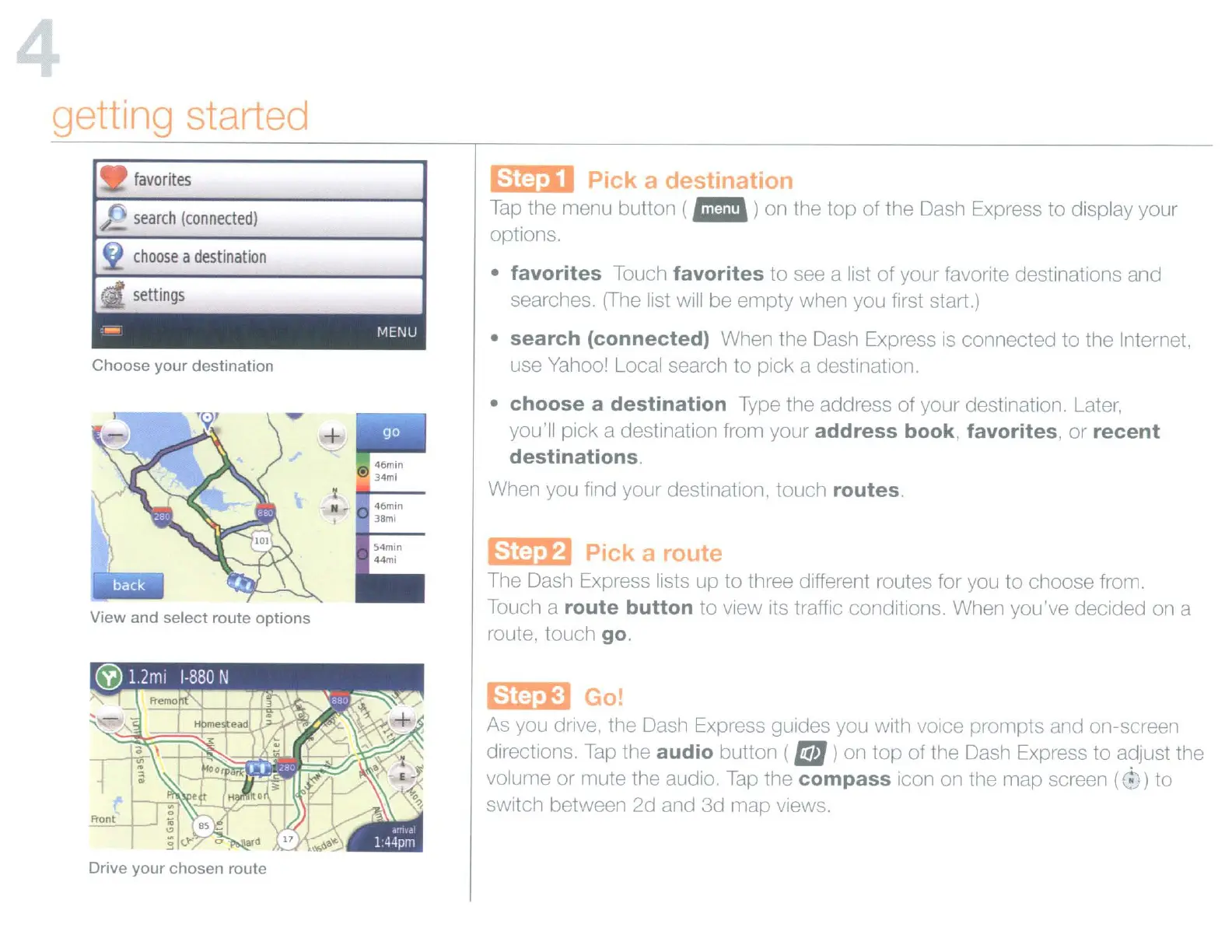
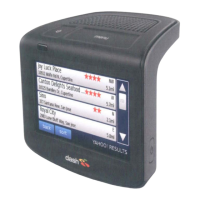
The Dash Express lists up to three different routes for you to choose from.
Touch a
route
button
to view its traffic conditions. When you've decided
on
a
route, touch
go.
Emm
Pick a
es
In
Tap
the menu button (
ail
)on the
top
of the Dash Express to display your
options.
• favorites Touch favorites
to
see a list of your favorite destinations and
searches.
(The
list will be empty when you first start.)
•
search
(connected) When the Dash Express
is
connected to the Internet,
use Yahoo
I Local search to pick a destination.
•
choose
a
destination
Type the address of your destination. Later,
you'll pick a destination from your
address
book, favorites,
or
recent
destinations.
When you find your destination, touch routes.
54min
44mi
46min
38ml
I
N
search
(connected)
choose
a
destination
Choose
your
destination
View
and
select
route
options
~Go!
As you drive. the Dash Express guides you with voice prompts and on-screen
directions.
Tap
the audio button (
I!iJJ
)on top of the Dash Express to adjust the
volume or mute the audio.
Tap
the
compass
icon on the map screen
(~-')
to
switch between 2d and 3d map views.
Drive
your
chosen
route


 To Next Page