Hardware Installation
26 DD400 Series Restorer User Guide
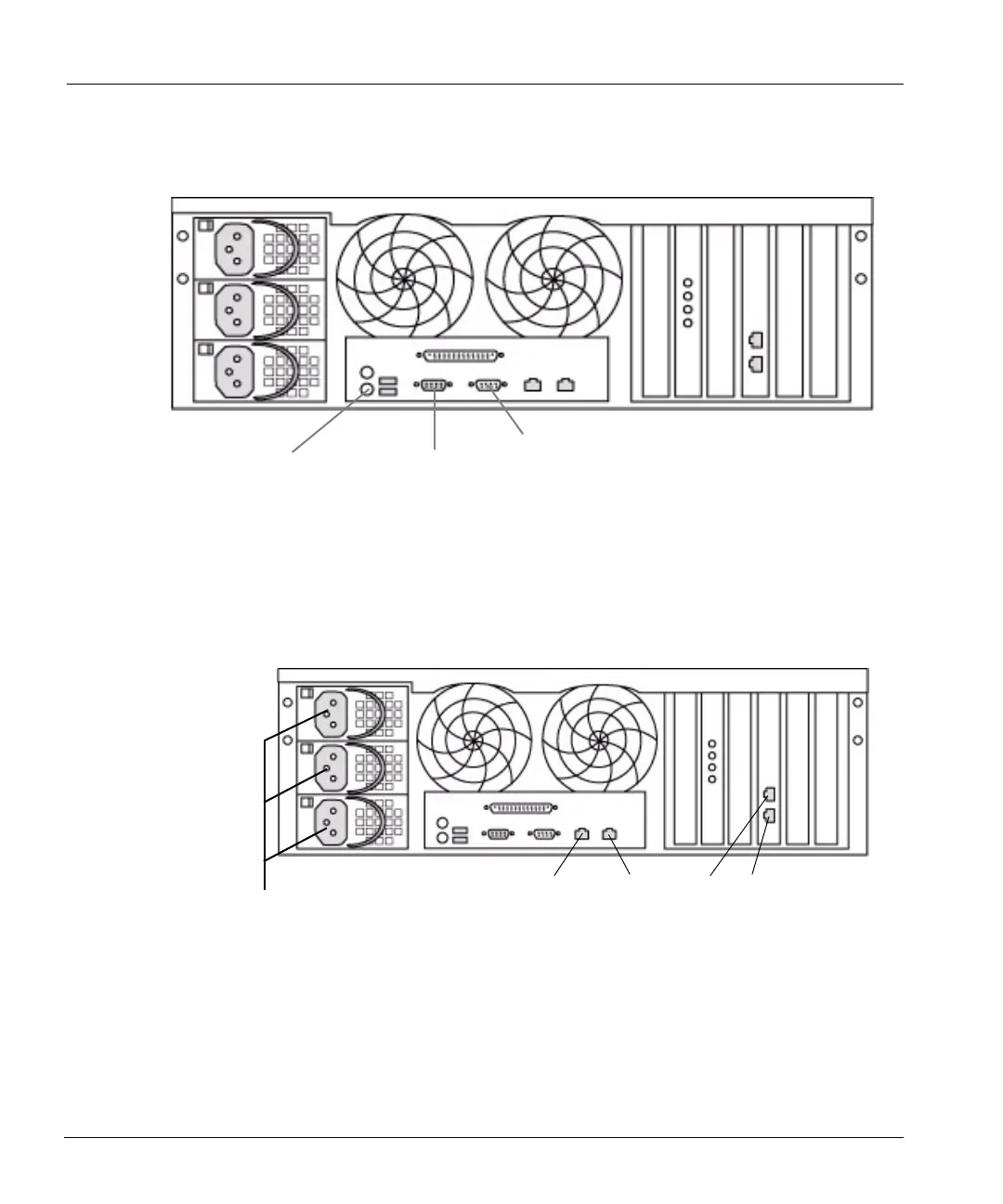
- For a monitor and keyboard, attach the monitor to the port labeled VGA and the keyboard
to the port nearest the keyboard icon. See
Figure 10 on page 26 for locations.
• Attach at least one Ethernet cable to an Ethernet interface on the back panel for backup and
restore communications between the restorer and your backup servers. See
Figure 11 for
Ethernet interface locations.
• Attach the power cords to the three power supplies. See Figure 11.
Figure 10: Access points
Console port
Monitor (VGA) port
Keyboard port
Figure 11: Power cord plug-in slots
Power cord slots
eth0
eth1
eth2
eth3



 To Next Page