Chapter 3: Installation 27
Hardware Installation
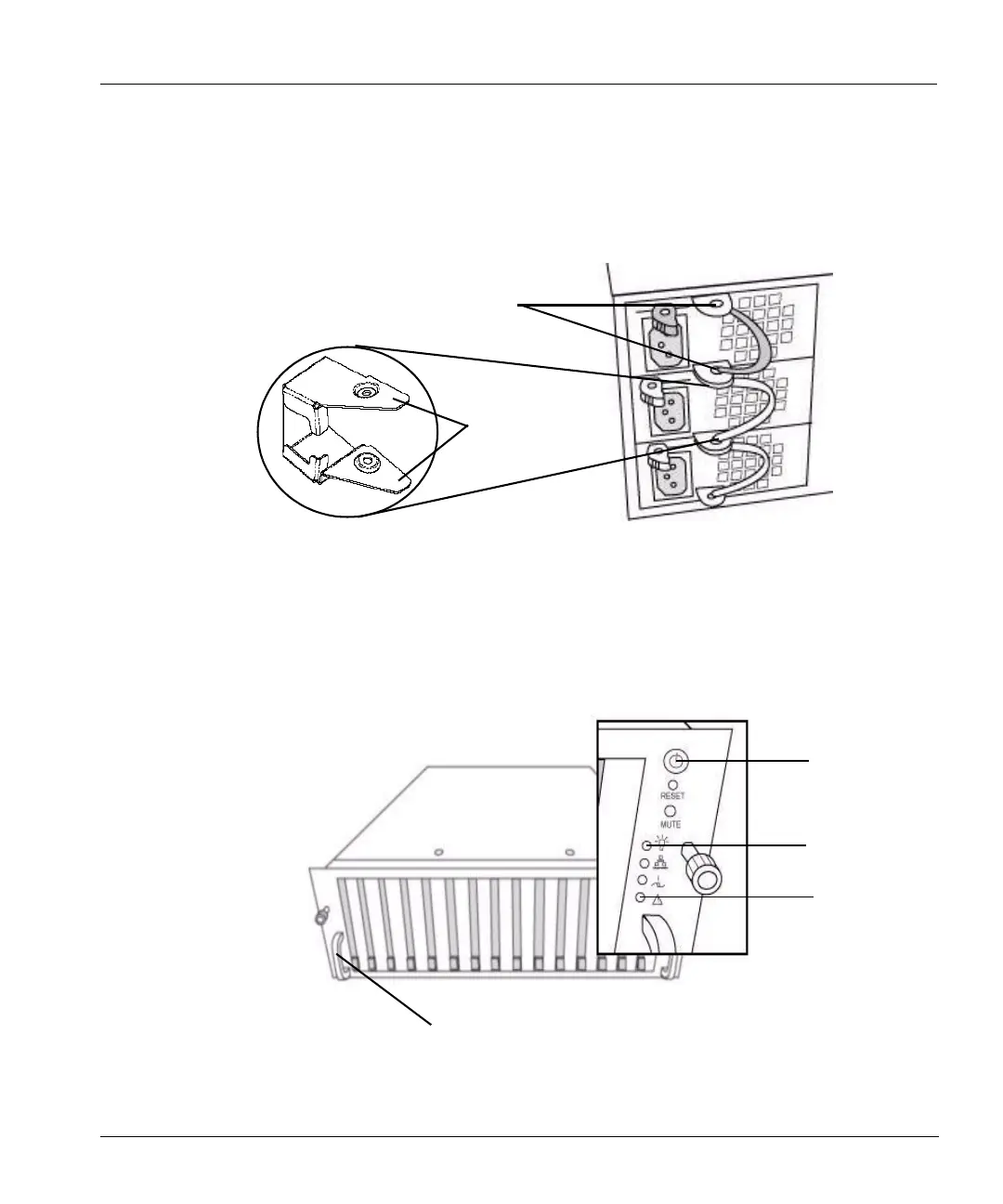
• For each power cord, slide a power cord retainer bracket over the cord.
• Pinch the two “wings” on the bracket and slide the bracket down over the power cord plug and
flush with the back of the power unit so that the wings secure the plug by clicking into the
power unit handle brackets. See
Figure 12.
• Plug in the three power cords to a power source.
• Start the Restorer. Push the power button (the top button) on the right-side control panel on the
front of the system. See
Figure 13 on page 27 for the location.
• After the restorer starts, the power-on LED glows green. See Figure 13 for the location.
Figure 12: Power cord retainer bracket
Power unit handle brackets
Retainer
bracket
wings
Power
button
Side bracket
Figure 13: Restorer front panel
Power unit
failure
indicator
Power-on LED



 To Next Page