D-300 MK2 User Manual Firmware V-6.3
L052D01-EN - 48 -
When the engine hours OR the time limit is over, the SERVICE REQUEST led (red) will start to flash and the
service request output function will be active. The service request can also create a fault condition of any
level following parameter setting.
The service request output function may be assigned to any digital output using Relay Definition
program parameters. Also relays on an extension module may be assigned to this function.
To turn off the SERVICE REQUEST led, and reset the service
period, press together the ALARM MUTE and LAMP TEST keys
for 5 seconds.
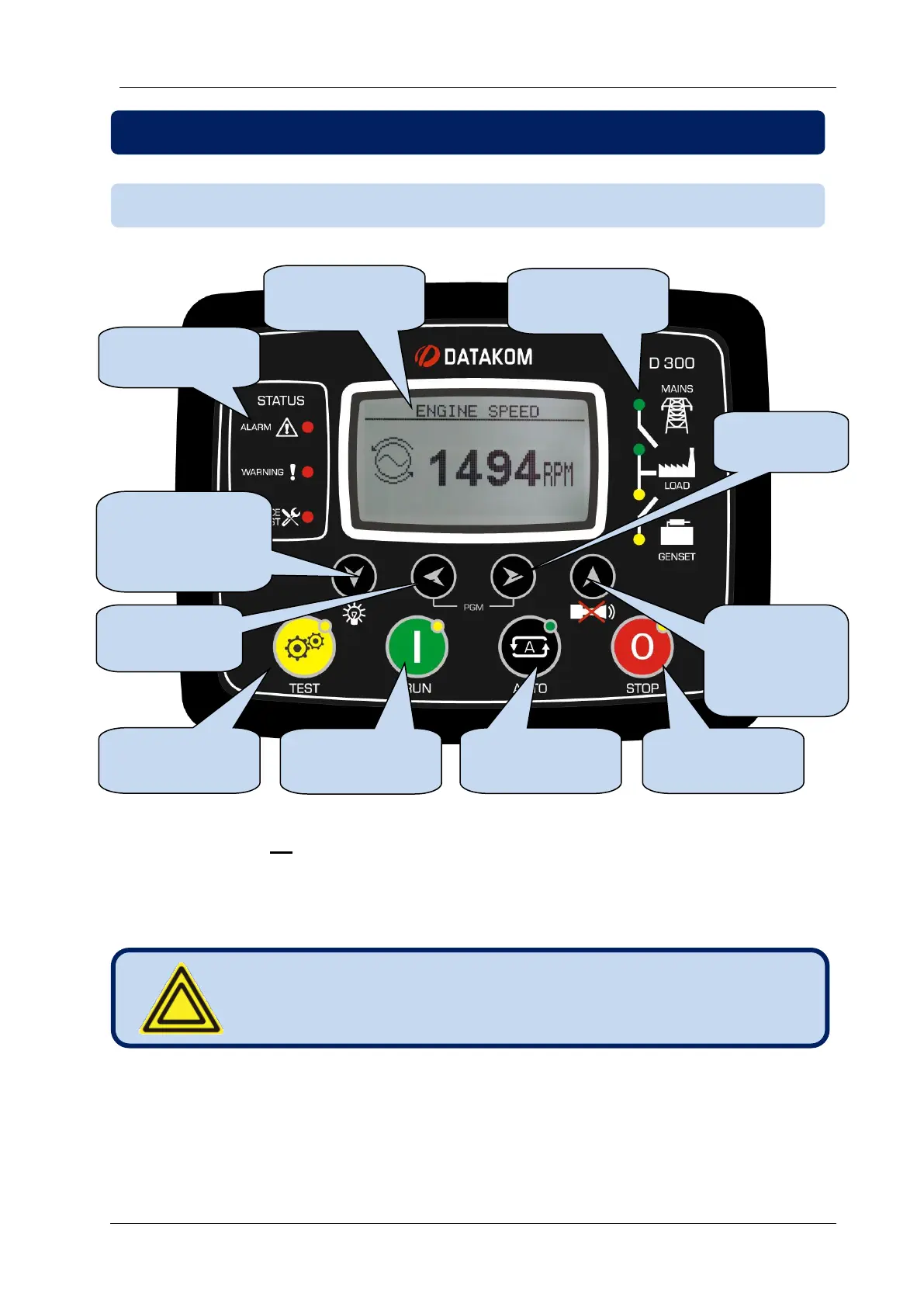
9.1. FRONT PANEL FUNCTIONALITY
9. DESCRIPTION OF CONTROLS
Fault condition
indicators
Next screen in
the same group.
LAMP TEST if
held pressed
Previous
screen in the
same group.
ALARM Mute
Mimic Diagram
(sysem status)



 To Next Page