Need help?
Do you have a question about the Datakom D-300 MK2 and is the answer not in the manual?
Provides the physical dimensions and panel cutout specifications for the unit.
Details specifications for the DC supply voltage input.
Specifies AC voltage measurement capabilities and ranges.
Details AC current measurement specifications, CT ratings, and cable selection.
Describes the specifications for configurable digital input channels.
Details analog sender input types, measurement, and specifications.
Explains the function and specifications of the charge input terminal.
Details the magnetic pickup input for engine speed measurement.
Describes the specifications for the mains contactor output relay.
Describes the specifications for the generator contactor output relay.
Details the specifications for protected semiconductor digital outputs.
Explains how to extend digital inputs and outputs with extension modules.
Details the specifications and functionality of the RS-485 communication port.
Describes the J1939-CANBUS port for engine communication.
Details the USB port for PC connection and firmware upgrades.
Explains the functionality and requirements of the GSM modem module.
Details the specifications and LED functions of the Ethernet port.
Describes the Wi-Fi module's protocols, security, and functionality.
Explains how to select the correct electrical topology for mains and genset.
Explains how to configure CT location for accurate current and power readings.
Describes the Automatic Mains Failure (AMF) functionality.
Details the Automatic Transfer Switch (ATS) functionality.
Explains how the unit handles remote start signals for engine operation.
Describes the engine control mode, disabling genset electrical measurements.
Explains the capability of the unit to act as a remote display and control panel.
Details the unit's capability to operate with 400Hz outputs.
Provides a connection diagram for AMF functionality with CTs at load side.
Shows the wiring for AMF functionality with CTs at alternator side.
Illustrates the connection diagram for ATS functionality.
Provides the connection diagram for remote start functionality.
Shows the connection diagram for engine control functionality.
Illustrates the connection diagram for remote display panel functionality.
Describes the DC power supply input terminals.
Details the function and technical data of digital output terminals.
Explains the charge terminal, used for alternator excitation and voltage.
Describes analog sender input types, measurement, and specifications.
Details the function and technical data of digital input terminals.
Describes MPU inputs for engine speed and protection grounding.
Details the CANBUS communication port terminals for engine interface.
Describes the generator contactor output terminal.
Details generator phase and neutral input terminals.
Describes current transformer input terminals for phase current measurement.
Details the neutral terminal for mains phase connections.
Describes mains phase input terminals for voltage measurement.
Details the mains contactor output terminal.
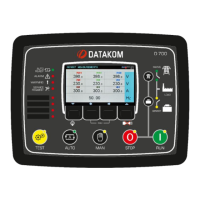
Explains the functions of the front panel buttons and indicators.
Details the specific functions assigned to each front panel pushbutton.
Describes how parameters are organized and navigated on the unit's display.
Explains the automatic scrolling feature for displaying measurements.
Lists all AC and engine parameters that can be measured and displayed by the unit.
Details the meaning and function of each status and mimic diagram LED indicator.
Describes the temper-proof incremental counter for tracking fuel filling.
Explains how the unit monitors and displays engine fuel consumption.
Provides a brief guide for basic operation: stopping, starting, and testing the genset.
Details how to put the unit into STOP mode and its behavior.
Explains the AUTO mode for automatic transfer and operation.
Describes the RUN mode for manual engine start and control.
Details the TEST mode for running and loading the genset.
Explains how to disable all protections, allowing the genset to run until destruction.
Details the service request indicator and its relation to maintenance scheduling.
Lists and describes critical shutdown alarms that stop the engine.
Details loaddump alarms that can cause engine shutdown after a cooldown period.
Lists and describes warning conditions that do not stop the engine.
Describes warnings that appear in logs or notifications, not on the front panel.
Provides the procedure to restore the unit to its factory default settings.
Explains how to access the programming mode using a password.
Details how to navigate through the programming menus and parameters.
Explains how to change parameter values using the front panel controls.
Describes how to exit the programming mode.
Lists parameters for general controller settings like display and timers.
Details parameters related to voltage, frequency, current, and power settings.
Lists parameters for engine operation, speed, temperature, and oil pressure.
Explains how to set the unit's internal real-time clock and date.
Details how to set a weekly schedule for automatic genset operation.
Explains how to configure automatic exerciser programs for genset testing.
Details how to configure analog sender inputs and alarm levels.
Describes how to configure the function and action of digital inputs.
Explains how to assign functions to the unit's relay outputs.
Explains the load shedding feature to disconnect non-essential loads.
Details load add/subtract functions for multi-step load control.
Describes the controller's capability to manage up to 5 prioritized loads.
Explains how to configure and use the remote start mode of operation.
Details the Disable Auto Start signal and its effect on operation.
Explains battery charging and delayed mains simulation features.
Describes the operation of dual gensets for redundancy and service.
Explains the ability to switch between multiple voltage and frequency protection sets.
Advises on selecting topology for single-phase electrical networks.
Details how to control the unit externally via programmable digital inputs.
Explains the configuration of automatic exerciser programs for genset testing.
Describes methods for heating the engine before load transfer.
Explains engine idle speed operation for heating and cooldown sequences.
Details the unit's ability to control an engine block heater.
Explains the digital output function for controlling the fuel pump motor.
Details the special function for fuel solenoid control on gas engines.
Describes the pre-transfer digital output function, often for elevator systems.
Explains the automatic battery charging cycle for the engine battery.
Details the 16 externally controllable digital output functions.
Describes the combat mode input function, which turns off panel illumination.
Explains how to manually reset the controller's hardware settings.
Details the automatic detection of connection topology and voltage checks.
Explains how to achieve zero power consumption during idle states.
Lists parameters required for setting up RS-485 Modbus communication.
Explains data formats (16-bit, 32-bit variables) used in Modbus communication.
Troubleshooting steps when genset operates normally with AC mains.
Steps to diagnose incorrect AC voltage or frequency readings on the display.
Troubleshooting faulty power and power factor readings despite correct current.
Diagnosing issues when mains fail, fuel solenoid energizes, but engine doesn't start.
Diagnosing start fail alarm when engine runs but stops after mains failure.
Troubleshooting delay in removing engine cranking sequence.
Steps to diagnose and resolve when the unit becomes inoperative.
Troubleshooting why the programming mode cannot be accessed.
Diagnosing why AUTO LED flashes and genset doesn't run during mains failure.
Troubleshooting why the genset runs but fails to take the load.
 General
| Brand | Datakom |
|---|---|
| Model | D-300 MK2 |
| Category | Controller |
| Language | English |


 To Next Page