D-300 MK2 User Manual Firmware V-6.3
L052D01-EN - 53 -
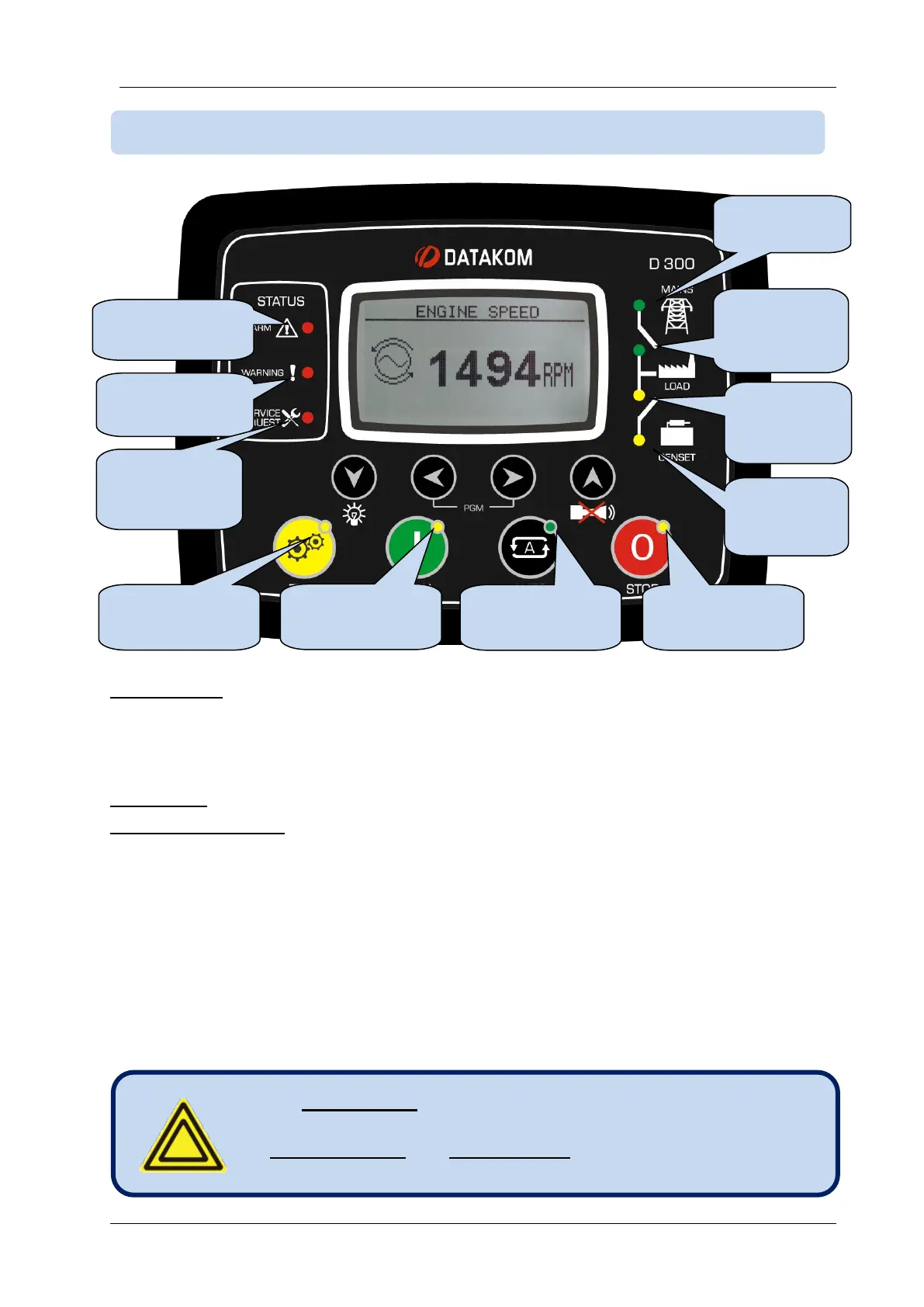
STATUS LEDS:
ALARM: Turns on when a shutdown alarm or loaddump condition exists.
WARNING: Turns on when a warning condition exists
SERVICE REQUEST: Turns on when at least one of the service counters has expired.
MODE LEDS: Each led turns on when the related mode is selected, either locally or remotely.
MIMIC DIAGRAM LEDS:
MAINS AVAILABLE: This led turns GREEN when all mains phase voltages and the mains
frequency are within limits. If enabled, the mains phase rotation order must be also right. When
any digital input is defined as Remote Start, this led will reflect the status of the input. When a
Simulate Mains signal is present, then mains status will become “available”. When a Force to
Start signal is present, then the mains status will become “not available”.
MAINS CONTACTOR ON: Turns on when the mains contactor is activated.
GENSET CONTACTOR ON: Turns on when the genset contactor is activated.
GENSET AVAILABLE: This led turns on when all genset phase voltages and the genset
frequency are within limits. If enabled, the genset phase rotation order must be also right.
If a Remote Start input is defined, then the Mains led will
reflect the input status.
Simulate Mains and Force to Start signals will also affect this
led.
Service
request
indicator



 To Next Page