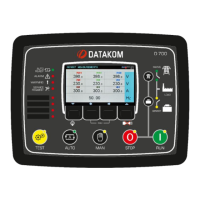
Need help?
Do you have a question about the Datakom D-700 and is the answer not in the manual?
Details modem configurations and supported GSM features for the D-500/700 unit.
Guides on inserting SIM card, connecting antenna, and using the magnetic antenna.
Emphasizes the need for a GPRS-enabled SIM card for full functionality.
Visual instructions for extracting and placing the SIM card into the device.
Comprehensive technical specifications of the internal GSM modem module.
Step-by-step guide to configure the modem using RainbowPlus software.
Importance of Engine Serial Number and Site ID for message identification.
Advice on not altering specific refresh and ping period parameters.
How to select the modem type and set the baud rate for external modems.
Configuration of IP-related parameters for network communication.
Setting User IP Mask for access control and Rainbow Server addresses.
Configuring SMTP server details for sending email messages.
Enabling email alerts for IP or Mains status changes.
Specifying email addresses where notifications will be sent.
Details for configuring dynamic DNS updates for remote access.
Settings for IP confirmation and ping addresses for connectivity checks.
Activating GPRS connection for data services and SMS notifications.
Entering SIM PIN, Service Center Number, and APN details for network access.
Configuring phone numbers for receiving SMS alerts and commands.
How to save configuration changes to the D-500/700 device.
Visual indicator for the parameter writing and completion process.
Introduction to RainbowScada for monitoring multiple gensets via the internet.
Visual example of the monitoring interface with genset status on a map.
Explains that central monitoring is operational via GPRS with data SIM cards.
Guidelines for writing SMS commands, including format and case sensitivity.
Commands for getting IP address and managing GPRS connection status.
SMS commands to reset alarms and change operating modes remotely.
SMS commands to set controller to Manual, Test, STOP, or AUTO modes.
SMS commands to turn remote outputs (e.g., OUT1) ON or OFF.
Controller sends SMS for events like IP or Mains status changes.
Enabling/disabling specific SMS alerts and setting recipient numbers.
Controller sends SMS messages automatically for all fault conditions.
Example of an SMS message indicating a fault like 'Low Fuel Level'.
Controller sends emails when the GPRS IP number is changed.
Example email showing IP change, event logs, and measured values.
Controller sends email messages automatically for any fault condition.
Example email indicating an alarm, such as 'ENGINE SHUTDOWN'.
Using the device's modem screen to monitor connection status and indicators.
Interpreting signal strength, IP address, and GPRS status indicators.
Resolving issues if the modem screen fails to display correctly.
Shows the unique IMEI number of the modem for identification.
Displays counters for received and transmitted data via Ethernet port.
Explains common normal status messages like GPRS Ready or Sending SMS.
Remedies for 'Bad APN info' and 'Connection error' status messages.
Solutions for DynDNS failures and incorrect PIN entry issues.
Troubleshooting for unsupported commands and bad service center numbers.
Remedies for PUK password, GPRS reconnection, and low signal problems.
Solutions for GPRS unusable/Bad APN and SIM card not found errors.
Remedies for modem errors, searching, and network availability problems.
Solutions for SMS sending confirmation failures and deletion issues.
Understanding modem responses indicating bad response or error states.
 General
| Model | D-700 |
|---|---|
| Operating Temperature | -20°C to +70°C |
| Interface | Serial |
| Protocols | GSM, GPRS |
| Frequency Bands | 900/1800 MHz |
| Communication Ports | RS-232 |

 To Next Page