56
QuickScan 6000/6000 Plus
UPC-A
UPC-E
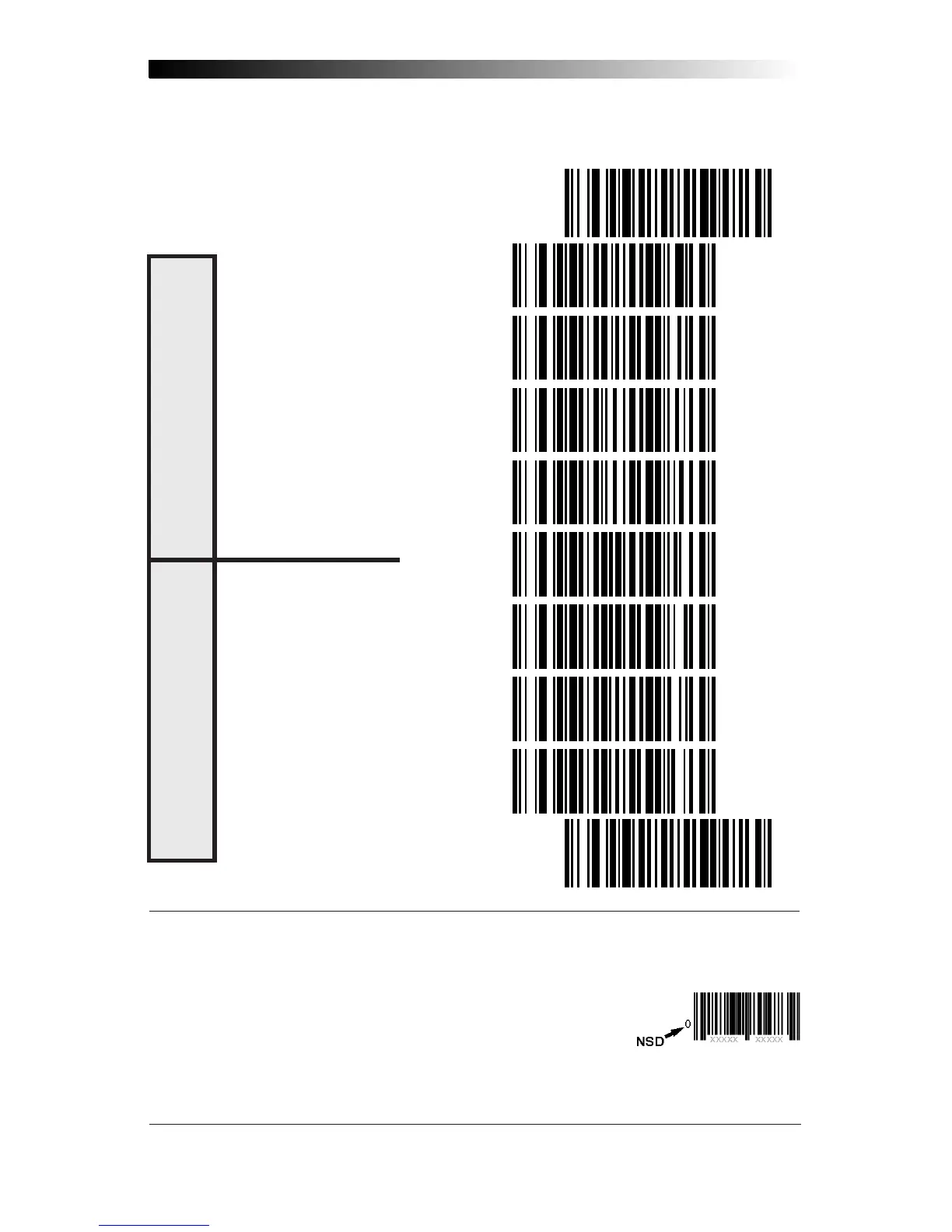
These settings affect UPC data format when RS-232 or OCIA is the active interface.
Number System Digit (NSD) settings operate with RS-232 and Keyboard Wedge
interfaces ONLY.
SET ----------------------------------------------
SEND CHECK DIGIT ----------------
DON'T SEND CHECK DIGIT --------
SEND NSD
1
-----------------------
DON'T SEND NSD
1
---------------
SEND CHECK DIGIT
2
---------------
DON'T SEND CHECK DIGIT
2
-------
SEND NSD
2
-----------------------
DON'T SEND NSD
2
---------------
END ----------------------------------------------
1
NSD = Number System Digit. The NSD character is the character that precedes the UPC bar
code. The NSD for regular UPC-A bar codes is a zero. Other commonly used Number
System Digits used with UPC-A are:
2 - used for random weight items such as meat and produce
3 - used for the drug and health items
4 - used for in-store non-food items
5 - used for coupons
2
If UPC-E is expanded to UPC-A, the transmission of Check Digit (CD) and NSD will be
determined by the UPC-A settings on this page, not by these settings.










 To Next Page