76
QuickScan 6000/6000 Plus
5. Scan the SET SECOND FIXED LENGTH label.
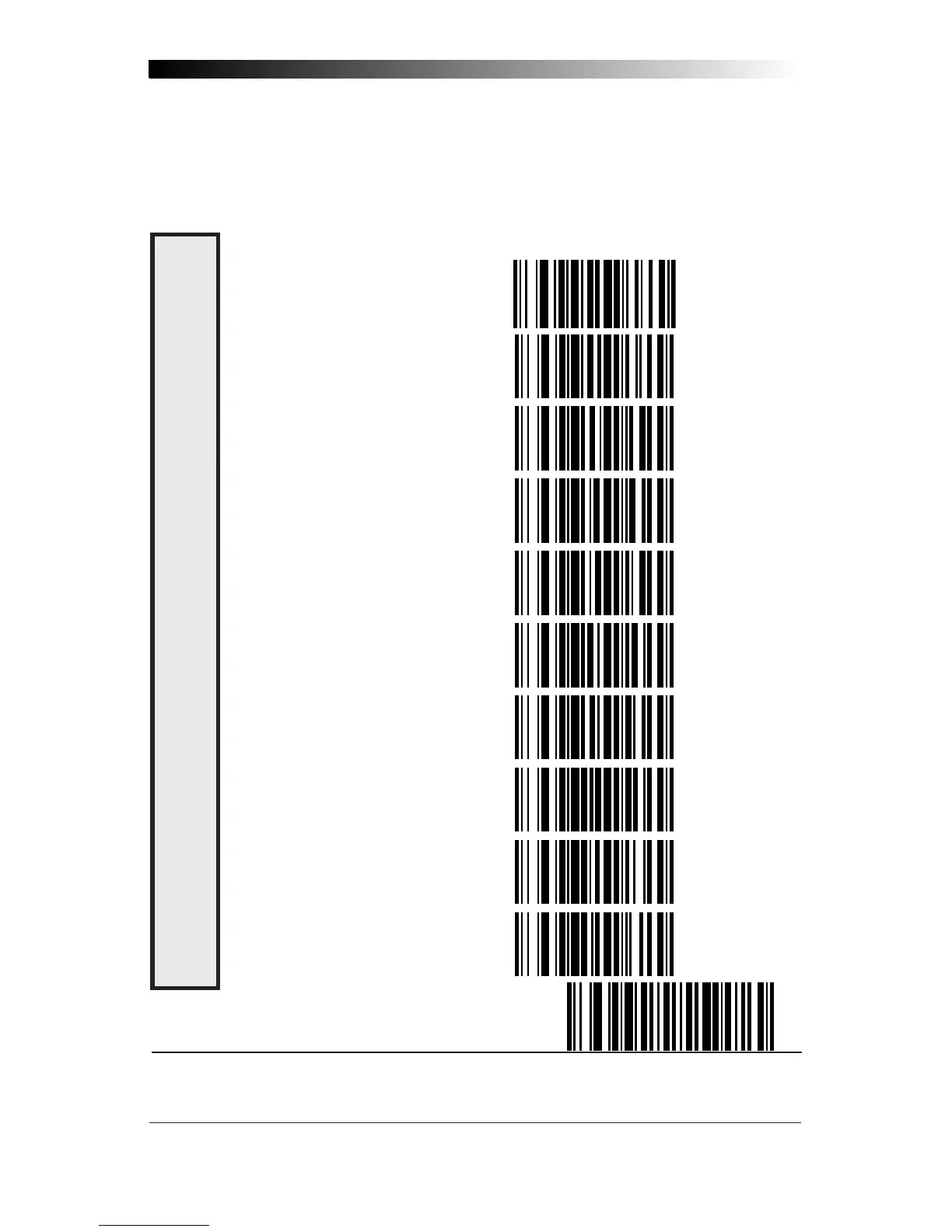
6. Set the second fixed label length by scanning the correct digits
from this page. The selectable range is from 03 to 50
*
digits.
7. Scan the END label to complete the procedure.
0 ------------------------------------
1 ------------------------------------
2 ------------------------------------
3 ------------------------------------
4 ------------------------------------
5 ------------------------------------
6 ------------------------------------
7 ------------------------------------
8 ------------------------------------
9 ------------------------------------
END ----------------------------------------------
* For variable length symbologies, the QS6000/6000 Plus will decode up to 50 characters, but
the actual length varies with label size and quality. The IBM POS interface is limited to 32
characters labels.
C
ODABAR
S
ET
F
IXED
L
ENGTHS










 To Next Page