16 Chapter 3 – Printer Operation
3
3
3
.
.
.
6
6
6
W
W
W
i
i
i
n
n
n
d
d
d
o
o
o
w
w
w
s
s
s
D
D
D
r
r
r
i
i
i
v
v
v
e
e
e
r
r
r
The Windows driver is located on the Accessories CD-Rom included with your printer. For the latest version
please visit our web site at www.datamax-oneil.com.
Installing the Windows Driver:
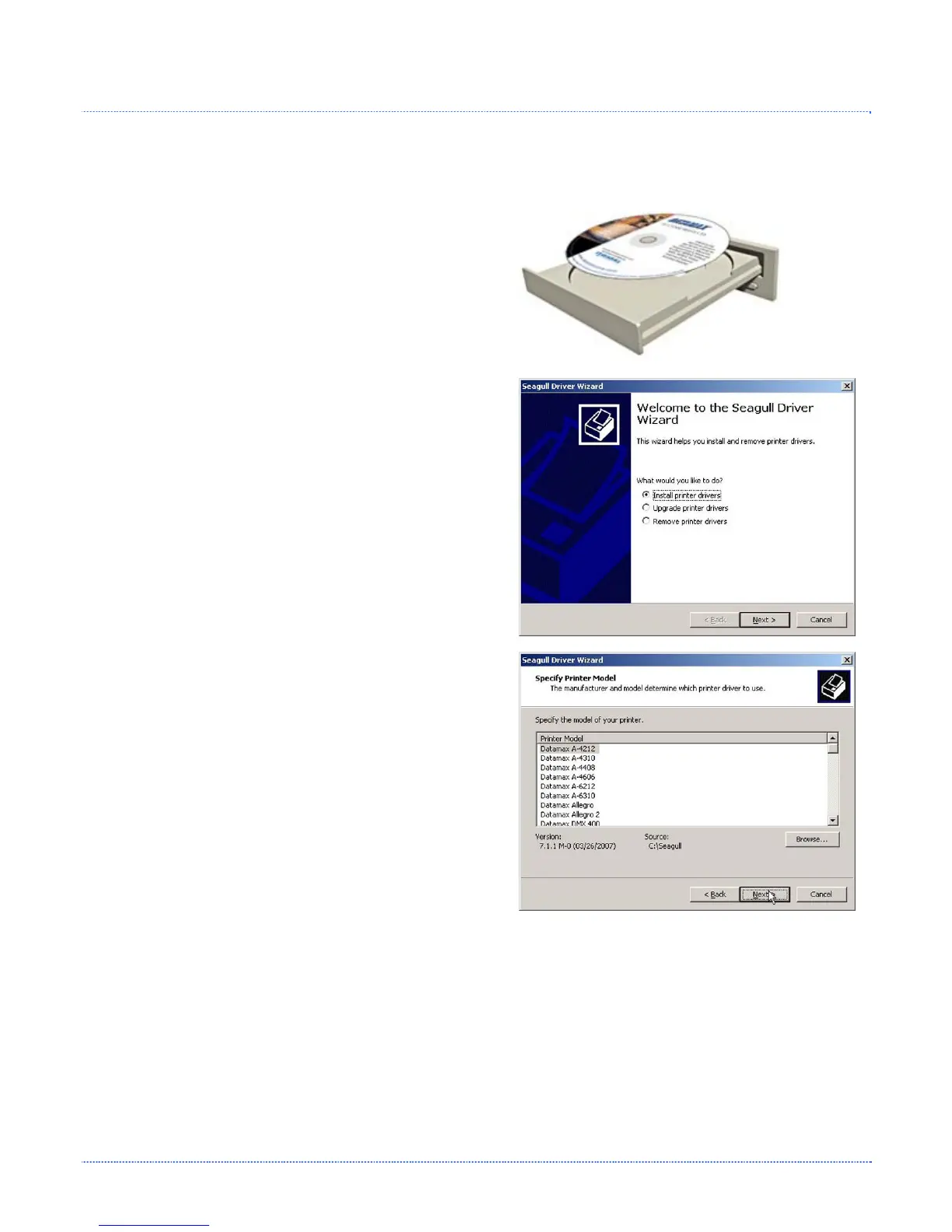
Place the Accessories CD-Rom included with your printer
into your computers CD-Rom drive.
Once the CD-Rom starts, select "Install Windows Driver"
from the main menu and follow the instructions on the
screen to install.
When prompted, select your printer from the list, (i.e.
Datamax E-4xxx). Continue to follow the on-screen
instructions to install the driver.













 To Next Page