Avoiding Remote Control Problems
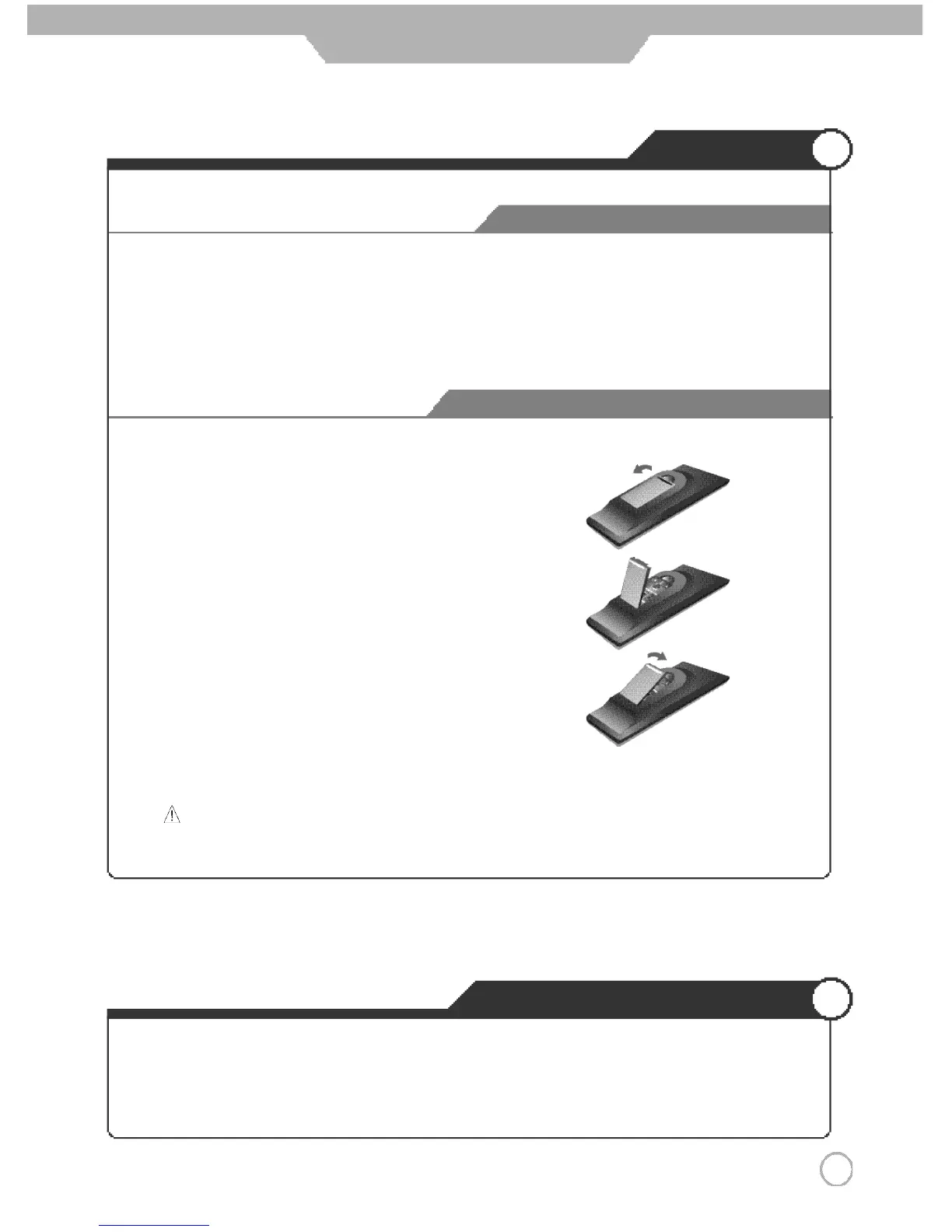
Inserting Batteries in the Remote Controller
Precautions
How to use remote controller
1 3
User Guidance Information
2. Insert the two supplied batteries (AAA, 1.5V). Ensure
that the polarities (
+
and
-
) of the batteries are aligned
correctly.
1. Open the cover out completely.
3. Replace the cover.
1. Check the polarity (
+
,
-
) of the batteries in the remote controller.
2. Check that the batteries have power.
3. Check that the PDP TV is powered and that it is properly plugged in.
4.
Check if any three-wavelength lamp, special fluorescent or neon sign is turned on near the PDP TV.
CAUTION : Risk of explosion if battery is replaced by an incorrect type.
Dispose of used batteries according to the national code (Recycling program).
·
The remote control should be operated within 30 feet(7m) and 30˚to the left and the right of the IR receiver
on the front of the PDP TV.
·
Used batteries should be disposed properly.



 To Next Page