9
User Guidance Information
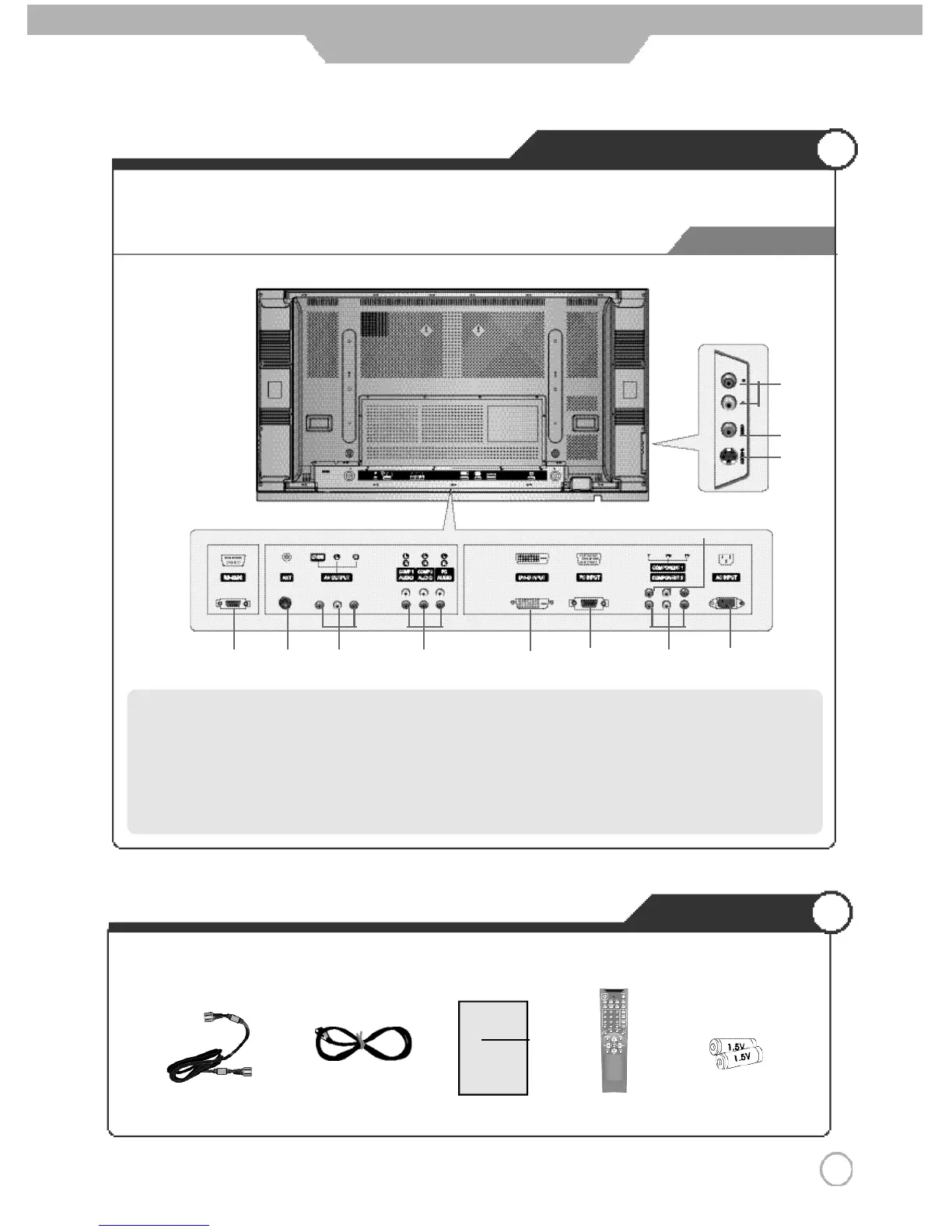
Back View
Controls and Functions
Accessories
●The configuration of the components may look different from the following illustration.
Power CordAntenna Cable Remote
Control
User's Guide Battery1.5V (AAA×2)
User's Guide
⑦
Component 1 Input Terminal
⑧
Component 2 Input Terminal
⑨
AC Input Terminal
⑩
Audio Input Terminal (S-Video/ CVBS)
⑪
CVBS Input Terminal
⑫
S-Video Input Terminal
① ⑧③
①
RS-232C Terminal
②
Antenna Terminal
③
AV Output Terminal
④
Audio Input Terminal (Comp1, Comp2, PC)
⑤
DVI-D Input Terminal
⑥
RGB PC Input Terminal
②
④
⑦
⑥ ⑨
⑤
⑫
⑪
⑩



 To Next Page