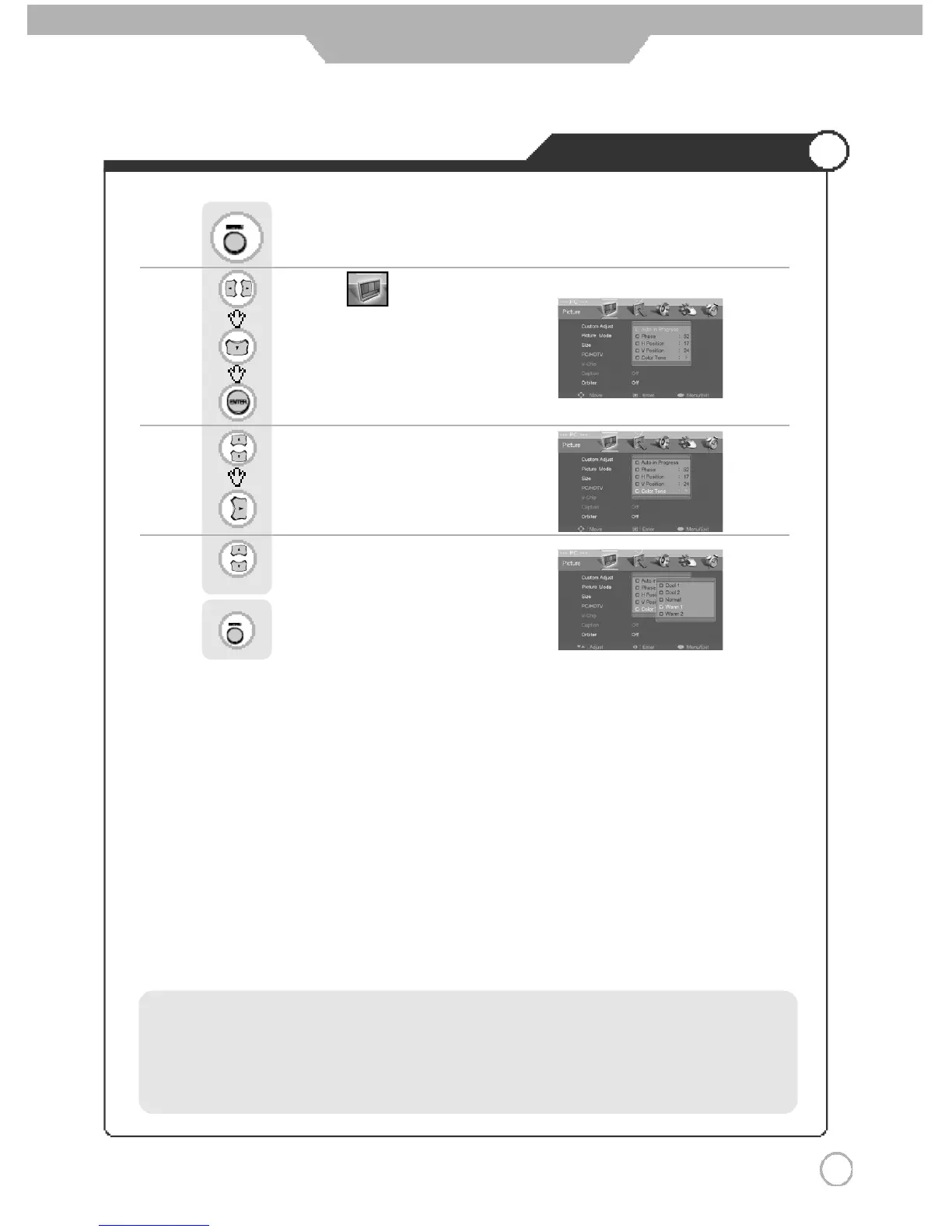
Adjusting Color Tone
4 1
Monitor
Use to move to .
Press to move to "PC/HDTV".
Press to select.
Use to move to "Color Tone"
Press to select.
Use to select the desired category.
Press to go back to the previous menu.
Press .
·Cool 1: This results in a more blueish tone.
·Cool 2: This results in a blueish tone.
·Normal : This is standard color setting.
·Warm1 : This results in a reddish tone.
·Warm2 : This results in a more reddish tone.



 To Next Page