2 4
Changing Picture Settings
Basic Use
·Custom : Select to set user's preferences.
·Dynamic : Select when using the PDP TV in a brightly lit environment.
·Standard : It is the best screen setting (factory setting).
·Movie : Select when watching a movie.
·Mild : Select when using the PDP TV in a dimly lit environment.
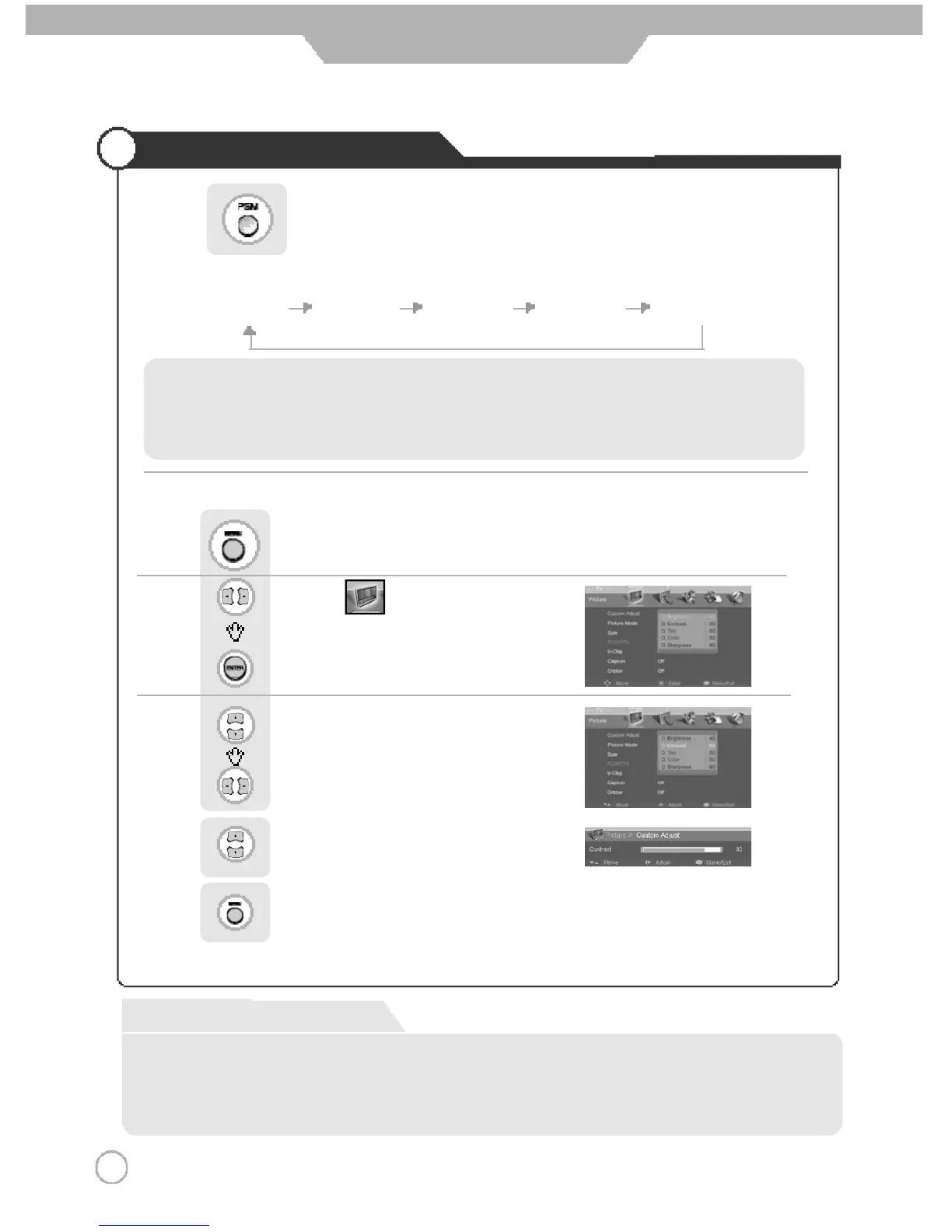
Press the mode buttons on the shown on the screen repeatedly to adjust the settings.
Custom Dynamic Standard Movie Mild
Press button on the remote control.
Use to move to .
Press to select “Custom Adjust”.
Press .
Use to move to the desired category.
Use to adjust the setting.
Use select between Brightness/ Contrast/
Color/Tint/ Sharpness.
Press to go back to the previous menu.
● Custom Picture Adjustment
Custom Mode
·Brightness : It adjusts the brightness of the image.
·Contrast : It adjusts the contrast of image.
·Tint : It adjusts the natural tint of thhe image.
·Color : It adjusts the intensity of the color.
·Sharpness : It adjusts the clarity of the image.



 To Next Page