2 3
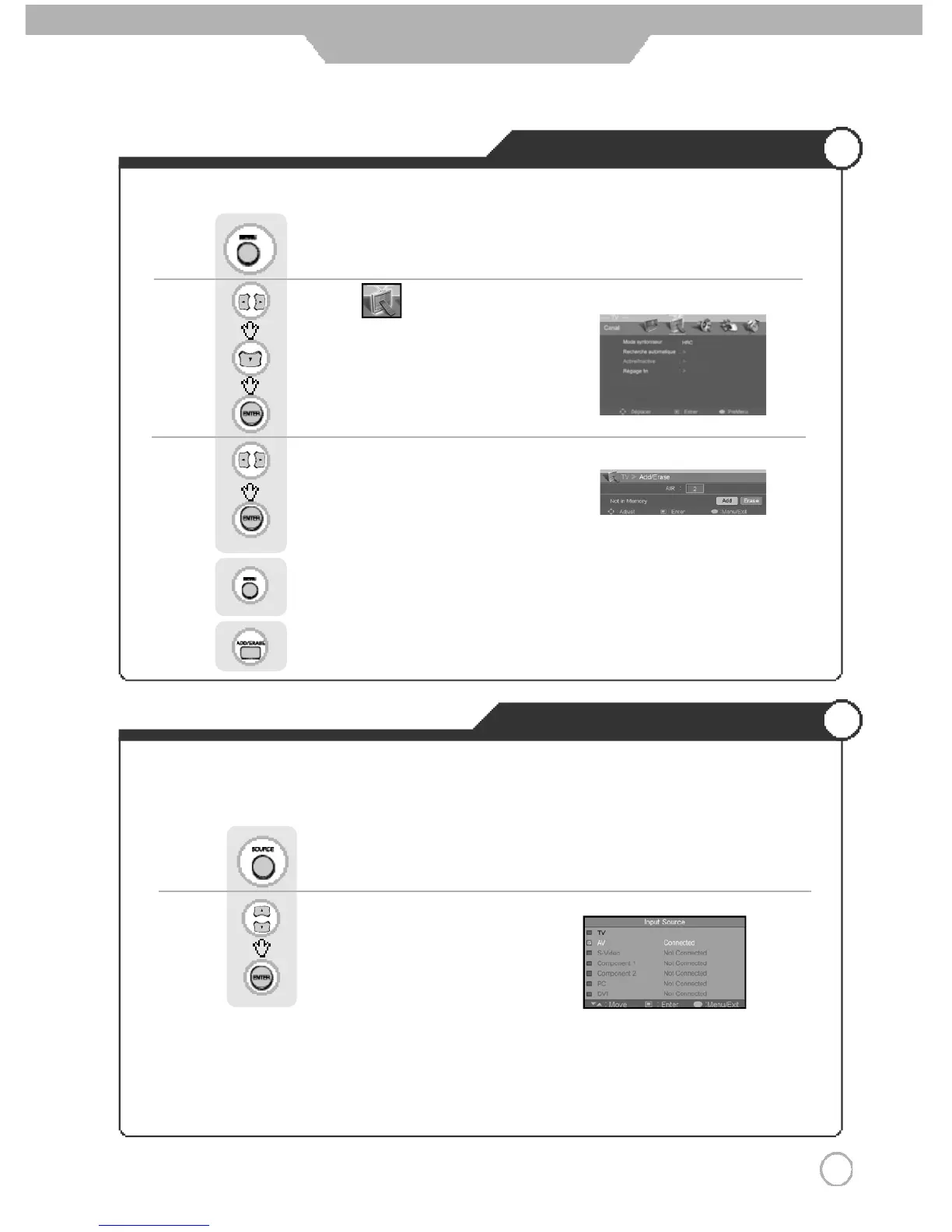
Memorizing the Channels
Selecting Input Source
Basic Use
※ Aside from the watching TV, you can connect AV, S-Video, Component1, Component 2, PC and
DVI to the TV set and enjoy these functions.
※ All input sources will be automatically detected and displayed on screen, but you may select an
activated source when the input cable is connected only.
P r e s sPress button on the remote control.
Use to move to the desired input source.
Press to select.
You can select between the TV signal and the input signal of other appliances connected to the TV.
Use this function to switch to the input source you wish to view.
Use to move to .
Press to move to "Add/ Erase"
Press to select.
Press .
Use to move to "Add" or "Erase".
Press to select.
Press to go back to the previous menu.
Or press button on the remote control. .
● Adding and Erasing Channel (Manual Method)



 To Next Page