8
User Guidance Information
Ceiling -Mount Bracket Adjustable - Angle
Wall mount
●
To improve the quality of the PDP TV, specification is subject to change without notice. Please contact your dealer for
current options available.
Stand
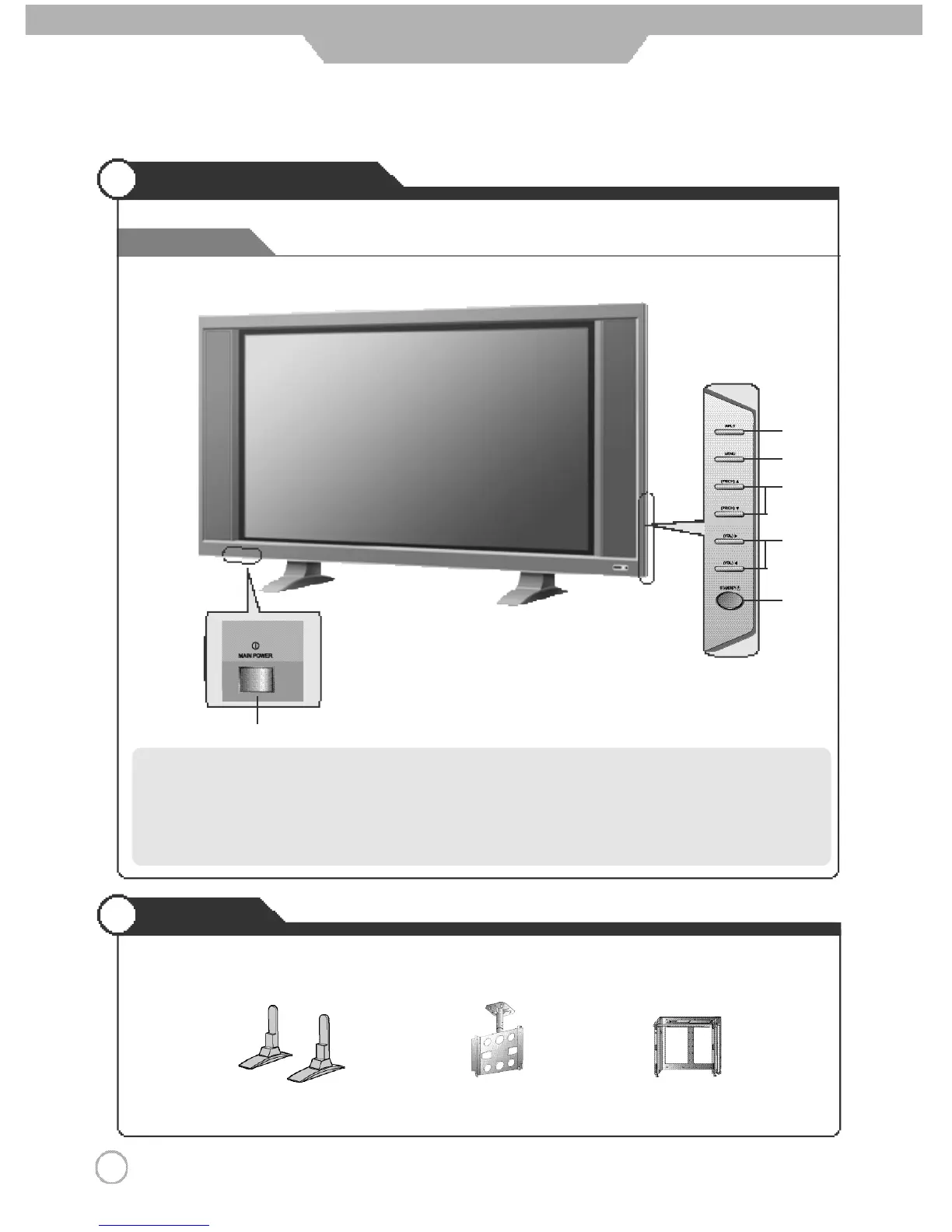
Front View
Names of each part
Options
①
Main Power Button
- Please turn off the main power switch, if the PDP TV will not be
used for a long period of time.
②
Input Button
③
Menu key
④
Program/Channel ▼
,
▲ Button
⑤
Volume ◀
,
▶ Button
⑥
Standby
①
②
④
⑤
⑥
③



 To Next Page