Application
3 1
Using the V-Chip
First, Set up a personal identification number (password) and enable the V-Chip.
Parental restrictions can be set up using either of two methods ;
The TV guidelines or the MPAA rating.
The V-Chip will automatically block certain categories that are "More restrictive".
For example, if you check "L" Sub-rating in TV-PG, then the "L" Sub-rating in TV-14 and TV-MA will
automatically be checked.
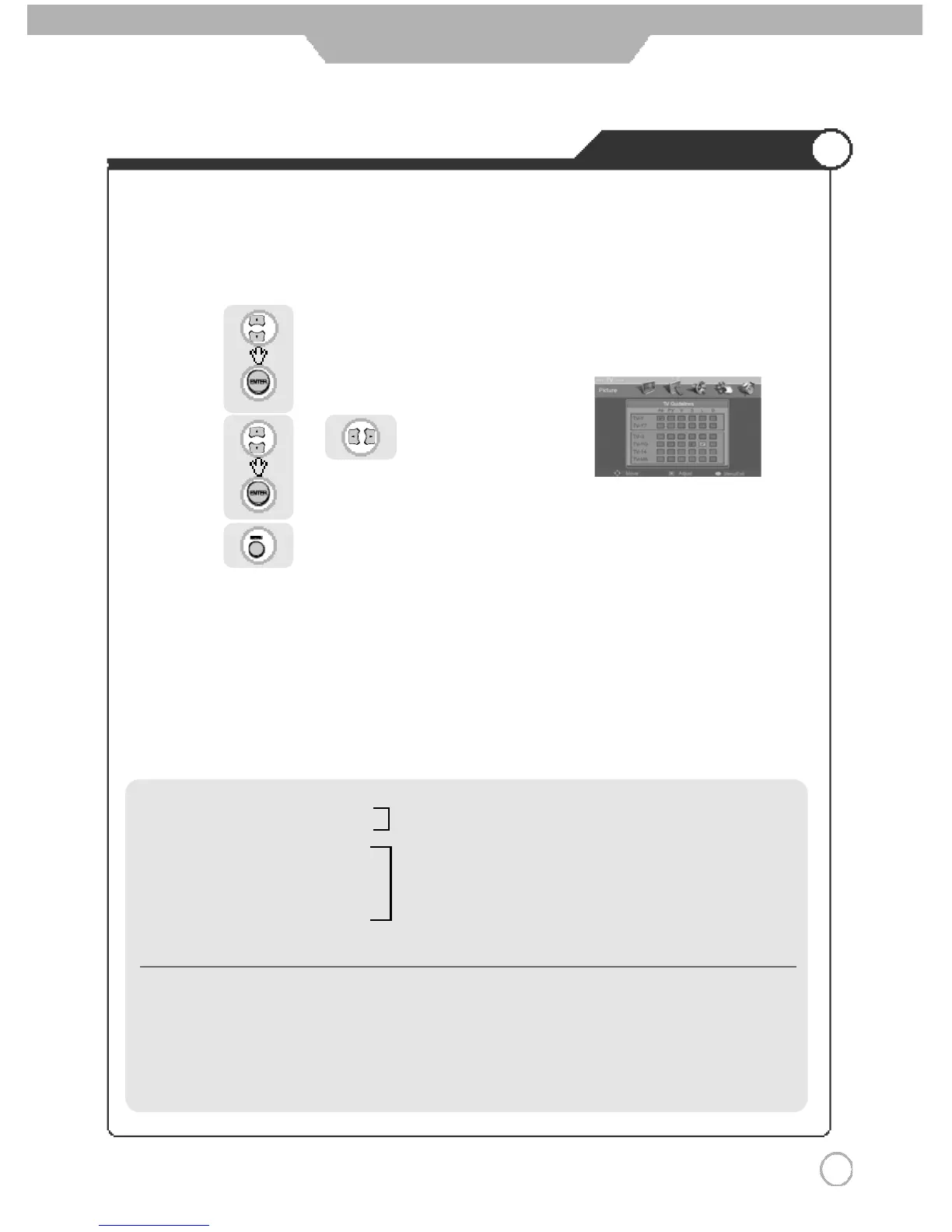
● How to set up Restrictions using the "TV guidelines"
Use to move to "TV Parental Guide".
Press to select.
Use or to move to desired categories.
Press to set the restriction ratings.
Press to go back to the previous menu.
·TV-Y : Young Children
·TV-Y7 : Child 7 and over
·TV-G : General audience
·TV-PG : Parental guidance suggested
·TV-14 : Parents strongly cautioned
·TV-MA : Mature audience
※ The restrictions for these two groups work independently.
(young Children through age 7)
(e
v
erybody else)
·FV :
F
antasy Violence
·V : Violence
·S : Sexual situation
·L : Adult Language
·D : Sexual Suggestive Dialog



 To Next Page