RL
L-MONO
MP3
43
ES-1203 Cod. 420120253 REV. 1.0
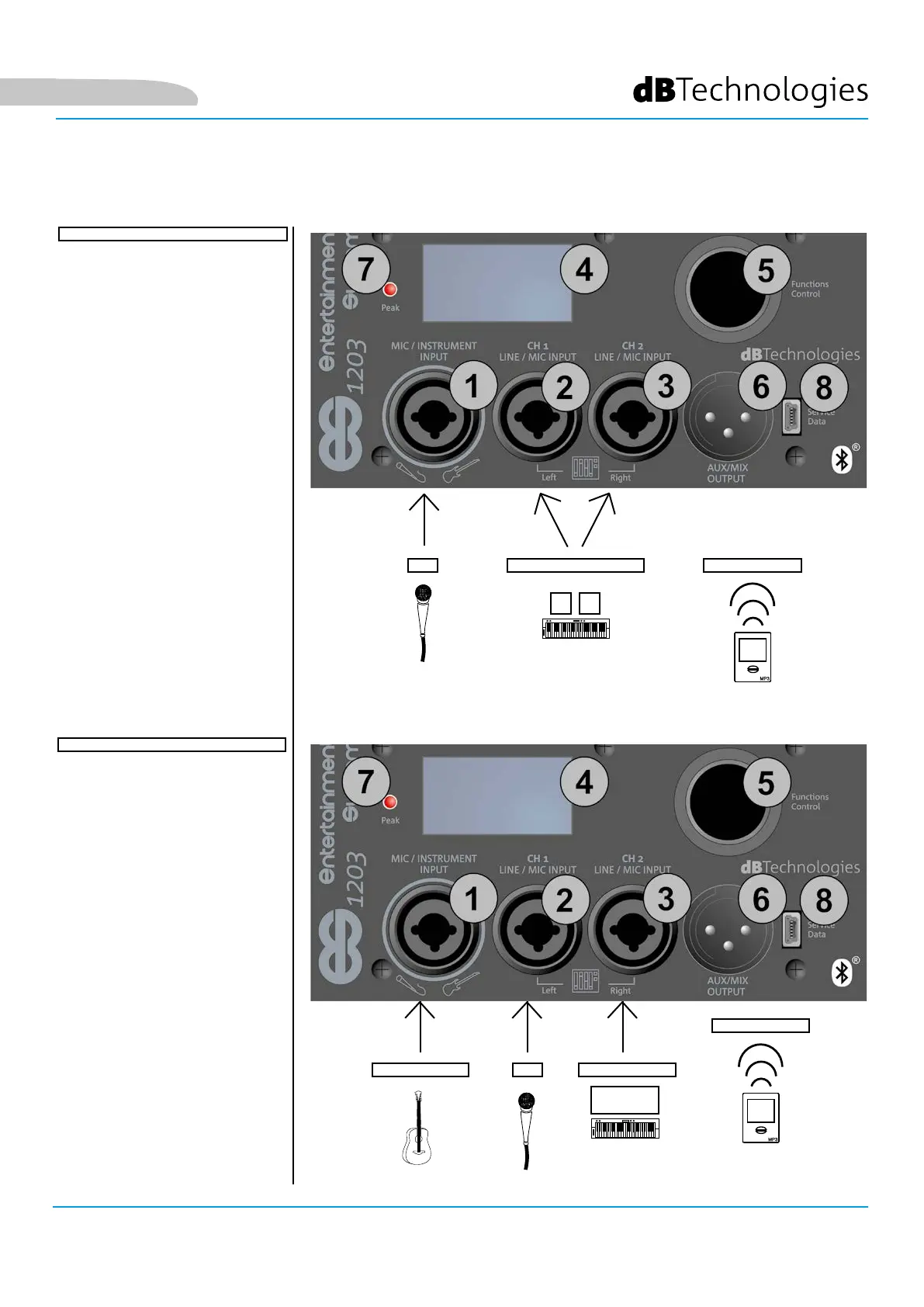
CONNECTING THE INPUTS
• Connect a microphone
to connector [1]
• Connect a stereo source
(e.g. a keyboard or mixer)
to the two channels [2] and
[3]. The left output channel
from the source should be
connected to CH1 [2], and
the right channel to CH2 [3].
• Enable Bluetooth®
transmission on a multimedia
device (e.g. MP3 player)
• To set the input type (MIC/
INSTRUMENT or LINE/
MIC) and adjust the levels
and parameters, refer to
chapter 3: HOME PAGE,
QUICK CONTROLS, MIXER.
MIC
STEREO LINE
BLUETOOTH®
FIRST EXAMPLE
INSTRUMENT
MIC
LINE (MONO)
BLUETOOTH®
SECOND EXAMPLE
• Connect an instrument with a
high output impedance (e.g.
a guitar) to connector [1].
• Connect a microphone
to connector [2].
• Connect the mono output
of an instrument with
a line output (such as a
keyboard) to connector [3].
• Enable Bluetooth®
transmission on a multimedia
device (e.g. MP3 player).
• To set the input type (MIC/
INSTRUMENT or LINE/
MIC) and adjust the levels
and parameters, refer to
chapter 4: HOME PAGE,
QUICK CONTROLS, MIXER.
English


 To Next Page