45
ES-1203 Cod. 420120253 REV. 1.0
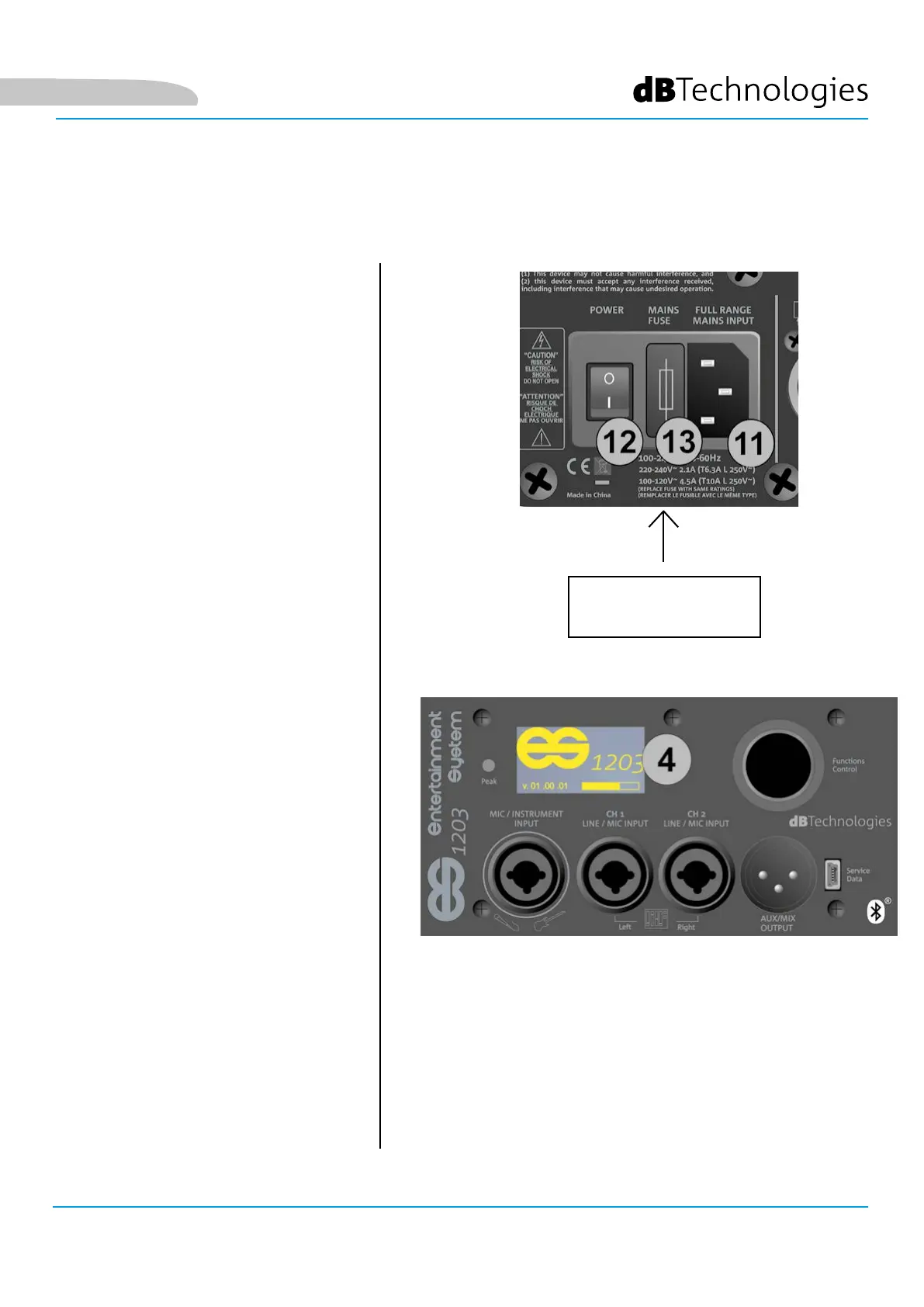
CONNECTING POWER
POWER
(VDE CONNECTOR)
• Insert the VDE connector of the provided
cable into the “MAINS INPUT” [11].
• Insert the plug into a power
socket with an earth conductor.
• Press the POWER switch
[12] to the “I” position.
• The OLED screen [4] will light up.
• The system will take a few seconds to
load the rmware and any saved user
settings. The current rmware version
will be shown in the start page and a
bar will show the loading progress.
English


 To Next Page