dCS 954 User Manual Manual for Standard Software Version 1.5x
dCS Ltd June 2000
Manual part no: DOC136954 iss 2B1
Page 30
file 135954ma2b1.pdf available from website
Contact
dCS
on + 44 1799 531 999 email to: more@dcsltd.co.uk
(inside the UK replace + 44 with 0) web site: www.dcsltd.co.uk
T
YPICAL
A
PPLICATIONS
Using a dCS 954 for DSD
PUSH PUSH PU SH PUSH PUSH
Analogue
CH1(L) CH2(R) Sensitivity
CH1(L) CH2(R)
Digital I/O
Reference In Reference Out AES1 AES2 AES3 AES4 CH1 CH2
In Out
SDIF-2/DSD
75R
Clk
Remote
In
Out
MAINS FUSE 2A(T) ON OFF
DSD
In
Balanced
outputs
Unbalanced
outputs
- or -
To pre or power amplifier
L R
L
R
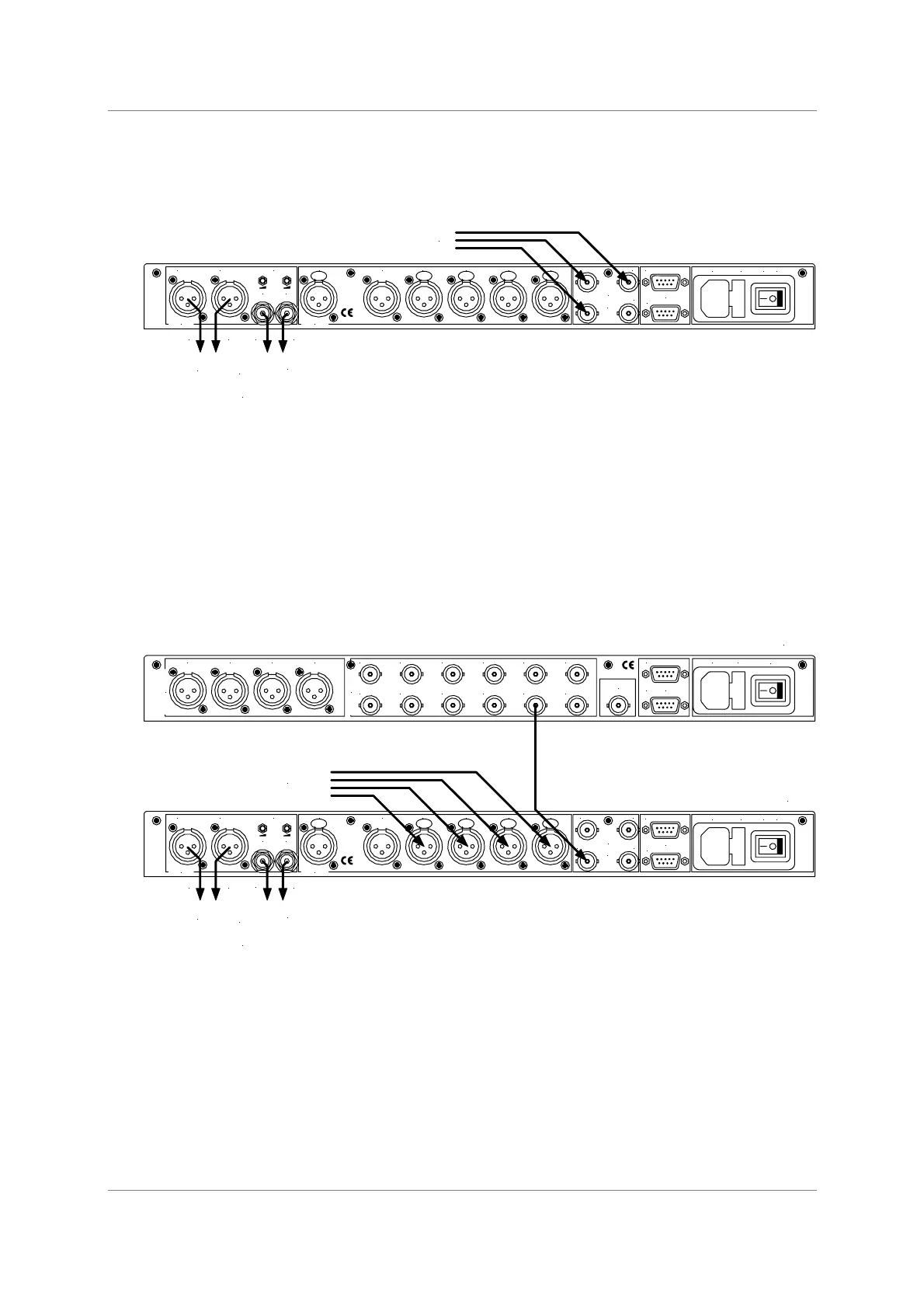
Figure 7 – DSD input configuration
do this: Set dSd in the menu to On, press the BNC button.
do this: Select a filter.
do this: Ensure Mute is Off.
Using a Master Clock to Sync a dCS 954
PUSH PUSH PU SH PUSH PUSH
Analogue
CH1(L) CH2(R) Sensitivity
CH1(L) CH2(R)
Digital I/O
Reference In Reference Out AES1 AES2 AES3 AES4 CH1 CH2
In Out
SDIF-2/DSD
75R
Clk
Remote
In
Out
MAINS FUSE 2A(T) ON OFF
Single, Dual
or Quad AES
Balanced
outputs
Unbalanced
outputs
- or -
To pre or power amplifier
L R
L
R
AES 1 AES 2 AES 3 AES 4
AES/EBU Outputs
Wordclock Outputs
1 2 3 4 5 6
7 8 9 10 11 12
External
Sync
Remote
In
Loop
Out
Mains Fuse (2AT)
On Off
dC S 992
dC S 954
Figure 8 – Syncing a dCS 954 to a Master Clock
do this: Set BNC in the menu to RefCl.
do this: Select the required input(s), then press the BNC button as well.
do this: Sync the source to the Master Clock.



 To Next Page