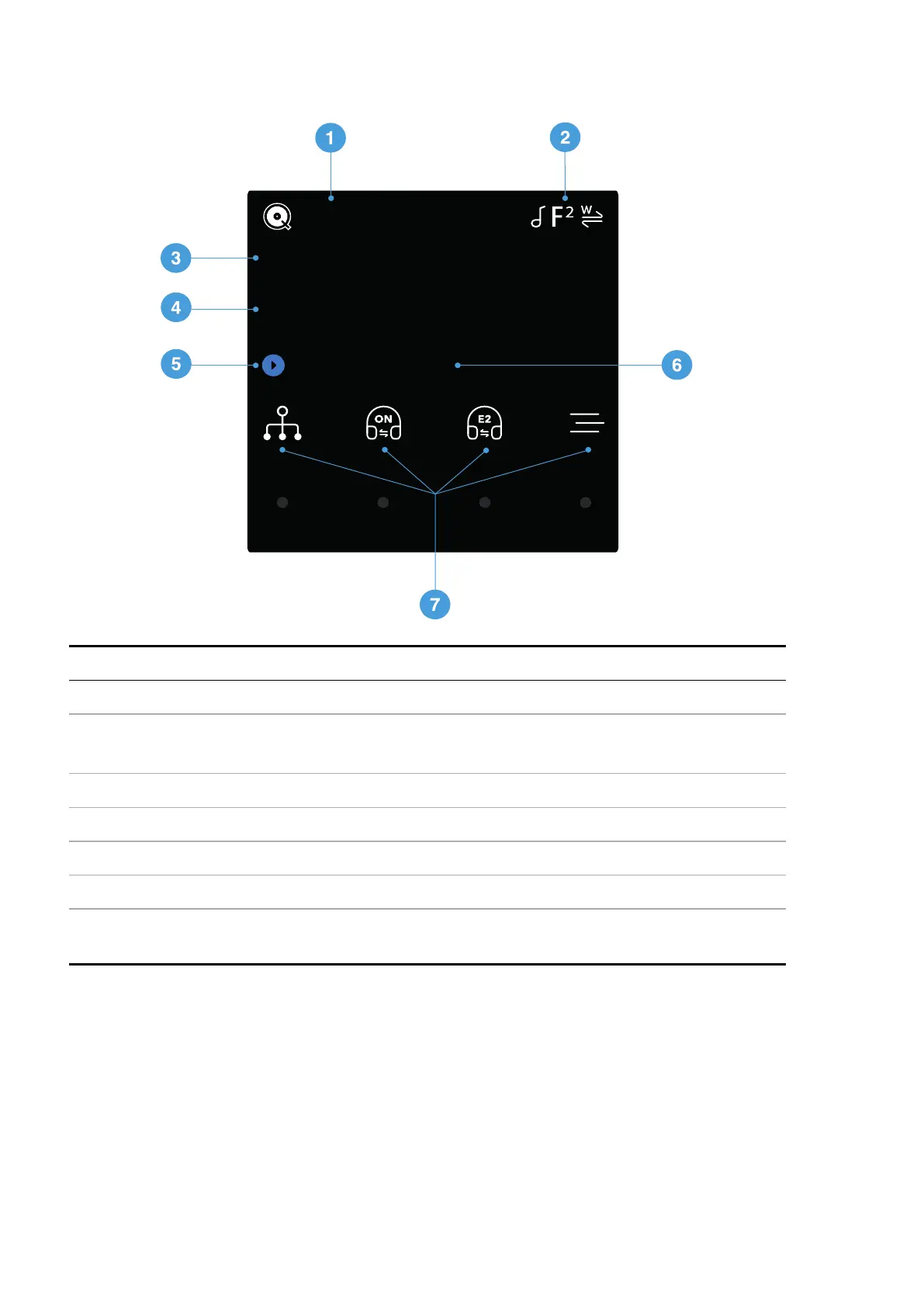
Display
05:12 Artist Name
Track Title
384/24
QOBUZ
Description
1 Input source
2 Status icons
►
For more information, see "Status icons" on the next page.
3 Data rate (word length and sample rate for PCM, or DSD or DSDx2)
4 Track title*
5 Play/Pause icon and track elapsed time*
6 Artist name*
7 Menu, settings and shortcuts. To select the option, tap the relevant touch button.
If an option is not available, the icon is greyed out.
*Displayed only when streaming from network or USB2
Overview
LINA Network DAC User Guide
11



 To Next Page