18
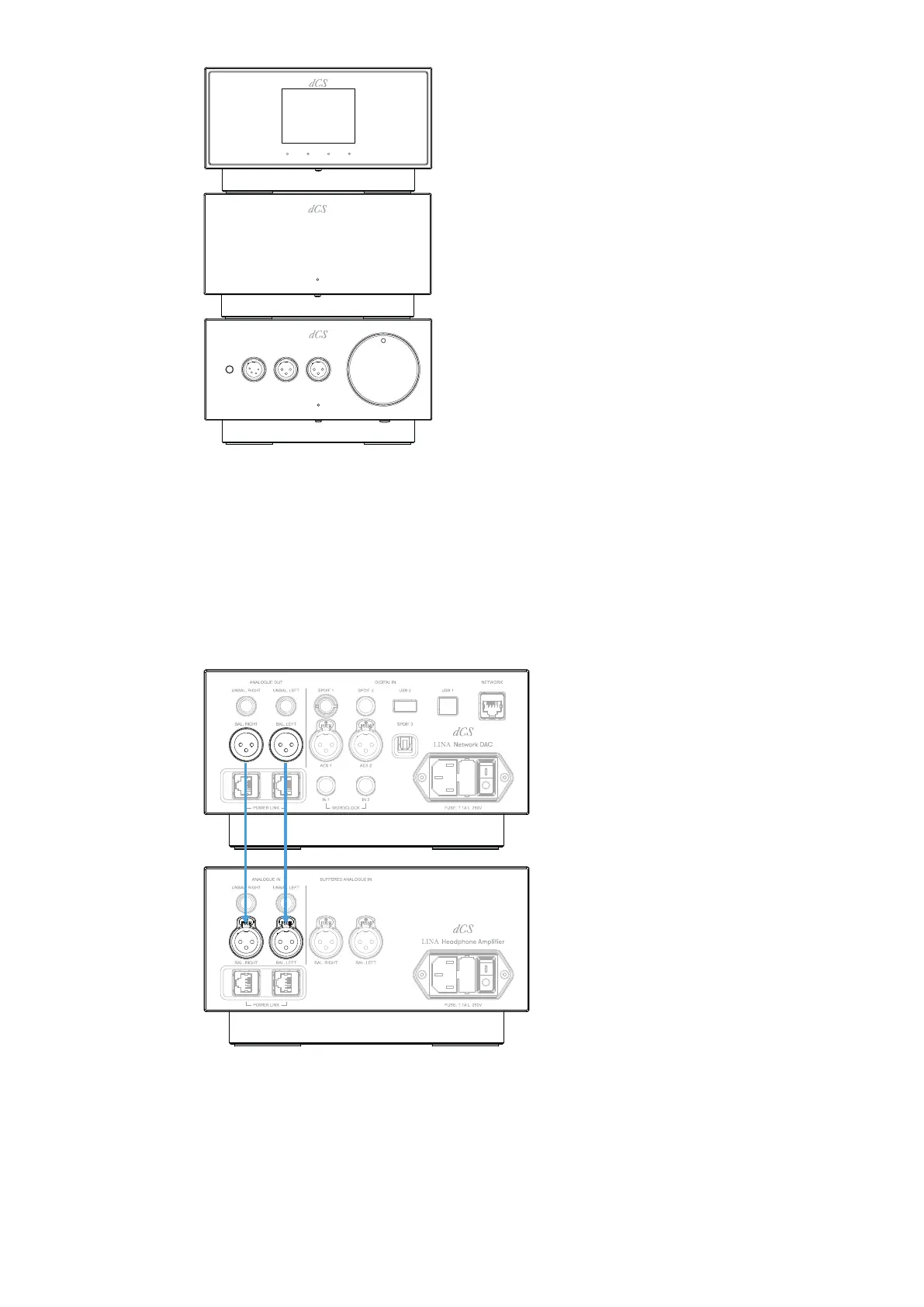
2. Connecting the LINA Network DAC to the LINA Headphone Amplifier
You can connect the LINA Network DAC to the LINA Headphone Amplifier using the balanced
XLR sockets.
1. Using two balanced XLR cables, connect the
BAL.LEFT
and
BAL.RIGHT
outputs on the
LINA Network DAC to the
BAL.LEFT
and
BAL.RIGHT
inputs on the LINA Headphone
Amplifier.
2. On the LINA Headphone Amplifier, choose the unbuffered XLR input. If the status
indicator is not white, press the
Power/Input
button until it changes to white.
Setting up
LINA Network DAC User Guide



 To Next Page