4 Operating the appliance - DIEMATIC
iSystem
4.1 Putting the appliance into operation
1. Check the water pressure in the installation shown on the control
panel display.
If the water pressure is lower than 0,8 bar, more water
should be added. If necessary, top up the water level in the
heating system (recommended hydraulic pressure
between 1,5 and 2,0 bar).
¼
See chapter: "Filling the system", page 35
2. Open the gas valve on the boiler.
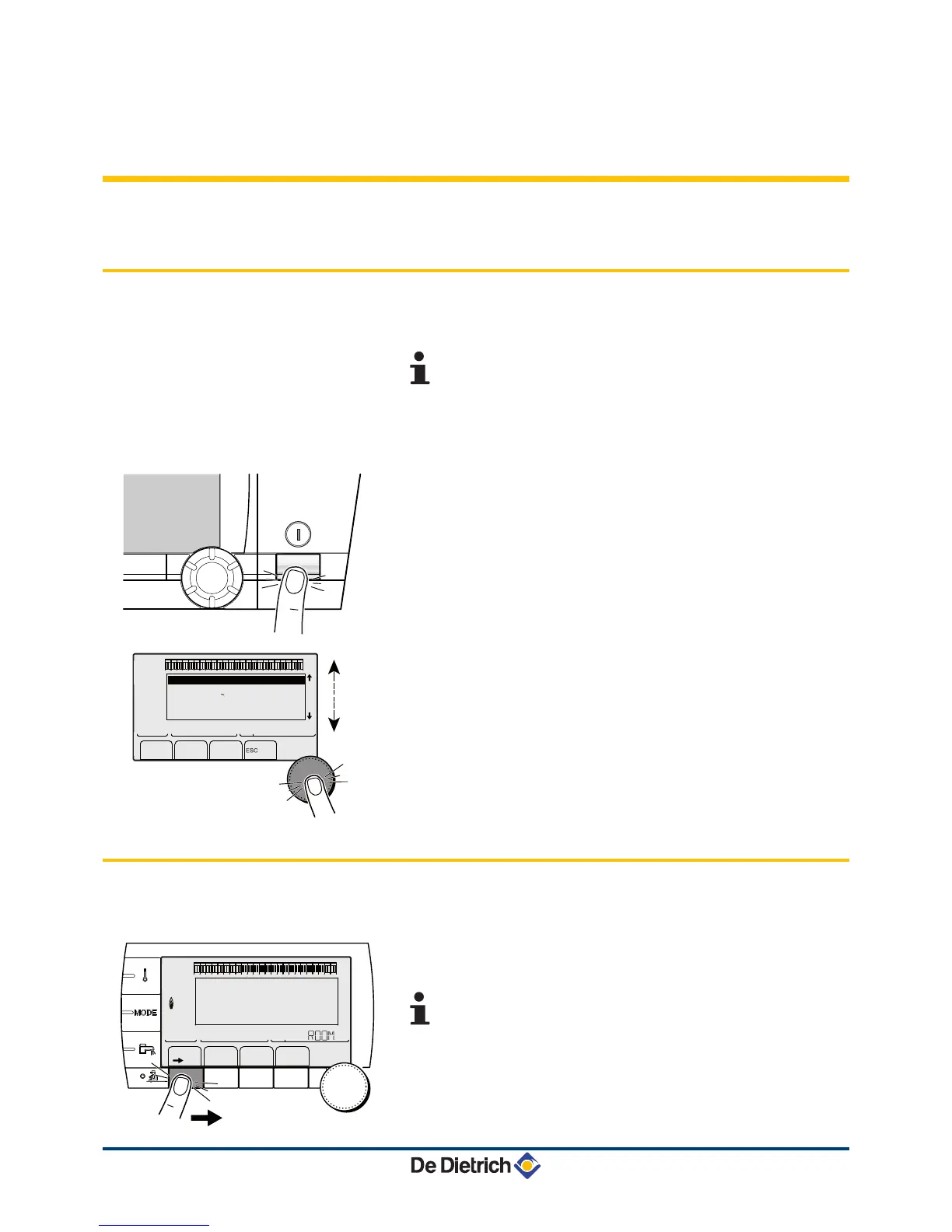
3. Turn on the boiler using the on/off switch.
4. The first time the boiler is powered up, the #LANGUAGE menu is
displayed. Select the desired language by turning the rotary
button.
5. To confirm, press the rotary button.
The boiler will begin an automatic venting-programme (which lasts
approx. 3 minutes) and will do this every time the power supply is
isolated. If there is a problem, the error is displayed on the screen.
4.2 Reading out measured values
The various values measured by the appliance are displayed in the
#MEASURES menu.
1. To access "user" level: Press the
>
key.
2. To select the #MEASURES menu.
4
Turn the rotary button to scroll through the menus or
modify a value.
4 Press the rotary button to access the menu selected
or confirm a value modification.
¼
For a detailed explanation of menu browsing, refer
to the chapter: "Browsing in the menus", page 13.




 To Next Page