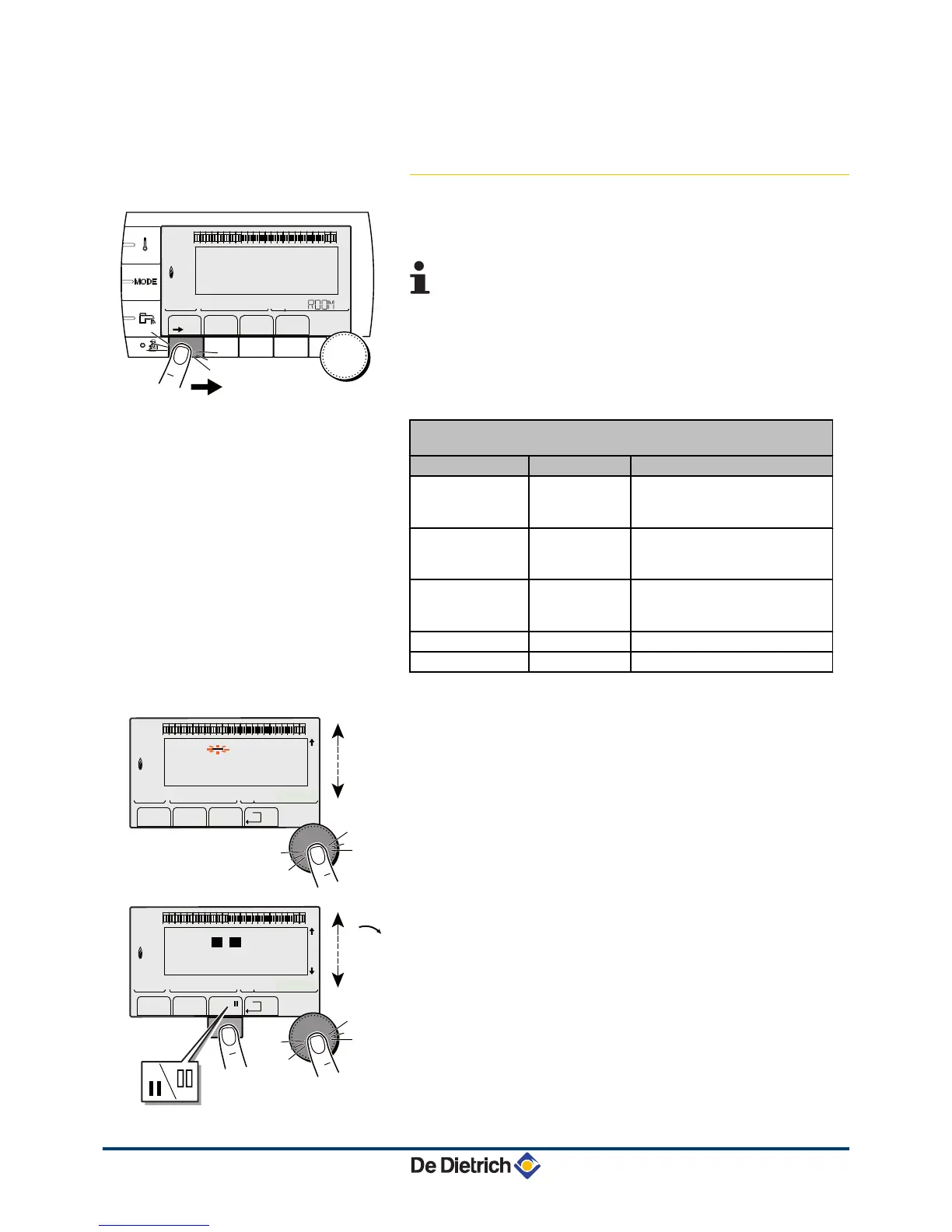
4. Assign the desired timer programme (P1 to P4) to the circuit with
the rotary button.
4.3.7. Customising a timer programme
1. To access "user" level: Press the
>
key.
2. To select the #TIME PROGRAM menu.
4 Turn the rotary button to scroll through the menus or
modify a value.
4 Press the rotary button to access the menu selected
or confirm a value modification.
¼
For a detailed explanation of menu browsing, refer
to the chapter: "Browsing in the menus", page 13.
3. To select the desired parameter.
"User" level - #TIME PROGRAM menu
Parameter Time schedule Description
TIME PROG.A PROG P2 A
PROG P3 A
PROG P4 A
Timer programme for circuit A
TIME PROG.B PROG P2 B
PROG P3 B
PROG P4 B
Timer programme for circuit B
TIME PROG.C PROG P2 C
PROG P3 C
PROG P4 C
Timer programme for circuit C
TIME PROG.DHW
DHW circuit timer programme
TIME PROG.AUX
Auxiliary circuit timer programme
4. To select a timer programme to be modified.
5.
To select to days for which the timer programme is to be
modified:
Turn the rotary button to the left until you reach the day desired.
To confirm, press the rotary button.
6.
b
: Day selection
Press key
b
/
v
until the symbol
b
is displayed.
Turn the rotary button to the right to select the day(s) desired.
v
: Cancelling the day selection
Press key
b
/
v
until the symbol
v
is displayed.
Turn the rotary button to the right to cancel selection of the relevant
day(s).
7. When the days desired for the programme have been selected,
press the rotary button to confirm.




 To Next Page