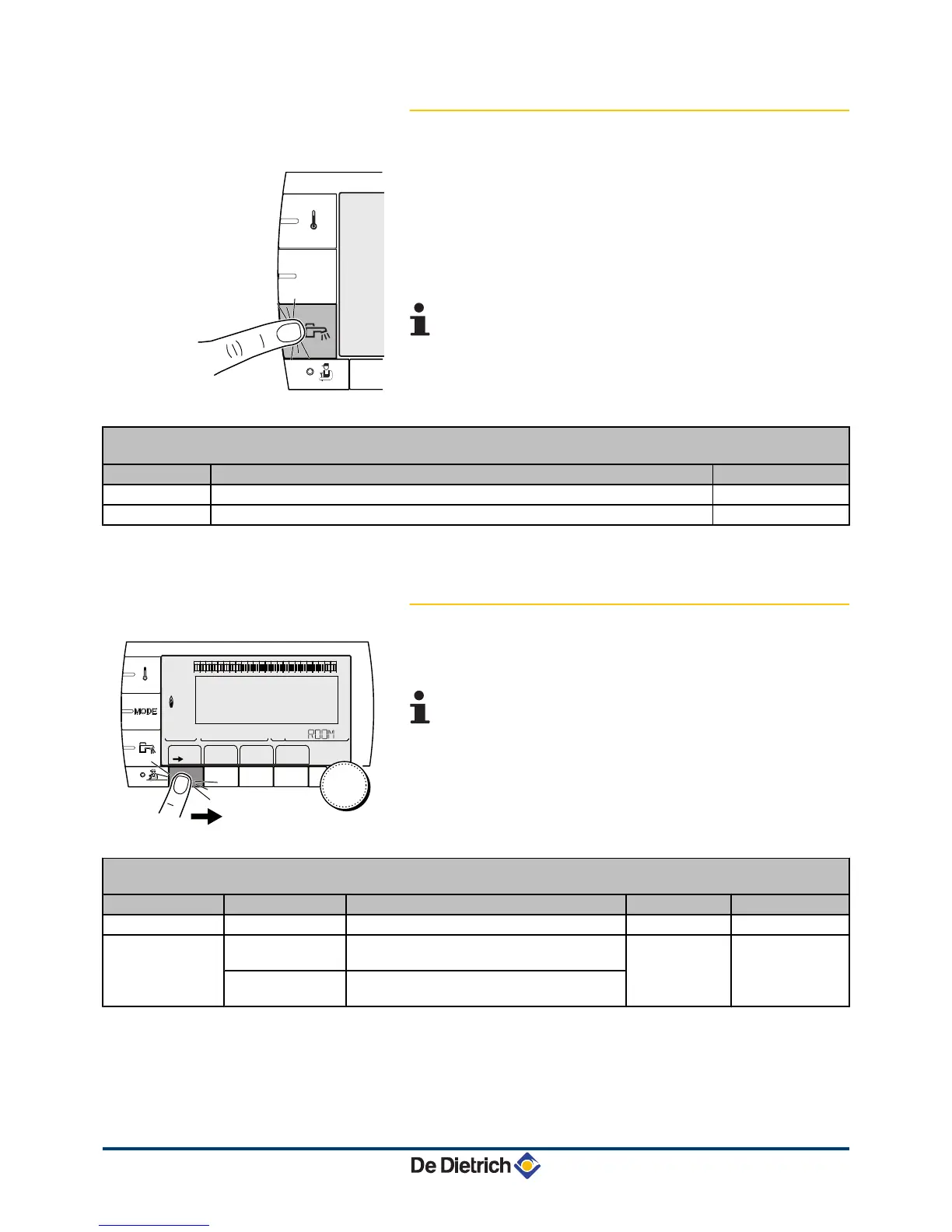
4.3.3. Forcing domestic hot water production
To force domestic hot water production, proceed as follows:
1. Press the
r
key.
2. To select the desired parameter, turn the rotary button.
3. To modify the parameter, press the rotary button.
To go back to the previous display, press the key
j
.
4. To modify the parameter, turn the rotary button.
5. To confirm, press the rotary button.
To cancel, press key
h
.
Menu r
Parameter Description Factory setting
AUTOMATIQUE
The domestic hot water comfort ranges are determined by the timer programme.
COMFORT
Domestic hot water comfort mode is forced until the time indicated or all the time (7/7). Present time + 1 hour
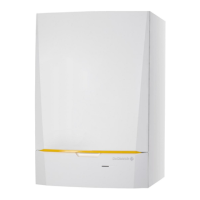
4.3.4. Setting the contrast and lighting on the
display
1. To access "user" level: Press the
>
key.
2. To select the #SETTING menu.
4
Turn the rotary button to scroll through the menus or
modify a value.
4 Press the rotary button to access the menu selected
or confirm a value modification.
¼
For a detailed explanation of menu browsing, refer
to the chapter: "Browsing in the menus", page 13.
3. To set the following parameters:
"User" level - #SETTING menu
Parameter Adjustment range Description Factory setting Customer setting
CONTRAST DISP.
Adjusting the display contrast.
BACK LIGHT COMFORT
The screen is illuminated continuously in
daytime periods.
ECO
ECO
The screen is illuminated for 2 minutes
whenever pressed.




 To Next Page