Rooster™ Sensor100 USER MANUAL
Rooster
TM
Sensor100 USER MANUAL 62320MN000-A04 3
Product Overview
Congratulations on your purchase of the Rooster
TM
Sensor100, the next-generation air velocity
and temperature sensor, a monitoring and alarm system for critical HVAC and process control
applications where airflow is required to be viewed, monitored, alarmed, and even
communicated to building and laboratory systems.
Degree Controls Inc. designed the Rooster
TM
Sensor100 to meet the demand for high
performance air velocity and temperature sensing applications and uses an intuitive, glove-
friendly, color touchscreen interface, and best-in-class air velocity sensing. This product is design
with a probe style sensor to reach into ducted flows in building, process, datacenter and HVAC
applications. An instrumentation class sensor is used to eliminate trouble alarms and provide
best accuracy across wide temperature ranges. The Rooster
TM
Sensor100 comes calibrated with
NIST certificate, from 0.15 – 20.0 m/s [30 – 4000 fpm]. Different calibration ranges can be
ordered, for more information, contact Degree Controls, Inc.
The Rooster
TM
Sensor100 uses a bright, backlit display and contains many simple-to-use
features, and configuration capabilities, built into an intuitive user interface that requires little to
no training to learn. Password-protected access tiers ensure greater safety in a range of
environments by limiting access to critical functions and system settings for specific, authorized
users. The Rooster
TM
Sensor100 is the first airflow sensor with USB-based plug and play firmware
upgrades, to keep your product current and operating to the latest standards.
This manual will guide you through installation, firmware upgrades, alarm control settings, and
the full range of features for the Rooster
TM
Sensor100.
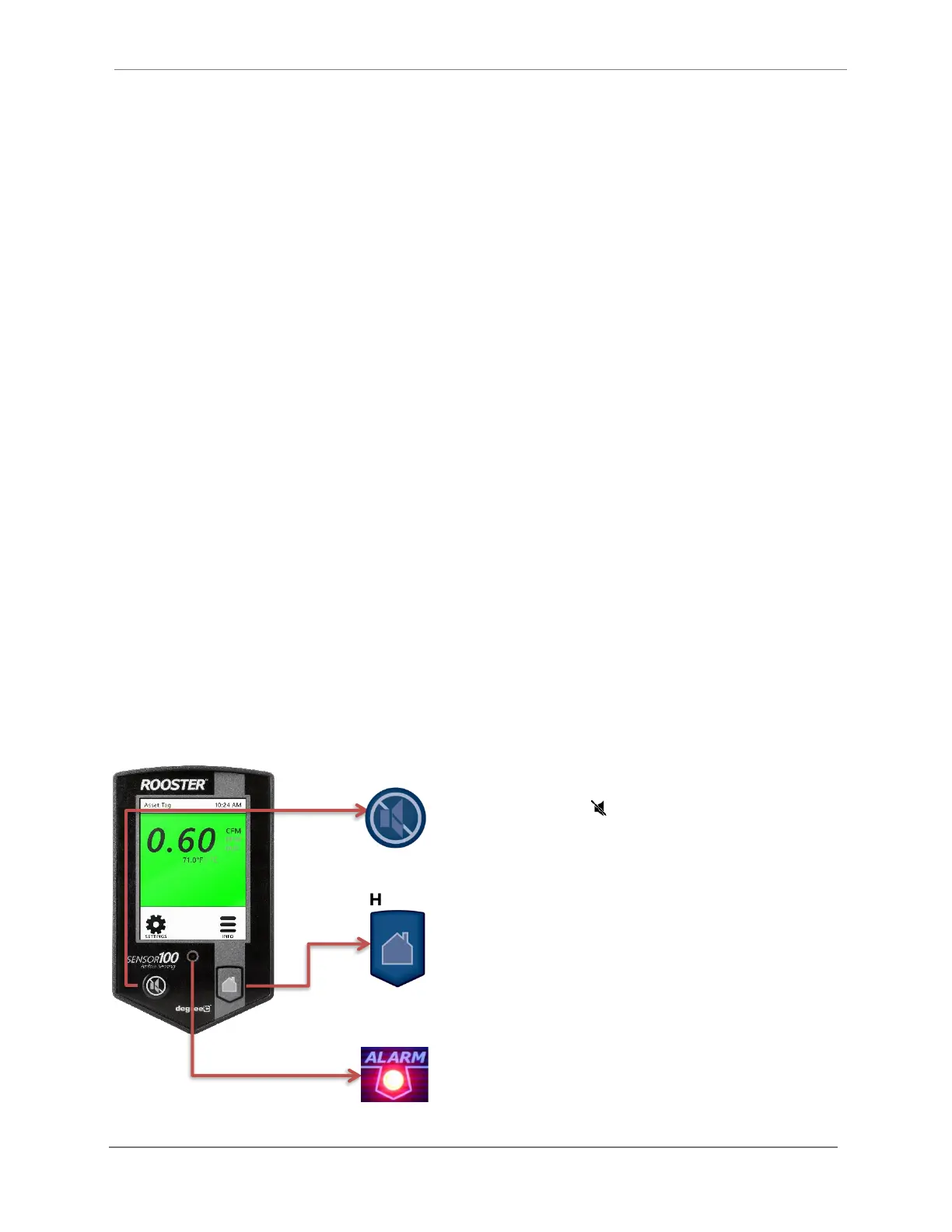
Hard Button Overview
Mutes the audible alarm, any time it is sounding. When the alarm has
been muted, a mute icon [ ] will appear in the top center portion of
the home screen. Just like a snooze button, the audible alarm will re-
sound, when the configurable time-out is reached if ringback has been
enabled.


 To Next Page