V0608, 5.1
5. Manual mode
5.1. Introduction
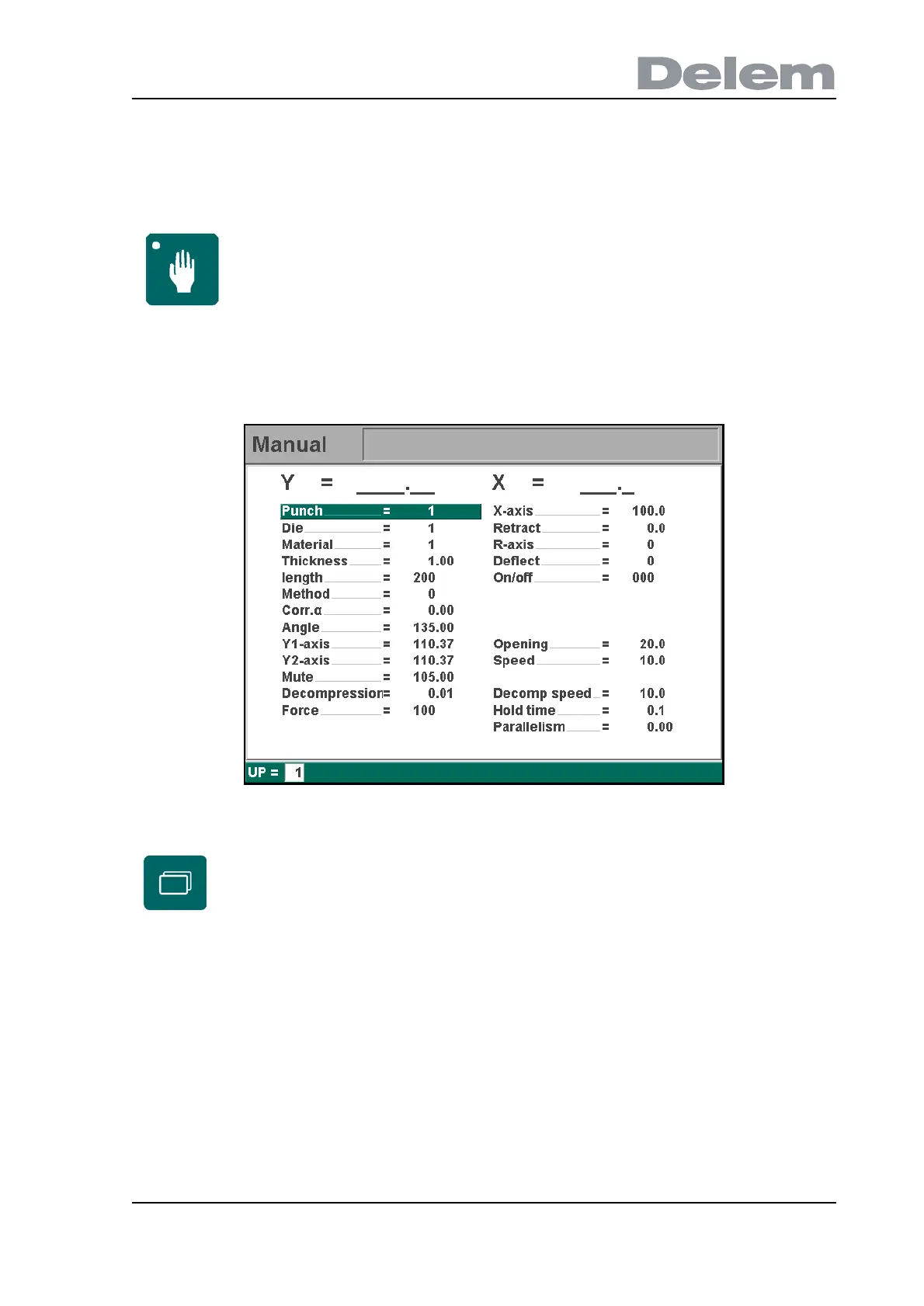
In manual mode you program the parameters for one bending.
After pushing the ‘Start’ button all parameters are active and the backgauge will go into
position. It is also possible to move the axes manually, see section 5.2.
5.a
5.2. Parameter Explanation
All the parameters can be programmed independently of the programs in memory.
Punch . . . . . . . . . . . . . . . . . . . . . . . . . . . . . . . . . . . . . . . . . . . . . . . . . ..UP
Number of selected punch in the library.
Die . . . . . . . . . . . . . . . . . . . . . . . . . . . . . . . . . . . . . . . . . . . . . . . . . . . . ..UN
Number of selected die in the library.
Manual mode By pushing this key the CNC is in manual mode.
Use the key ‘change view’ to switch to a screen with zoomed
values.



 To Next Page