16
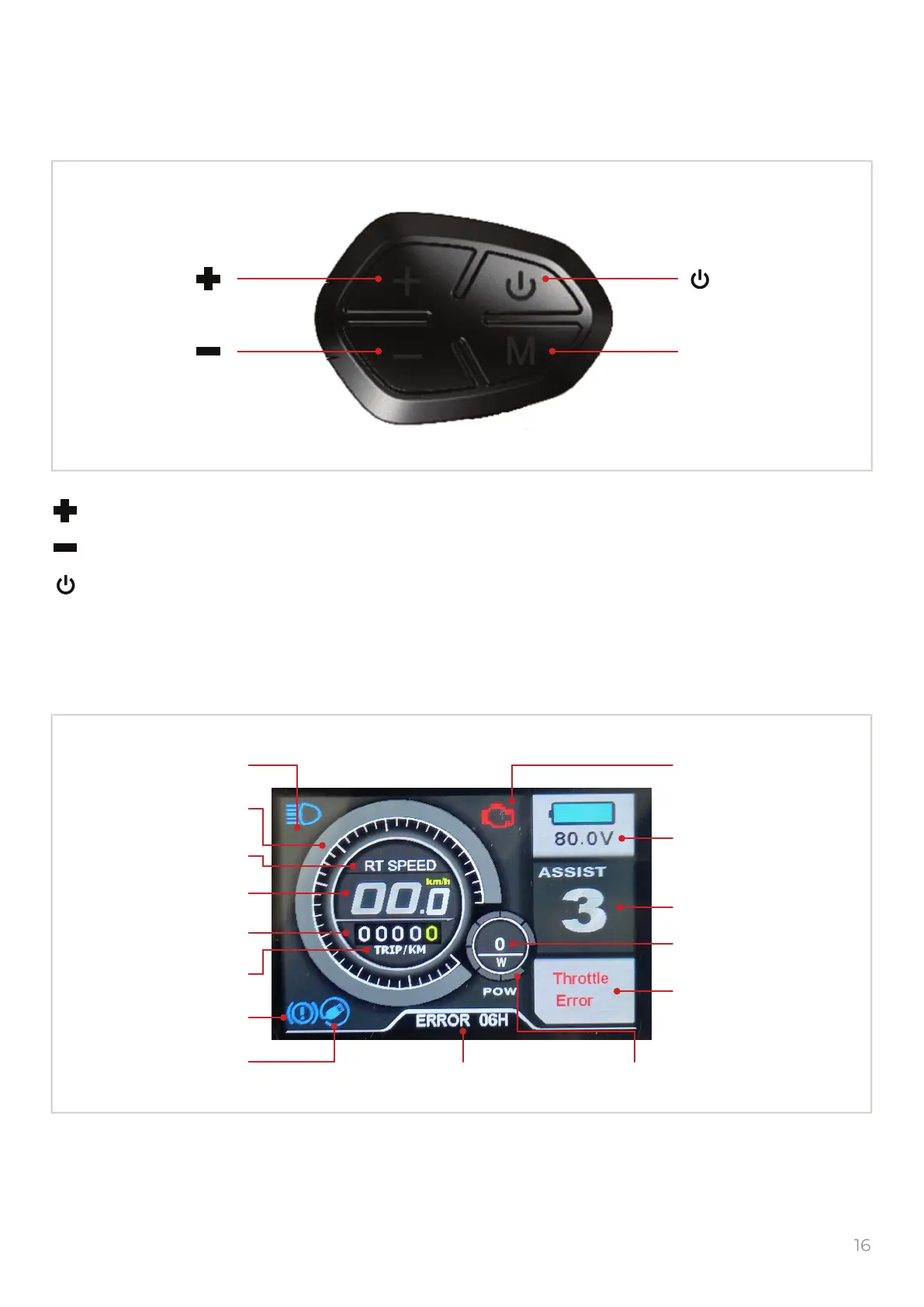
Display and block of buttons
Block of buttons
Display
let to move through the menu right and up, or increase value
let to move through the menu left and down, or decrease value
short push will change the speed mode
short push will change the mileage mode or enters exits the menu, conrms the values
M
Button Button
ButtonButton
M
1. Display backlight 11. Fault indicator
12. Battery charge
13. Assist level
14. Power
15. Clock or Error
2. Speedometer
3. Speed mode
4. Speed
5. Mileage
6. Mileage mode
7. Brake indicator
8. USB indicator
9. Logo or Error code 10. Power scale


 To Next Page