29
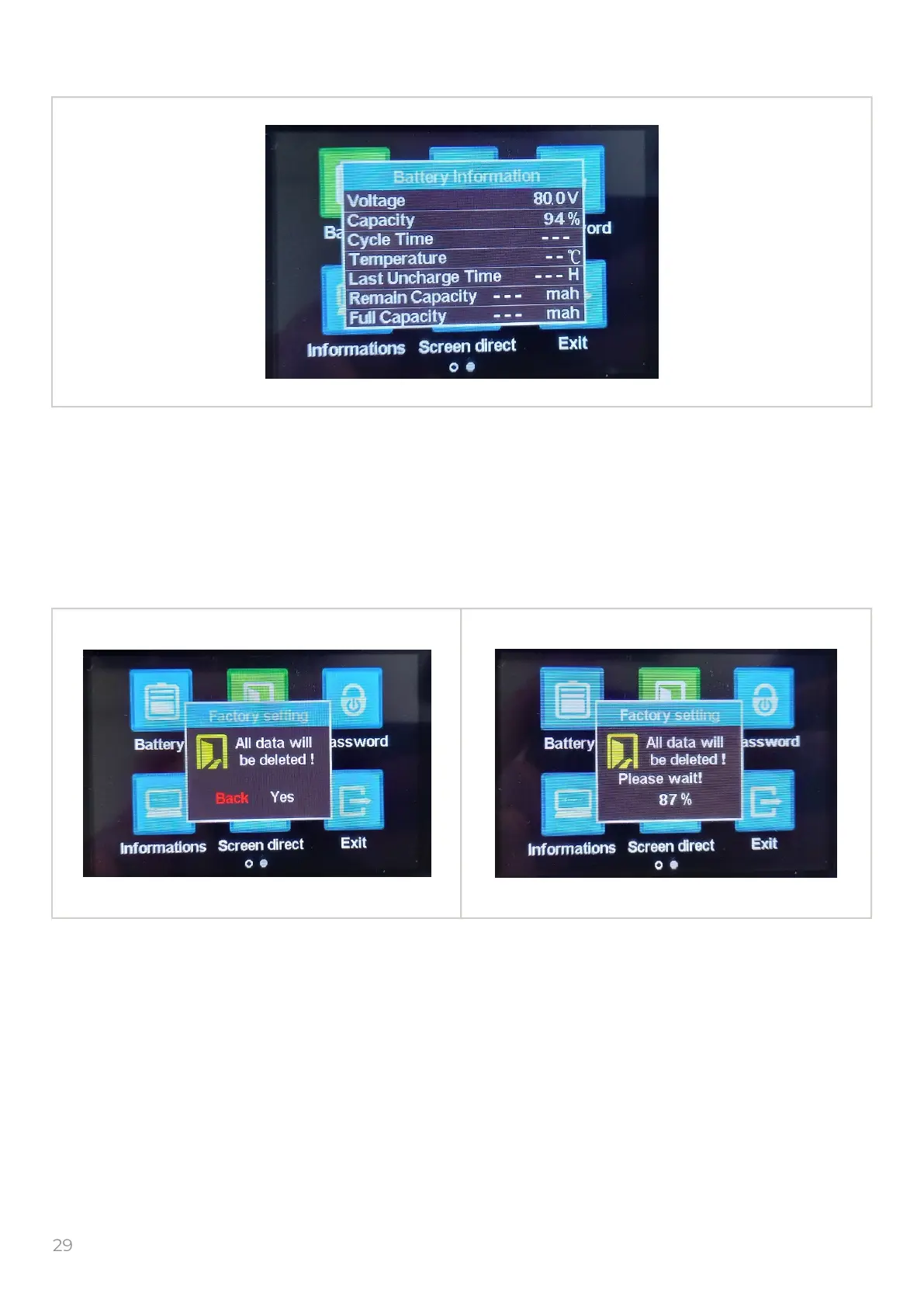
7. Battery info
8. Factory settings
Select the “Battery information” icon and push the to get into the “Battery information”
window.
Battery info, this values do not operate and can not be changed.
To return in previous menu push the button.
Select the “Factory setting” icon and push the to get into the “Factory setting ” window.
Factory setting – sets all settings to default.
After the resetting, check and set the values according to the conguration of the e-bike.
To return in previous menu select the “Back” and push the button.
M
M
M
M


 To Next Page